Embark on an exciting journey to discover how you make your own world in Roblox. This comprehensive guide is tailored for adult gamers balancing life and play, offering practical, step-by-step instructions to create your unique digital space. Roblox Studio, a powerful yet accessible platform, transforms your creative ideas into interactive experiences. Learn how to navigate its intuitive tools, understand basic scripting, and design engaging environments that resonate with the platform's massive global community. We'll cover everything from initial setup and ideation to publishing your game, ensuring a smooth and rewarding creation process. Dive into the world of user-generated content, a booming trend among US gamers, and unlock new avenues for social interaction and skill development. Whether you aim for casual fun, a creative outlet, or even future monetization, this guide provides the essential knowledge to build a captivating Roblox world without complex hurdles or excessive time commitments. Discover the joy of game creation and connect with millions of players.
How do you start making your own game in Roblox Studio?
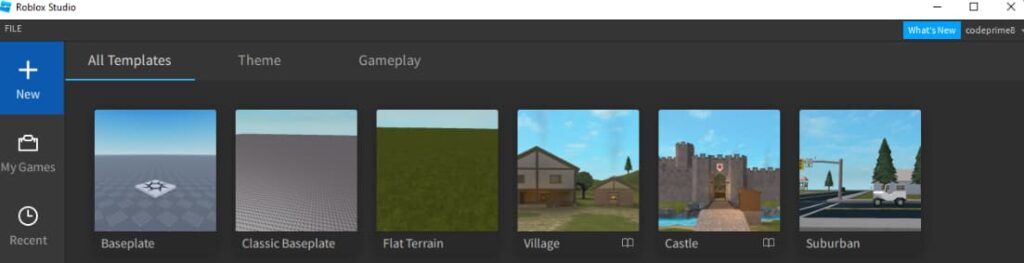
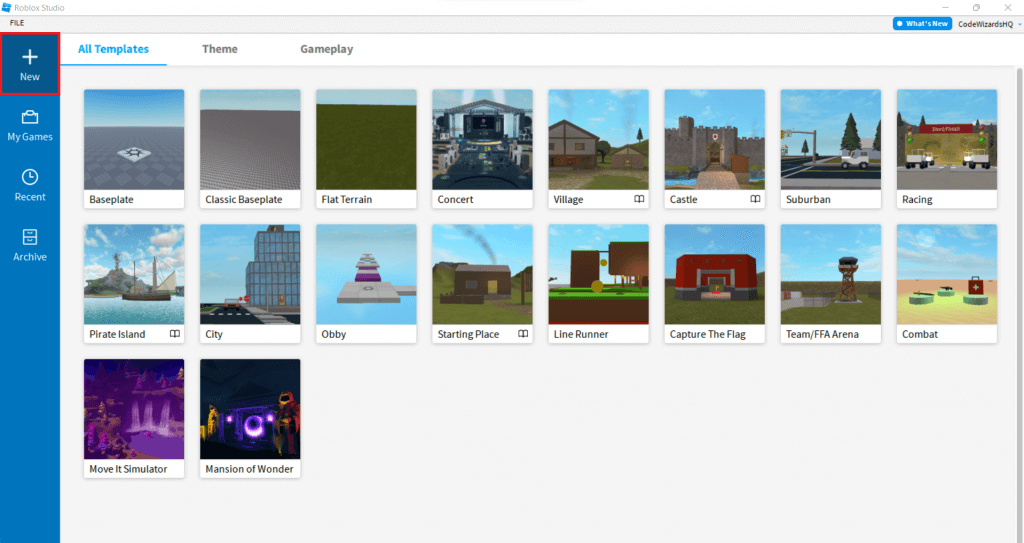
Starting your own game in Roblox Studio is quite straightforward. First, download and install Roblox Studio from the official Roblox website. Once launched, sign in with your Roblox account. You'll then be greeted with the 'New' tab, offering various templates like 'Baseplate,' 'Classic Baseplate,' or even themed options like 'Obby' or 'Village.' Choose a template that best suits your initial idea; a 'Baseplate' is ideal for completely custom builds. From there, you'll use the intuitive tools such as 'Part' to create objects, 'Move,' 'Scale,' and 'Rotate' to manipulate them, and the 'Toolbox' to access a vast library of free models and assets created by other developers. This quick start lets busy adult gamers jump right into creating without a steep learning curve.
What are the essential building tools in Roblox Studio for beginners?
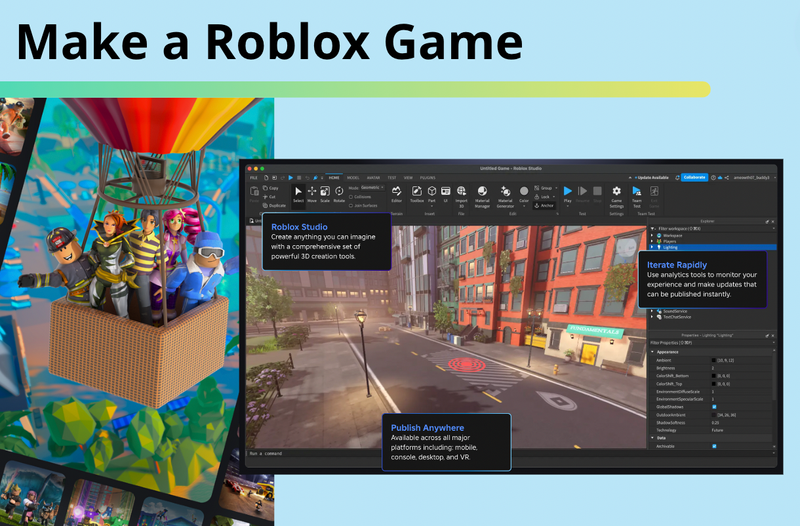
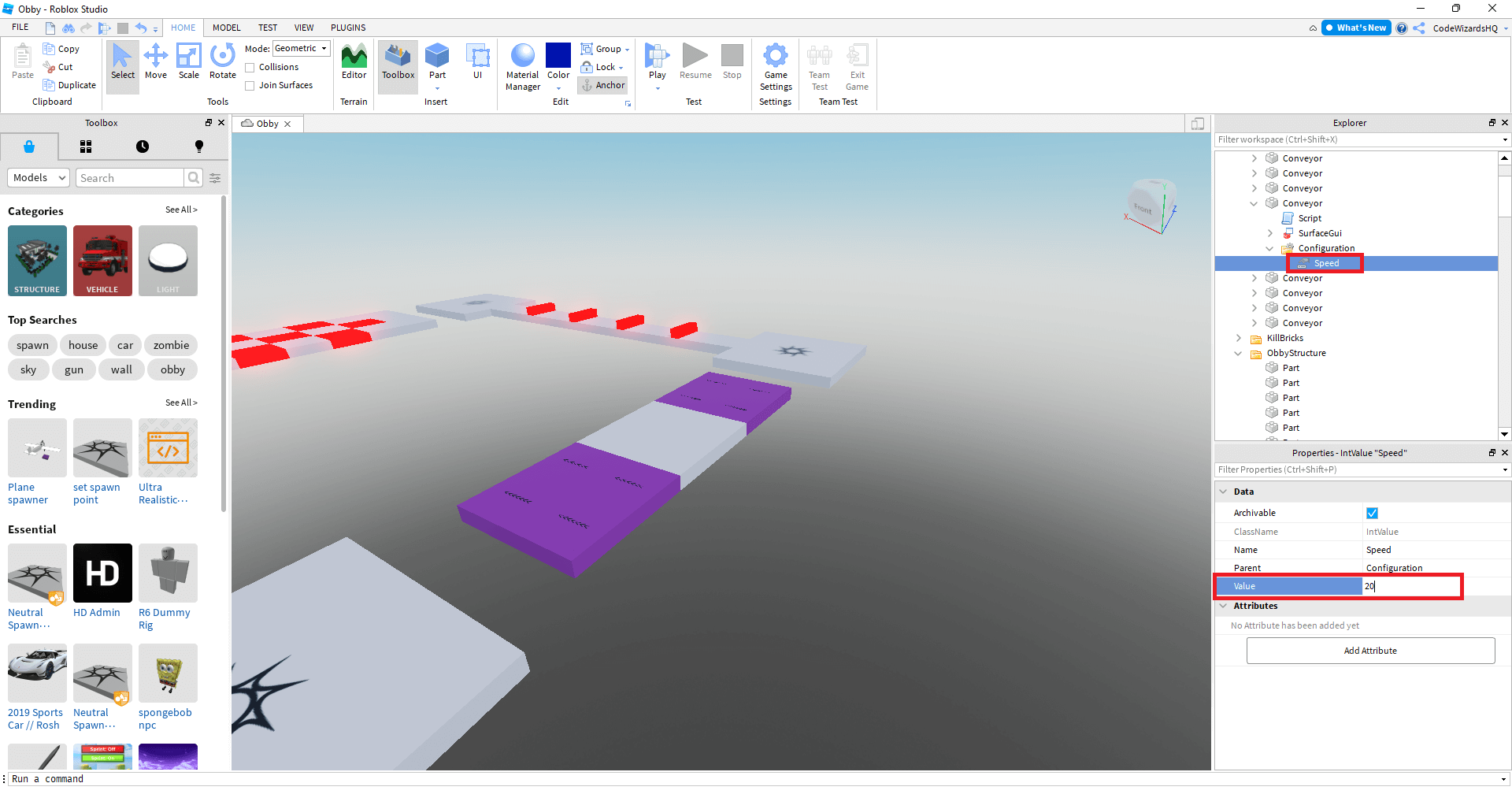
For beginners in Roblox Studio, mastering a few essential building tools will unlock most of your creative potential. The 'Part' tool, located in the 'Home' tab, lets you create basic shapes like blocks, spheres, and cylinders which are the building blocks of any world. The 'Move,' 'Scale,' and 'Rotate' tools (also in the 'Home' tab) allow you to position, resize, and orient these parts precisely. The 'Toolbox' provides access to a massive library of user-created models, plugins, and assets, saving you time and offering inspiration. The 'Explorer' window is crucial for managing all objects in your game, while the 'Properties' window lets you customize their appearance, physics, and other attributes. Familiarizing yourself with these core tools makes the development process efficient and enjoyable for those balancing gaming with life.
How can I add interactive elements and basic scripts to my Roblox game?
Adding interactive elements and basic scripts to your Roblox game is where your world truly comes alive. While complex scripting uses Lua, many simple interactions can be achieved without deep coding. For example, you can use the 'ClickDetector' object inside a Part to make something happen when a player clicks it. To add a script, right-click on an object in the 'Explorer' window, hover over 'Insert Object,' and select 'Script' or 'LocalScript.' A simple script could be: script.Parent.Touched:Connect(function() print("Player touched me!") end), which prints a message when an object is touched. Roblox Studio offers pre-made scripts and a robust documentation for learning Lua. Even simple scripts, like making a door open or a light turn on, dramatically enhance player engagement and make your world feel more dynamic, a key desire for social gamers.
What are the best ways to test and debug my Roblox world?
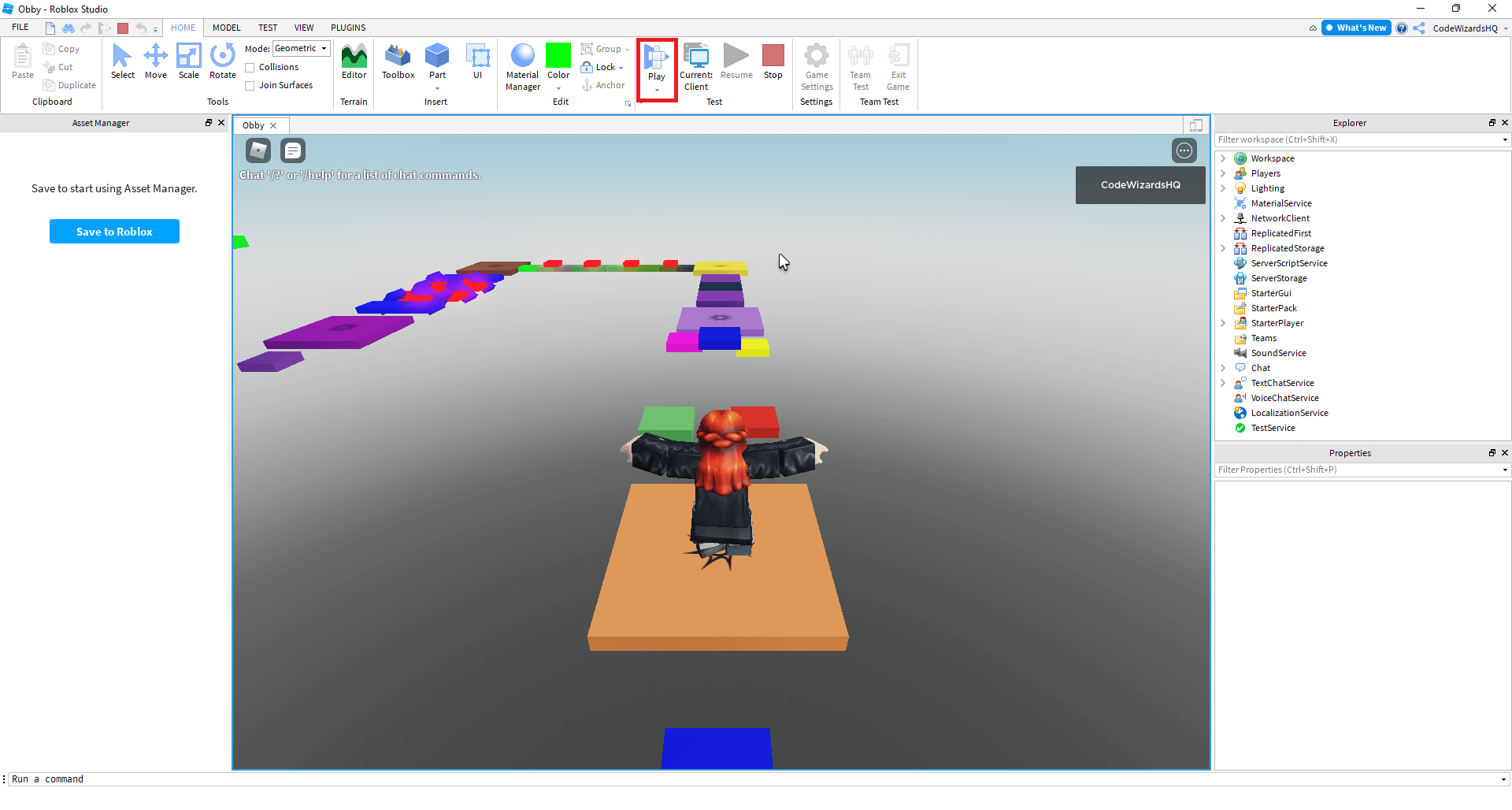
Thorough testing and debugging are critical steps to ensure your Roblox world runs smoothly and is enjoyable for players. In Roblox Studio, use the 'Play' button (or 'Run' or 'Play Here') in the 'Home' tab to test your game directly within the editor. This allows you to walk through your creation as a player and identify bugs, glitches, or design flaws. The 'Output' window is invaluable for debugging scripts, as it displays error messages and print statements. Utilize the 'Developer Console' (accessible in-game by pressing F9) to monitor performance, network issues, and client-side errors. Invite friends to playtest your game before publishing; their fresh perspectives can uncover issues you might have missed. Consistent testing across different areas of your map and various gameplay scenarios will help refine your experience for the diverse player base.
How do I publish and share my Roblox world with others?
Publishing and sharing your Roblox world is the exciting culmination of your creative efforts. Once you're satisfied with your game and have thoroughly tested it, go to 'File' in Roblox Studio and select 'Publish to Roblox As...'. If it's your first time, you'll create a new game; otherwise, you can overwrite an existing one. Fill in the game's title, description, and configure settings like player access (public or private) and game genre. After publishing, your game will appear on your Roblox profile. To share it, simply copy the game's URL from the Roblox website and distribute it to friends, on social media platforms like Discord, or within relevant Roblox communities. Encouraging likes and favorites from players will boost its visibility within the Roblox discovery system, helping you reach a broader audience of eager gamers.
Are there any safety tips for creating a Roblox game?
Absolutely, safety is paramount when creating a Roblox game, especially for adult gamers who might be building for a wider audience. Always adhere to Roblox's Community Standards and Terms of Use; this includes avoiding inappropriate content, hate speech, or personal information sharing. Be cautious when using free models from the 'Toolbox'; while many are safe, some might contain malicious scripts or inappropriate content. Always inspect scripts within models before integrating them into your game. If you're collaborating, only work with trusted individuals and never share your account password. Protect any personal data you might use for development. Regularly backup your game files to ensure you don't lose progress. By following these safety tips, you create a secure and positive environment for yourself and your players, contributing to the overall integrity of the Roblox platform.
What makes a Roblox game successful and popular?
A successful and popular Roblox game often combines several key elements that resonate with players, especially the diverse US gaming demographic. First, it offers a unique and engaging gameplay loop that keeps players coming back, whether it's a compelling objective, a fun social interaction, or a challenging skill-based experience. Second, strong visual design and a consistent theme help the game stand out. Third, performance optimization is crucial across all devices, including mobile, ensuring a smooth experience for everyone. Fourth, social features that encourage players to interact, cooperate, or compete naturally lead to higher engagement. Finally, consistent updates, bug fixes, and active communication with your player base foster a loyal community. Trending games often tap into current interests or offer a fresh take on a familiar genre, providing relaxation, fun, and skill-building opportunities without being overly complex or demanding.
Are you a busy US gamer, perhaps juggling work, family, and a desire for some well-deserved relaxation and creative outlet? If you've ever found yourself thinking beyond just playing games, wondering how you could put your own unique stamp on the digital world, then you're in good company. Many adult gamers, around 60% of the demographic, are looking for ways to engage creatively, build new skills, and socialize within gaming communities without dedicating endless hours to complex development platforms. You want something fun, rewarding, and ideally, budget-friendly. That's where Roblox comes in, offering an incredible opportunity to make your own world and share it with millions. This platform isn't just for kids; it's a vibrant ecosystem where creators of all ages can build virtually anything they imagine, from sprawling adventure maps to cozy social hangouts. With over 87% of US gamers regularly engaging with their favorite titles and many spending 10+ hours a week, finding avenues for both play and creation that fit into a demanding schedule is key. This month, the trend for user-generated content and social sandbox games like Roblox continues to surge, proving that building your own experience is more popular than ever. We understand the pain points: daunting setup, performance worries, or feeling overwhelmed by a steep learning curve. But what if we told you that creating your own Roblox world is more accessible and enjoyable than you think? This guide will cut through the noise, offering practical, no-nonsense advice to help you transform your creative ideas into a living, breathing Roblox experience, ensuring you get maximum value and fun for your time.
How do you make your own world in Roblox using Roblox Studio?
Creating your own world in Roblox primarily involves using Roblox Studio, a free, powerful, and user-friendly development platform. Think of it as your digital workshop. The process begins by downloading and installing Roblox Studio from the official Roblox website, which is a straightforward task even for those on a budget PC setup. Once installed and you've logged in with your Roblox account, you'll open the software to find a variety of templates to kickstart your project. These templates range from simple flat terrains to pre-built obbies or classic baseplates, allowing you to choose a foundation that aligns with your vision. Many adult gamers appreciate these starting points as they reduce initial setup time, letting them dive straight into creativity. From there, you'll use the intuitive tools within Studio to shape your environment, add objects, and define gameplay. It's a bit like digital LEGOs, offering immense creative freedom without requiring extensive coding knowledge right from the start.
What tools do I need to create a Roblox game?
To create a Roblox game, your primary tool is Roblox Studio, which is entirely free to download and use on most Windows PCs and Macs. Beyond the software itself, a reliable internet connection is crucial for downloading assets, collaborating with others, and publishing your game. While Roblox Studio is quite efficient, having a reasonably modern computer with a decent processor (Intel Core i3 or equivalent and above) and at least 4GB of RAM will ensure a smoother experience, especially as your worlds grow more complex. For adult gamers on a budget, this means you don't necessarily need a high-end gaming rig to get started; many older laptops or desktops can handle initial development. You'll also benefit from a comfortable mouse and keyboard for precise building. No specialized hardware upgrades are typically needed to begin, making it a very accessible entry point into game development for those looking to balance gaming with life without breaking the bank.
Is it hard to learn Roblox Studio for beginners?
No, learning Roblox Studio for beginners is surprisingly accessible, particularly given its visual and intuitive interface. Roblox Corporation has put significant effort into making the platform user-friendly, with many tools functioning on a drag-and-drop principle. You can start building impressive environments and simple gameplay mechanics without writing a single line of code. For those interested in adding more dynamic elements, the platform uses Lua, a scripting language known for its relative simplicity compared to others like C++ or Java. Roblox provides extensive documentation, tutorials, and a massive community forum where developers, both new and experienced, share knowledge and troubleshoot issues. Many busy adult gamers find that dedicating a few hours a week to official tutorials can quickly get them comfortable with the basics, making it an excellent skill-building activity that doesn't demand overwhelming time commitments.
How can I make my Roblox world engaging for players?
To make your Roblox world truly engaging for players, focus on clear objectives, interesting mechanics, and a strong visual theme. Start by defining what makes your game unique, whether it's a clever puzzle, a challenging obby, or a relaxing social space. Provide players with goals, even simple ones like collecting items or reaching a destination, to give them a sense of purpose. Incorporate social elements; since mobile dominance and social gaming are huge trends among US gamers, features like leaderboards, in-game chat, or cooperative challenges encourage interaction. Think about replayability by adding secrets, unlockable content, or different game modes. Consistent updates and responding to player feedback are also vital. For example, monthly updates to add fresh content or seasonal events keep players coming back, much like popular free-to-play titles do. Lastly, optimize for performance so players on various devices, including mobile, have a smooth experience, addressing a common pain point for gamers.
What are the best practices for publishing a Roblox game?
Publishing your Roblox game effectively involves thorough testing, thoughtful description, and strategic promotion. Before going live, extensively test your game yourself and with friends for bugs, performance issues, and overall player experience. Gather feedback and iterate on improvements. When you're ready to publish, craft a compelling game title and description that clearly communicates what your world is about and entices players. Choose eye-catching thumbnails and game icons. Ensure your game adheres to Roblox's community standards to avoid content moderation issues. Once published, don't just wait; share your game with friends, on social media (like Discord communities popular among Gen Z/Millennial gamers), and through Roblox's own discovery features. Encourage players to like and favorite your game, as these metrics influence its visibility. Remember, a successful launch often involves ongoing engagement with your player base and continuous refinement of your creation.
Can I make money creating games on Roblox?
Yes, you absolutely can make money creating games on Roblox, though it requires dedication and a popular game. Roblox offers the Developer Exchange (DevEx) program, which allows creators to convert earned Robux (Roblox's virtual currency) into real-world money. Your primary income streams come from Game Passes and Developer Products, which are in-game purchases players make. You can also earn Robux from Premium Payouts, where Roblox shares a portion of Premium subscriber revenue based on how much time Premium members spend in your game. Many creators, even those balancing development with full-time jobs, have found success by focusing on making engaging experiences that players genuinely enjoy and are willing to support. While not every game becomes a huge earner, the potential for supplemental income or even a career is a significant draw, reflecting the value-for-money aspect that adult gamers appreciate.
How do I optimize my Roblox game for performance?
Optimizing your Roblox game for performance is crucial for attracting and retaining players, especially given the diverse hardware of players, from mobile phones to powerful PCs. Start by minimizing the number of parts in your world and utilizing efficient building techniques, such as using Unions or MeshParts where appropriate. Reduce texture sizes and avoid overly complex lighting setups. Script optimization is also vital; write clean, efficient Lua code that doesn't cause unnecessary lag. Use Roblox Studio's built-in 'MicroProfiler' and 'Developer Console' tools to identify performance bottlenecks, such as scripts consuming too much memory or parts causing rendering issues. Regularly test your game on different devices, particularly mobile, to ensure a smooth experience across the board. Addressing performance problems upfront prevents player frustration and helps your game appeal to a wider audience, including those on older hardware or with limited internet connections, directly tackling a common gamer pain point.
What are popular types of worlds to create in Roblox right now?
Currently, popular types of worlds to create in Roblox reflect broader gaming trends among US gamers, including social, cozy, and competitive experiences. Role-playing games (RPGs) where players can inhabit various personas and build social connections remain highly popular. "Simulator" games, where players earn virtual currency by performing repetitive tasks and upgrading equipment, continue to dominate charts. "Obby" or obstacle course games, which appeal to the skill-building and challenge-seeking aspects of gaming, are perennial favorites. Additionally, "Tycoon" games, where players build and manage their own businesses or facilities, provide satisfying progression loops. "Hangout" or social hub games, focusing purely on player interaction and relaxation, are also trending, catering to the strong desire for social play and unwinding after a busy day. Observing what's popular this month on the Roblox front page can give you excellent insights into current player preferences and creative directions.
How can I balance game development with my daily life commitments?
Balancing game development with daily life commitments like jobs and family is a common challenge for adult gamers, but it's entirely achievable with a strategic approach. Start by setting realistic goals for your development sessions; even 30 minutes to an hour a few times a week can lead to significant progress over time. Treat development as a hobby, not a chore, and work on aspects you enjoy most when you have limited time. Break down large tasks into smaller, manageable chunks. For instance, instead of aiming to build a whole level, focus on designing a single room or scripting one specific interaction. Utilize Roblox Studio's save features frequently. Consider collaborating with friends or other developers within the Roblox community; shared responsibilities can make the process more enjoyable and less overwhelming. Remember, the goal is to have fun and create something you're proud of, not to rush the process. This approach helps reduce stress and prevents burnout, ensuring gaming remains a source of relaxation and fun.
FAQ Section
Is Roblox Studio free to use?
Yes, Roblox Studio is completely free to download and use. This makes it an incredibly accessible platform for anyone interested in game development, offering a powerful suite of tools without any initial financial investment, appealing directly to budget-conscious gamers.
What is Lua and do I need to learn it?
Lua is a lightweight, multi-paradigm programming language used to script behaviors and interactivity in Roblox games. While you can build a lot without coding, learning basic Lua will unlock advanced functionalities and make your worlds more dynamic and engaging. Many free tutorials are available.
Can I create a Roblox world on mobile?
Currently, Roblox Studio, the primary tool for creating worlds, is only available on Windows PCs and Macs. While you can play Roblox games on mobile devices, active development requires a desktop or laptop computer.
How long does it take to create a simple Roblox game?
You can create a very basic Roblox game or world in as little as a few hours using templates and simple drag-and-drop tools. More complex or polished games can take weeks or months, depending on your vision, skill level, and time commitment. It's a scalable process.
Where can I find resources to learn more about Roblox development?
Roblox provides excellent official documentation and tutorials on their Creator Hub website. Additionally, YouTube channels, community forums, and Discord servers dedicated to Roblox development are fantastic places to learn, ask questions, and connect with other creators.
What are Robux and how do they relate to my game?
Robux is Roblox's virtual currency. Players use Robux to purchase game passes, developer products, and clothing. As a game developer, you can earn Robux through these in-game purchases and Premium Payouts, which can then potentially be converted into real money via the DevEx program.
In summary, diving into Roblox world creation is an incredibly rewarding endeavor for any gamer looking to expand their horizons. With accessible tools, a supportive community, and the potential to build something truly unique, it perfectly aligns with the desire for creative expression and social engagement among busy adult gamers. From crafting your first environment to optimizing for performance and even exploring monetization, Roblox Studio empowers you to be a creator. It's a fantastic way to unwind, develop new skills, and connect with millions of players worldwide, all while balancing your everyday commitments. So, why not give it a shot? Your next favorite gaming experience might just be one you build yourself. What's your biggest gaming challenge or creative idea for a Roblox world? Comment below and share your thoughts!
Learn to create custom Roblox worlds easily with Roblox Studio, explore accessible game development for all skill levels, understand scripting basics and advanced features, discover best practices for engaging players, publish and potentially monetize your Roblox creations, balance development with real-world commitments, and connect with a vast global gaming community.
35


Create Awesome Roblox Maps Create Roblox Map And Realistic Models With Blender Or Roblox Studio . How To Make Your OWN OFFICIAL GAME On Roblox Studio YouTube . Creating My Own NATION In Roblox Strategema YouTube . Roblox Build Your Own World Blockate YouTube . Roblox World Building Your Creative Playground Terrain 10

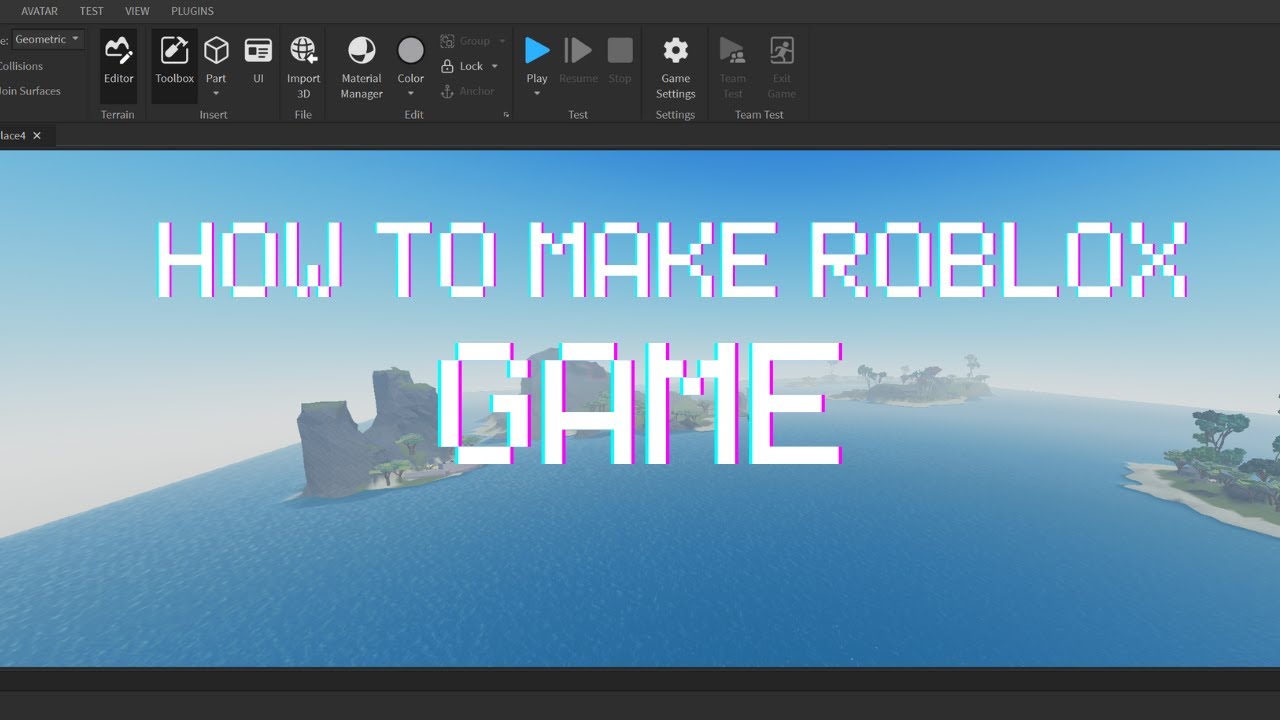
Easily Make A Custom Roblox World On IPad Book A Free Demo How To Make A World In Roblox On Ipad Main . ROBLOX World How To Message People Episode 1 YouTube . How To Make Your Own Roblox Game Roblox Studio YouTube . Roblox Maps Your Guide To Building Awesome Worlds . How To Create Your Own Map In Roblox Insiderbits Image 2023 10 1024x263


CREATING MY OWN ROBLOX PLANET YouTube . How To Make Your Own Roblox World And Activate It Tutorial XBOXGUY . Roblox How To Make A Roblox Game H Ng D N Chi Ti T T O Game Tr N Screen Shot 2024 08 20 At 9.59.44 AM . How Do You Create Your Own Game In Roblox Famuse 1 Models Actors Famuse How Do You Create Your Own Game In Roblox . How To Make Your Own Game On Roblox Pc



How To Make A Roblox Game Beginner Tutorial In 2026 FREE YouTube . CREATE YOUR OWN WORLD BUILD CRAFT SURVIVE DEILAND GAMEPLAY . How To Make A Roblox Game In 2024 FOR BEGINNERS YouTube . Make A Roblox Game Step By Step Guide Make A Game Like Adopt Me In Roblox Studio . Create My Money Apple IPhone 8

Create Your Dream Roblox World How To Create Roblox 3D Models Scr . How To Make A Roblox Game In 15 Minutes Create Roblox Games Step 7 . How To Make A Roblox Game In 15 Minutes Create Roblox Games Step 2 1024x543 . How To Make Roblox Games How To Make Your Own Roblox Game How To Create A Roblox Game Main . How To Create A Roblox Avatar Codingal How To Create A Game With Roblox AI


How To Make A Roblox Game In 15 Minutes Create Roblox Games Step 10 . How To Create World In Roblox YouTube . Unlocking Robloxs Origins From Humble Beginnings To Global Phenomenon How To Create A Roblox Avatar . How Do I Make Clothes On Roblox In 2026 . How To Make Your Own Shirts On Roblox Playbite How To Make Your Own Shirts On Roblox
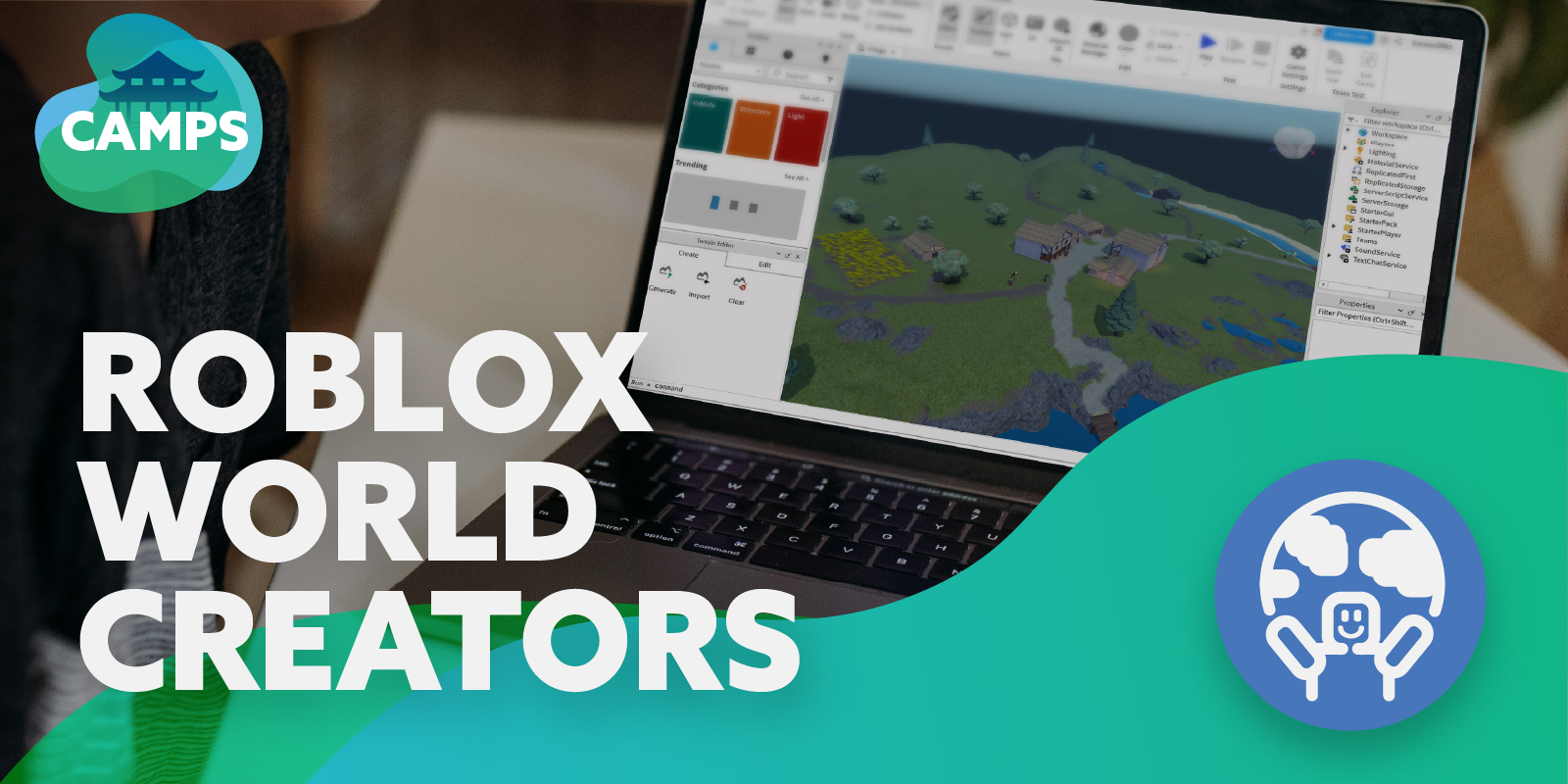


Roblox World Creators Kids Out And About Rochester Roblox World Creators . How To Create A Map In Roblox H Ng D N Chi Ti T V Hi U Qu . ROBLOX The Complete Guide Learn How To Create Your Own Worlds Build 600 . How To Create A Game In Roblox How To Create A Game In. Roblox Create A Beginner S Guide To Build Design And Share How Do You Make A Roblox Game 1 3