Unlock your creativity on Roblox by learning how to make a tshirt on roblox. This comprehensive guide walks busy gamers through every step of designing and uploading custom t-shirts for their avatars. Whether you're looking to personalize your look, express unique style, or simply have fun with digital fashion, we cover everything from image creation tools to Roblox Premium requirements and successful upload tips. Discover how to transform basic Roblox characters into personalized masterpieces effortlessly. Perfect for players seeking practical ways to enhance their gaming experience without extensive time commitments. This tutorial helps you navigate the platform's creation tools efficiently, allowing you to quickly share your unique designs with friends and the wider Roblox community. Elevate your avatar game and stand out in any experience with your very own custom creations, making the most of your playtime.
How can I make a custom T-shirt on Roblox? Do I need Roblox Premium to create T-shirts? What design software works best for Roblox clothing? Where do I upload my T-shirt design in Roblox? Can I sell my custom Roblox T-shirts?What are the size requirements for Roblox T-shirt images?
For Roblox T-shirts, your image should ideally be 512x512 pixels. This square format ensures your design scales well and maintains clarity when displayed on various avatar body types in the game. It's crucial for professional-looking creations.
Is it possible to make a transparent background for my Roblox T-shirt?
Yes, absolutely. To achieve a transparent background for your Roblox T-shirt, save your image file in a PNG format. PNG supports transparency, allowing parts of your T-shirt design to show through to the avatar's underlying shirt or body. This is key for layered and custom looks.
How much Robux does it cost to upload a T-shirt to Roblox?
Uploading a T-shirt to Roblox costs 10 Robux. This fee covers the moderation process and helps maintain the platform's content standards. While it's a small fee, it's a one-time charge per design, so make sure your design is ready before uploading.
What happens if my Roblox T-shirt design gets rejected?
If your Roblox T-shirt design is rejected, it likely violated Roblox's Community Standards or Terms of Use. You'll usually receive a notification explaining the reason. You can then modify your design to comply with the rules and re-upload it for another review, paying the Robux fee again.
Can I use famous brand logos or copyrighted images on my T-shirt?
No, using famous brand logos, copyrighted images, or trademarked material on your Roblox T-shirts is strictly against Roblox's rules. This can lead to your item being removed, Robux being lost, or even account penalties. Always use original artwork or images you have explicit permission to use.
How long does it typically take for Roblox to approve uploaded T-shirts?
Roblox moderation typically approves uploaded T-shirts within a few hours, though it can sometimes take up to 24 hours, especially during peak times or for more complex designs. You'll receive a notification once your item has been reviewed and approved or rejected.
Do I need any special software to design Roblox T-shirts?
You don't need professional software like Photoshop, although it's an option. Simple, free image editing tools like Paint.NET, GIMP, or even online editors like Photopea or Canva work perfectly for creating and editing your T-shirt designs. The key is to be able to save as a PNG with transparency.
Are you a gamer who loves to personalize everything, from your gaming setup to your in-game avatar? If you're anything like the average US gamer, who spends upwards of 10 hours a week unwinding in digital worlds, you probably enjoy expressing yourself. Roblox, in particular, offers an incredible canvas for creativity, letting you craft unique experiences and, yes, even design your own clothing. But for many busy adults juggling jobs and family, finding the time to figure out complex design processes can feel like another chore. That’s where this guide on how to make a tshirt on roblox comes in. We understand you want relaxation and fun, not frustration, when you game.
This article is built for you: the gamer who values skill-building and social play but needs practical, time-efficient solutions. We’ll cut through the clutter and show you exactly how to make a tshirt on roblox, ensuring your avatar reflects your personality without costing you precious hours. Whether you’re looking to rock a custom logo, a funny saying, or a unique graphic, we’ll guide you through the process, addressing common pain points and providing straightforward answers. By the end, you'll have the knowledge to create stunning custom apparel, making your Roblox experience even more personal and enjoyable. Let’s dive into making your avatar truly yours.
What Exactly Is a Roblox T-Shirt and How Does It Differ?
In Roblox, the term "T-shirt" can be a bit confusing because there are actually three distinct types of clothing items: T-shirts, Shirts, and Pants. A traditional "T-shirt" in Roblox is essentially a decal or graphic layered *over* your avatar's existing shirt. It's the simplest form of customization, often used for adding logos, images, or text to a basic avatar top. These are free to upload for all players, though you'll need to create the image yourself.
"Shirts" and "Pants," on the other hand, are full 3D textures that wrap around your avatar's entire torso or legs, respectively. These allow for much more intricate designs, covering the full body part. Creating and uploading these requires a Roblox Premium subscription and a small Robux fee per upload. This guide primarily focuses on making the simpler "T-shirt" decal, but we'll also touch upon the requirements for the more advanced "Shirts" and "Pants" for those ready to dive deeper into how to make a tshirt on roblox.
Why Should Busy Gamers Bother Making Custom Roblox T-shirts?
For many US gamers, particularly those balancing life and work, gaming is a vital stress reliever and a social hub. Customizing your Roblox avatar with a unique T-shirt isn't just about aesthetics; it's about self-expression and connection. In a world where 87% of gamers regularly engage with their favorite titles, having a unique avatar helps you stand out in social experiences, from popular role-playing games to casual hangouts.
Creating something yourself, even a simple T-shirt, offers a sense of accomplishment and creative outlet. It's a low-stakes way to build digital skills and personalize your escape, making your playtime more rewarding. Plus, with the rise of the creator economy, designing can even be a pathway to earning some Robux if you decide to sell your premium creations. It adds a layer of fun and individuality to your gaming journey.
What Do I Need Before I Start Making a Roblox T-shirt?
Before you jump into the exciting world of Roblox fashion, there are a few prerequisites to ensure a smooth creative process. First and foremost, you'll need a Roblox account. While basic T-shirts (decals) can be uploaded by any player, if you plan to create full Shirts or Pants, you'll need an active Roblox Premium subscription. This is a crucial distinction for advanced creators.
Secondly, you'll require an image editing program. This doesn't have to be expensive professional software; free options like GIMP, Paint.NET, Photopea (an online editor), or even simple programs like MS Paint for basic designs can work. The key is to have a tool that allows you to create or modify images and save them as a PNG file, which supports transparency. Transparency is essential for making your T-shirt designs look natural on your avatar.
How Do I Design a Roblox T-shirt Image from Scratch?
Designing your Roblox T-shirt image is where your creativity truly shines! Here's a basic step-by-step process to get you started on how to make a tshirt on roblox:
Choose Your Image Editor: Pick your preferred software. For beginners, an online tool like Photopea or a desktop app like Paint.NET offers a good balance of features and ease of use.
Set Up Your Canvas: Open a new image file. For optimal results, create a square canvas, typically 512x512 pixels. This size works well for Roblox's rendering system.
Create Your Design: Now, let your imagination run wild! You can add text, draw shapes, import images (ensure they are copyright-free or that you have permission), or combine elements. Remember that this image will primarily appear on the front of your avatar's torso, so design accordingly.
Utilize Transparency: This is crucial. If you want your T-shirt design to blend seamlessly with your avatar's existing shirt, ensure the background of your image is transparent. Most image editors have a "magic wand" or "erase background" tool, or you can start with a transparent layer.
Save Your File: Once your design is perfect, save it as a PNG file. PNG supports transparency, which is vital for professional-looking Roblox T-shirts. Name it something descriptive so you can easily find it later.
Keep your design focused and clear, as it will be scaled down on the avatar. Simple, high-contrast designs often look best!
What Are the Best Free Tools for Designing Roblox T-shirts?
You don't need to break the bank for premium design software just to make a custom Roblox T-shirt. Many excellent free tools are available that offer all the functionalities you need:
GIMP (GNU Image Manipulation Program): A powerful, open-source alternative to Photoshop. It has a steeper learning curve but offers professional-grade features for creating intricate designs, including excellent transparency control.
Paint.NET: A user-friendly image and photo editor for Windows. It strikes a great balance between simplicity and functionality, making it ideal for Roblox T-shirt creation with layers and effects.
Photopea: A fantastic free online image editor that runs in your web browser. It's incredibly similar to Photoshop in its interface and capabilities, supporting layers, transparency, and a wide range of tools. Perfect for quick edits or more complex designs without any downloads.
Canva: While more geared towards graphic design templates, Canva can be used for simple Roblox T-shirts. It's very intuitive, especially for adding text and pre-made graphics. Just ensure you can export with a transparent background if needed (this feature might be premium in some cases).
Each of these tools can help you craft unique T-shirts for your avatar. Experiment to find which one suits your design style and technical comfort level best when you want to learn how to make a tshirt on roblox.
How Do I Upload My Custom T-shirt to Roblox?
Once your design is complete and saved as a PNG, the next step is getting it onto Roblox! The process is straightforward:
Log In to Roblox: Go to the official Roblox website and log into your account.
Navigate to the Create Page: On the top navigation bar, click on "Create." This will take you to your Creator Dashboard.
Select "T-Shirts": In the Creator Dashboard, look for the "Creations" tab (it might be labeled "Develop" on older interfaces). Under that, find and click on "T-Shirts."
Upload Your Image: You'll see an option to "Choose File" or "Upload Image." Click it, then browse your computer to select the PNG file of your T-shirt design.
Name Your T-Shirt: Give your T-shirt an appropriate and catchy name. Make sure it adheres to Roblox's community guidelines; avoid anything offensive or trademarked.
Click "Upload": After selecting the file and naming it, click the "Upload" button. For simple T-shirts (decals), there is no Robux fee. If you're uploading a full "Shirt" or "Pants" (requiring Premium), you'll pay 10 Robux.
Wait for Moderation: Your T-shirt will then go through Roblox's moderation process. This usually takes a few hours but can sometimes extend to 24 hours. Once approved, it will appear in your inventory, ready to be worn!
It's important to remember Roblox's content rules during this process to avoid rejection.
Can I Sell My Custom Roblox T-shirts to Other Players?
Yes, you can absolutely sell custom clothing on Roblox, but there's a key distinction regarding "T-shirts" versus full "Shirts" and "Pants."
Selling T-shirts (Decals): You cannot directly sell the basic T-shirt decals that layer over existing tops. These are primarily for personal use or for sharing with friends indirectly (e.g., giving them the image to upload themselves).
Selling Shirts and Pants: This is where the real creator economy comes in. If you design full 3D Shirts and Pants (which require a Roblox Premium subscription and a 10 Robux upload fee per item), you can set a price in Robux and offer them for sale on the Roblox marketplace. When another player buys your item, you earn a percentage of the Robux. This is a fantastic way for gamers to monetize their creativity and connect with the community. Current trends show a significant interest in user-generated content, with creators driving much of the platform's innovation and engagement, making it a viable avenue for dedicated designers to gain traction.
Remember to price your items competitively and promote them in relevant Roblox experiences or on social platforms like Discord to maximize your sales.
What Common Issues Might I Face When Making Roblox T-shirts and How Do I Fix Them?
Even with a clear guide on how to make a tshirt on roblox, you might encounter a few bumps. Here are common issues and their quick fixes:
Image Size/Quality: Sometimes T-shirts appear blurry or stretched. This is usually due to using a low-resolution image or incorrect dimensions. Always aim for a 512x512 pixel square image for decals. For full shirts/pants, use the specific Roblox template for correct mapping.
Lack of Transparency: If your T-shirt has a white or solid box around it instead of blending with your avatar, you forgot to save it as a PNG with a transparent background. Go back to your image editor, ensure transparency is enabled, and re-save as PNG.
Design Rejection: Roblox has strict moderation. Designs are often rejected for violating community standards (e.g., containing inappropriate content, copyrighted material, or real-world brands without permission). Always review their rules and use original, suitable content.
Roblox Premium Requirement: You might be trying to upload a full Shirt or Pants design but don't have Premium. Remember, Premium is required for these advanced clothing types. Basic T-shirt decals don't need it.
Robux Fee: For full Shirts/Pants, there's a 10 Robux upload fee. If your upload fails, check if you have sufficient Robux in your account.
Most issues are easily resolved by double-checking these common points. Patience with the moderation process is also key!
How Can I Make My Roblox T-shirts Look Professional and Stand Out?
To truly shine when you make a tshirt on roblox, consider these tips to elevate your designs:
High-Resolution Graphics: Always start with a clear, sharp image. Pixelated designs look unprofessional. Aim for at least 512x512 pixels.
Strategic Transparency: Don't just use transparency for the background. Incorporate it creatively within your design. For example, make parts of your graphic semi-transparent for a layered effect, or create cut-outs that show the avatar's underlying shirt.
Simple Yet Impactful: While intricate designs are possible for full shirts, for simple T-shirt decals, less is often more. A bold, clear graphic or a well-chosen font for text can make a bigger statement than a cluttered image.
Theme and Cohesion: Consider creating T-shirts that fit a specific theme or complement other accessories. Players often look for complete outfits. Social gaming trends this month highlight how players appreciate cohesive aesthetics and themed collections.
Test on Different Avatars: Before finalizing, test your T-shirt on various avatar body types if possible. What looks good on a blocky character might stretch differently on a Rthro avatar. This helps ensure universal appeal.
Stay Updated with Trends: Pay attention to what's popular in Roblox games and in real-world fashion. Is there a new meme, game, or aesthetic trending? Incorporating timely elements (while avoiding copyright issues) can make your T-shirts highly desirable.
Are There Any Community Guidelines or Rules I Need to Follow for Roblox Clothing?
Absolutely. Roblox is a platform for millions of users, many of whom are younger, so they enforce strict community guidelines to maintain a safe and positive environment. When you make a tshirt on roblox, it's critical to adhere to these rules:
No Inappropriate Content: This includes anything sexually suggestive, violent, graphic, discriminatory, or hateful. Keep your designs G-rated and suitable for all ages.
No Copyrighted or Trademarked Material: Do not use logos, characters, or designs from real-world brands, movies, TV shows, or other games unless you have explicit permission. This is a common reason for rejections and can lead to account warnings or bans.
No Personally Identifiable Information (PII): Do not include real-world names, addresses, phone numbers, or any information that could identify you or others.
No Cheating, Exploiting, or Scamming: Designs promoting illegal activities or trying to scam other players are strictly forbidden.
No Off-Platform Links/Promotions: Avoid including external website links, social media handles, or Discord server invites in your T-shirt designs. Roblox wants to keep interactions on-platform.
Always review Roblox's official Community Standards and Terms of Use on their website before uploading any content. Adhering to these rules ensures your creations are approved and helps maintain a healthy community.
You've navigated the ins and outs of how to make a tshirt on roblox, from initial design concepts to successful uploading and understanding the platform's rules. Creating custom apparel is a fantastic way to inject personality into your avatar, connect with the community, and even tap into a bit of the creator economy if you choose to sell more advanced items. It's a testament to the dynamic, social aspect of modern gaming, where personal expression and skill-building go hand-in-hand with fun and relaxation. So go ahead, unleash your inner fashion designer and make your Roblox avatar truly your own. What's your biggest gaming challenge when it comes to personalization? Comment below!
FAQ Section
Is Roblox Premium always required for T-shirts?
No, not for basic T-shirts (decals). Anyone can create and upload T-shirts, which are simple images layered over your avatar's existing top. However, if you want to create full custom Shirts or Pants that cover the entire body part and allow for more intricate 3D designs, a Roblox Premium subscription is required. These premium items also come with a small Robux upload fee.
What image size is best for Roblox T-shirts?
For simple T-shirt decals, a square image of 512x512 pixels is generally recommended. This size provides good clarity and ensures your design scales appropriately on various avatar body types. For full Shirts and Pants, Roblox provides specific templates on their Creator Hub that detail the precise dimensions and mapping for different parts of the avatar's body.
Can I use copyrighted images for my Roblox T-shirt?
No, you cannot use copyrighted images, brand logos, or trademarked material on your Roblox T-shirts without explicit permission from the rights holder. Roblox has strict moderation to prevent intellectual property infringement. Doing so can lead to your T-shirt being rejected, removed, or even result in account penalties. Always use original artwork or content you have legal rights to use.
How long does it take for Roblox to approve a T-shirt?
Roblox's moderation process for T-shirts typically takes a few hours, though it can sometimes be longer, up to 24 hours, especially during peak times or for designs that require closer scrutiny. You'll receive a notification in your Roblox messages once your T-shirt has been reviewed and either approved or rejected, along with a reason if it's rejected.
What's the difference between a T-shirt, Shirt, and Pants in Roblox?
A "T-shirt" is a 2D decal image that layers on top of your avatar's existing shirt, offering simple customization. A "Shirt" is a full 3D texture that wraps around your avatar's entire upper torso and arms, allowing for comprehensive design. "Pants" are similar, providing a full 3D texture for your avatar's legs. T-shirts are free to upload for all; Shirts and Pants require Roblox Premium and a Robux fee.
Can I make a transparent T-shirt background?
Yes, making a transparent T-shirt background is highly recommended and achievable. To do this, you must save your image file in the PNG format. PNG files support transparency, allowing parts of your T-shirt design to show through to your avatar's underlying body or other clothing layers, which is crucial for a clean, professional, and integrated look.
Learn how to make a tshirt on roblox; Step-by-step Roblox t-shirt creation; Roblox Premium for custom clothing; Image editing tools for Roblox designs; Uploading custom shirts to Roblox; Selling Roblox t-shirts; Roblox clothing guidelines; Personalize Roblox avatar.
35


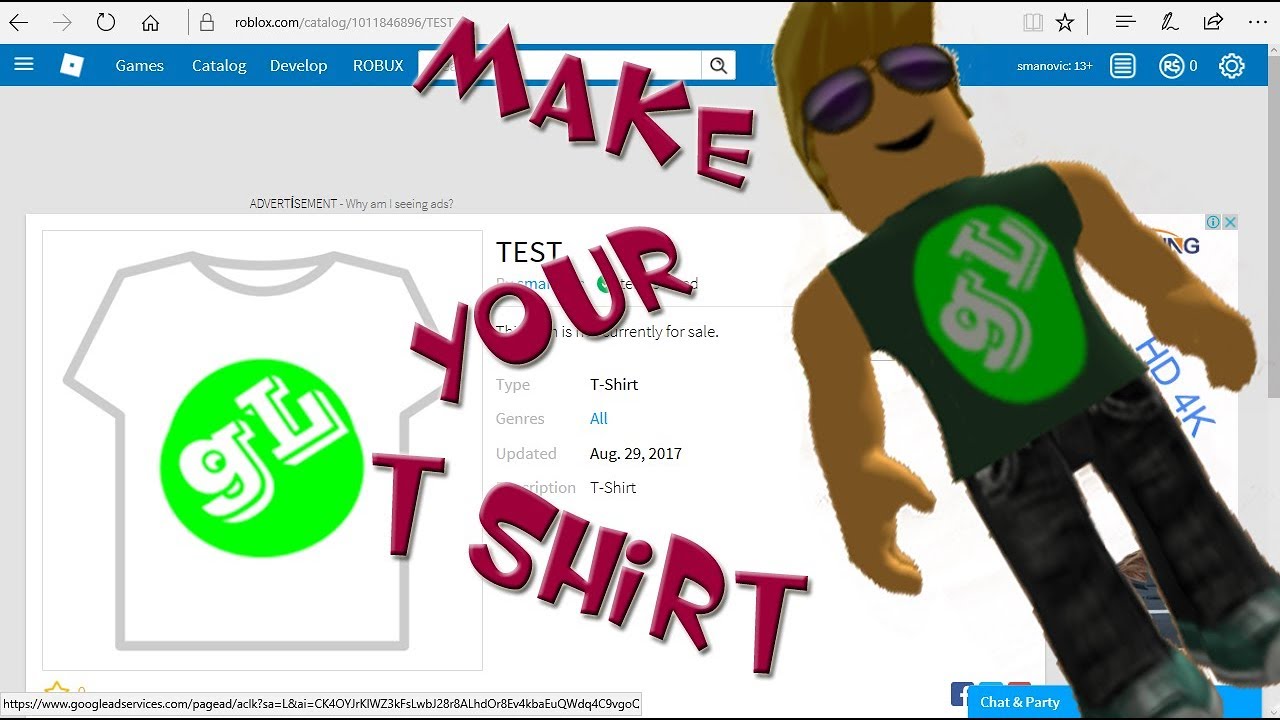
How To Make A Roblox Shirt 2026 Create A Shirt On Roblox EASY . How To Make A Tshirt On Roblox Roblox 101 YouTube . How To Make A Roblox SHIRT In 2026 YouTube . How To Make A T Shirt In Roblox Full Guide Make Roblox T Shirt . ROBLOX How To Make T Shirt YouTube


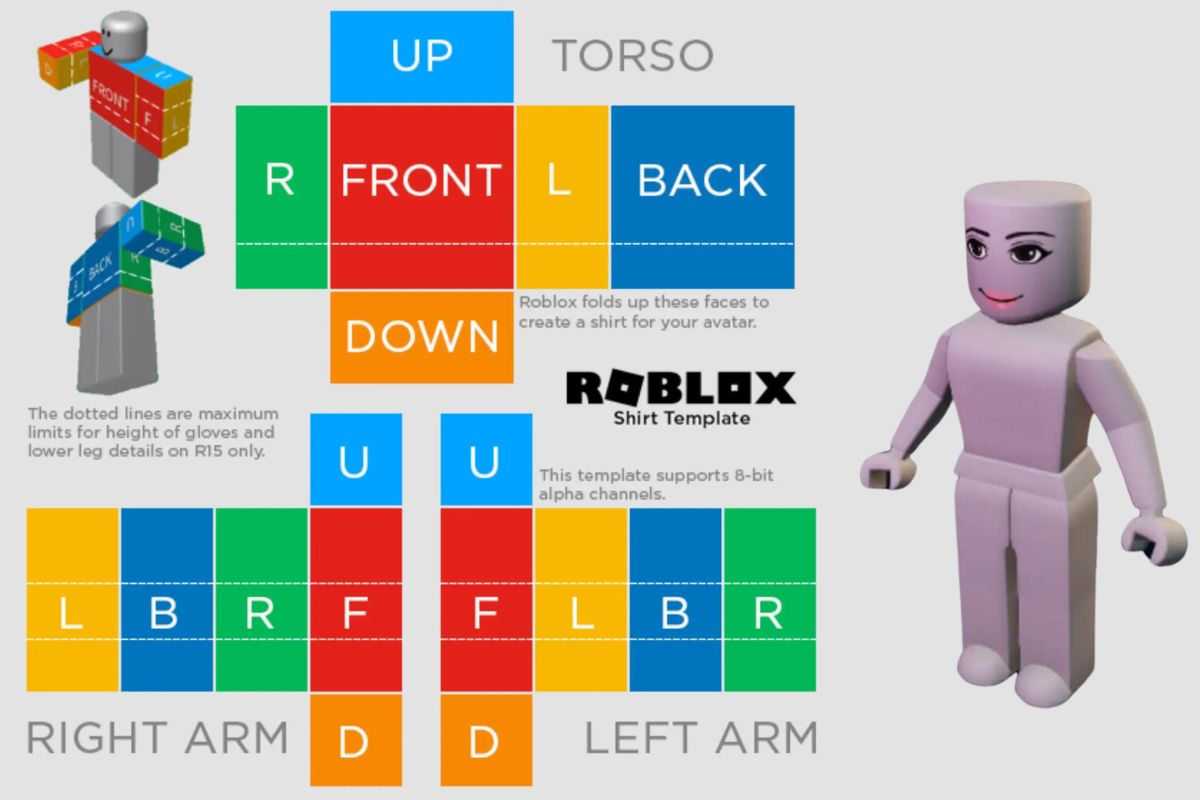

How To Make T Shirts In Roblox Pc Or Mobile Create Roblox Tshirt . How To Make A T Shirts For FREE Make Roblox T Shirt YouTube . How To Make A T Shirt In Roblox Very Eazy YouTube . Roblox Shirt Template Your Guide To Custom Apparel Design A Roblox T Shirt Design Template Shown In The Image . How To Make A T Shirt In Roblox Mobile 2026 YouTube
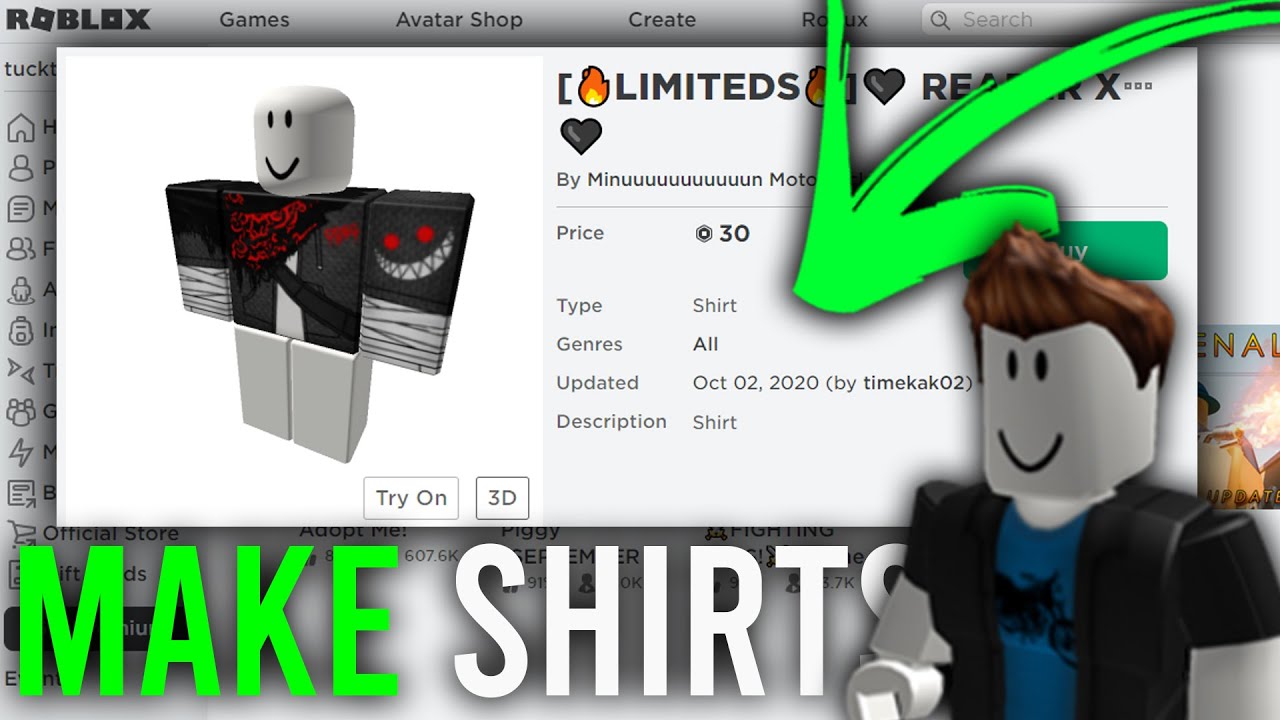



How Do You Make Shirts In Roblox 2026 How To Make A Shirt In Roblox Full Guide Or Make Your Own Roblox Shirt Easily . How To Create T Shirts In Roblox YouTube . Roblox T Shirt Template Erstelle Ein Ok Roblox Shirt Roblox Classic Shirt Template Edit Online . How To Design Roblox Clothes On Mobile Devices 63345cdc B656 44b2 85bb. How To Make A Shirt On Roblox 2026 YouTube




Roblox Shirt Template The Easy Way To Make Shirts T Shirts And Roblox Shirt Template . How Do I Make Clothes On Roblox In 2026 5. Customizing The Template With A Graphic Design. How To Make A T Shirt On Roblox Mobile 2026 Guide Quick Easy . How To Make A T Shirt In Roblox Mobile In 2026 YouTube Hqdefault . How To Make A Easy Simple Shirt On Roblox 2026 YouTube



ROBLOX Tutorial How To Make Shirts YouTube . How To Create A T Shirt On Roblox STEP BY STEP YouTube . EASY How To Make Your Own Roblox T Shirt And Sale It On PC YouTube . How To Make A T Shirt In ROBLOX Under 90 Seconds YouTube . How Do I Make Clothes On Roblox In 2026



How Do You Make Shirts In Roblox 2026 Roblox Shirt Templates How To Create Roblox Shirts And Pants.webp. How To Make T Shirts In Roblox Studio At Michael Wing Blog Screen Shot 2022 12 13 At 12.56.01 PM . YouTube . How To Make T Shirts In Roblox Studio At Michael Wing Blog . How To Make A T Shirt In Roblox 2026 YouTube


How Do I Make Clothes On Roblox In 2026 Cf35a359 Fafb 4b58 Ad28 Cover . How To Make A T Shirt In Roblox Step By Step Tutorial YouTube . How To Make Your Own Roblox Shirt FREE 2023 YouTube . How To Create Roblox Shirt Fast And Easy YouTube . Unlocking The Y Shirt On Roblox What Makes It Trendy In 2026 Cool Roblox Shirt Template Edit Online