Navigating the digital landscape of popular online games like Roblox requires a keen understanding of account security a topic increasingly vital for the estimated 87 percent of US gamers who play regularly. This guide on what is a Roblox security code dives deep into the essentials of two-step verification and other critical safeguards protecting your hard-earned progress and digital assets. Busy adult gamers balancing work family and precious relaxation time often seek efficient ways to secure their virtual worlds without adding complexity. Discover how Roblox security codes function as your personal digital fortress preventing unauthorized access and mitigating common threats. We will explore setting up 2FA recovering accounts understanding common scams and best practices ensuring your Roblox experience remains fun and secure. Learn to optimize your account safety smart and stay current with the latest protection strategies crucial for anyone who values their online gaming identity and community.
What is a Roblox Security Code primarily used for during login?
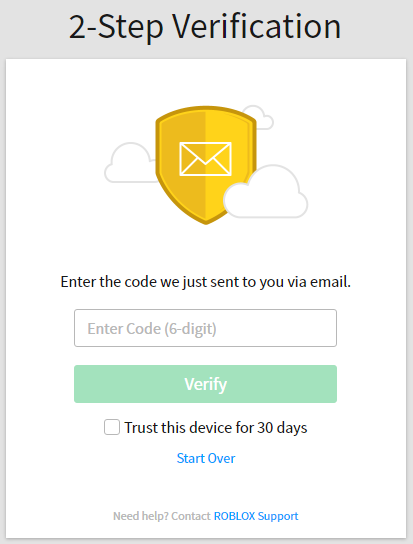
A Roblox Security Code is primarily used for 2-Step Verification (2SV) during login. After you enter your password, this code, often a one-time passcode sent to your registered email, provides an essential second layer of authentication, ensuring that only you, the account owner, can access your account even if your password has been compromised. It is a critical safeguard against unauthorized access and account theft, highly recommended for all players.
How do I enable 2-Step Verification on my Roblox account?
Enabling 2-Step Verification on Roblox is a straightforward process. First, log into your Roblox account on the website. Navigate to the 'Settings' (gear icon) and then select the 'Security' tab. Under the '2-Step Verification' section, toggle the switch to 'On'. You will be guided to verify your email address if it is not already confirmed, and then presented with vital recovery codes. Save these codes in a secure, offline location immediately.
What should I do if I don't receive my Roblox security code via email?
If you are not receiving your Roblox security code, first check your email's spam or junk folder, as the email might have been filtered there. Ensure that the email address linked to your Roblox account is correct and up-to-date in your settings. You can also try waiting a few minutes and then requesting to resend the code. If the issue persists, and you have saved your recovery codes, use one of them to log in, and then review your email settings.
Can I use a Roblox security code to recover a lost account if I've forgotten my password?
A Roblox security code itself cannot directly recover a forgotten password. However, it is part of the overall account security that protects your account while you initiate a password reset. If you have 2SV enabled and need to reset your password, you will still need access to your verified email to receive the password reset link. The most effective tool for account recovery when you lose email access or password is using those precious recovery codes you saved during 2SV setup, or contacting Roblox Support with proof of ownership.
Is Roblox 2FA really necessary for busy adult gamers who play casually?
Yes, Roblox 2FA is absolutely necessary, even for busy adult gamers who play casually. Your account, regardless of how often you play, holds personal information, game progress, and potentially Robux or valuable items. With online threats constantly evolving, 2FA provides crucial protection against phishing and account takeover. It is a small, one-time setup effort that prevents major headaches and lost time, ensuring your limited gaming sessions remain enjoyable and secure, reflecting the growing trend of protecting digital assets in online communities.
What are common scams related to Roblox security codes that players should avoid?
Common scams related to Roblox security codes often involve phishing attempts. Scammers may send fake emails or messages impersonating Roblox, asking you to 'verify' your account by providing your security code on a fraudulent website. They might also try social engineering in-game, convincing you to share your code under false pretenses like 'helping' with a giveaway. Always remember: Roblox will never ask you for your security code directly, and you should only enter it on the official roblox.com login page. Never share your code with anyone.
How can I manage my Roblox security settings, including 2FA, for family members, especially younger players?
Managing Roblox security settings for family members, particularly younger players, involves setting up 2FA on their accounts using a trusted adult's email address (or an email you both monitor). Crucially, ensure recovery codes are saved securely. Regularly review their account settings, educate them about the importance of never sharing passwords or security codes, and teach them how to identify suspicious links or messages. Parental controls within Roblox can also limit chat functions and spending, adding further layers of protection for their online experience.
Hey fellow gamers! We all know the drill after a long day at work or juggling family life there is nothing quite like logging into your favorite game to unwind, connect with friends, or just enjoy some well-deserved fun. For many of us, Roblox is that go-to platform offering a universe of experiences from casual adventures to competitive challenges. But imagine logging in one day only to find your account compromised, your progress gone, or worse, your Robux spent. It is a nightmare scenario, especially when your gaming time is so precious.
This is where understanding what is a Roblox security code becomes not just important, but absolutely essential. Think of it as your digital bodyguard for your Roblox empire. With 87% of US gamers regularly diving into their virtual worlds, and many prioritizing social gaming and mobile accessibility, account security has never been more critical. This guide is built for you, the busy adult gamer, who needs clear, practical solutions to keep your account safe without adding another chore to your already packed schedule. We will break down everything you need to know about Roblox security codes, from setting them up to sidestepping common pitfalls, ensuring your virtual adventures remain secure and stress-free.
What Exactly Is a Roblox Security Code and Why Do I Need It?
A Roblox security code, often referred to as a 2-Step Verification (2SV) or Two-Factor Authentication (2FA) code, is an extra layer of protection for your account. It is a temporary, one-time passcode typically sent to your registered email address or generated by an authenticator app on your smartphone. When you attempt to log into your Roblox account from an unrecognized device or browser, after entering your password, Roblox will prompt you for this unique code.
Why do you need it? Because passwords alone are simply not enough anymore. Cyber threats are constantly evolving, and even strong passwords can be vulnerable to phishing scams, data breaches, or brute-force attacks. A security code ensures that even if a bad actor somehow gets hold of your password, they still cannot access your account without that second piece of information – the code only you possess. For gamers who have invested time, effort, and sometimes real money into their Roblox experiences, 2FA is a non-negotiable safeguard.
How Do I Set Up 2-Step Verification on Roblox Effectively?
Setting up 2-Step Verification on Roblox is a straightforward process that takes just a few minutes, but provides immense peace of mind. Here is a simple, step-by-step guide:
Log In to Your Account: Go to the Roblox website and log in with your username and password.
Access Security Settings: Click on the gear icon in the upper right corner to open your settings, then navigate to the 'Security' tab.
Enable 2-Step Verification: Under the '2-Step Verification' section, toggle the switch to 'On'.
Verify Your Email: Roblox will prompt you to verify your email address if you haven't already. An email with a verification link will be sent to the address associated with your account. Click this link to confirm your email.
Choose Your 2FA Method: Currently, Roblox primarily uses email verification for 2FA. Ensure your registered email is secure and easily accessible.
Save Recovery Codes: This is a crucial step! Roblox will provide a list of one-time recovery codes. Download them, print them, or save them in a secure, offline location (like a password manager or encrypted document). These codes are your lifeline if you ever lose access to your email or device.
Remember, a recent trend among busy gamers is using reliable password managers which can also securely store these vital recovery codes, simplifying management and boosting overall security.
What If I Do Not Receive My Roblox Security Code? Troubleshooting Tips.
It can be frustrating when you are ready to play, but your security code does not arrive. Here are common reasons and quick troubleshooting steps:
Check Spam/Junk Folder: Often, the email ends up here. Mark Roblox emails as 'not spam' to prevent future issues.
Verify Email Address: Double-check that the email address associated with your Roblox account is correct and active. You can find this in your Roblox settings.
Wait a Few Minutes: Email delivery can sometimes be delayed. Give it 5-10 minutes before trying again.
Resend the Code: Most login screens offer an option to 'Resend Code'.
Check Email Service Status: Occasionally, email providers have service issues. A quick check on a status page might reveal a system-wide delay.
Use a Recovery Code: If all else fails, and you saved your recovery codes, use one of them to log in. Each recovery code can only be used once.
These practical steps save valuable gaming time and are especially helpful for those balancing gaming with other life commitments.
Are There Common Scams Involving Roblox Security Codes? How Can I Protect Myself?
Unfortunately, scammers are always looking for new ways to trick players. Knowing their tactics is your best defense:
Phishing Emails/Messages: Be wary of emails or messages pretending to be from Roblox asking for your security code. Roblox will NEVER ask you for your 2FA code directly. They only ask you to *input* it during login on their official site.
Fake Websites: Scammers create convincing fake Roblox login pages. Always check the URL in your browser to ensure it is
roblox.combefore entering any credentials or codes.Social Engineering: Someone might try to befriend you in-game and then ask for your 'help' by sharing a code. Never share your security codes with anyone, no matter how convincing they sound. Real friends do not ask for your security codes.
Your security code is like the key to your home; you would not hand it to a stranger. Treat your Roblox security code with the same level of confidentiality.
Does Implementing 2FA Slow Down My Roblox Login Experience?
For busy adult gamers, time efficiency is key. While 2FA adds an extra step, the slight increase in login time is a small price to pay for robust security. Typically, the process involves entering your password, then retrieving and entering the 6-digit code. This usually adds less than a minute to your login time. Many browsers and devices can also 'remember' your device for a certain period, reducing how often you need to input a code. Considering the average US gamer spends over 10 hours a week gaming, that extra minute is a tiny investment for protecting potentially hundreds of hours of gameplay and progress.
Is Using a Roblox Security Code Really Necessary for Casual Players?
Absolutely, yes! Whether you are a hardcore Roblox developer or a casual player who just jumps in for a few hours a week to play with friends, your account has value. It holds your username, friends list, game progress, and any Robux or items you might have. Even casual players can be targets for scammers looking to hijack accounts, spread spam, or simply cause mischief. Moreover, securing your account protects your friends list from potential abuse if your account falls into the wrong hands. It is like putting a lock on your car door even if you only drive it occasionally – it is still worth protecting your investment.
How Can I Recover My Roblox Account If It Gets Compromised or I Lose Access?
Account recovery is where your preparation truly pays off. Here's a general approach:
Use Recovery Codes: If you saved your 2FA recovery codes, this is the fastest way back into your account. Use one during the login process when prompted for a 2FA code.
Roblox Support: If you cannot access your email or recovery codes, contact Roblox Support immediately. Provide as much detail as possible to prove ownership, such as:
Associated email addresses (past and present).
Any Robux purchase receipts (date, amount, payment method).
Original account creation date.
Previous usernames.
Email Access: Ensure the email associated with your account is always accessible and secure, as Roblox often uses this for password resets and verification.
Taking proactive steps now, like saving those recovery codes, will save you a lot of headache and lost gaming time later.
What Are Roblox Security Best Practices Beyond Just the Security Code?
While the security code is powerful, it is part of a larger security ecosystem:
Strong, Unique Passwords: Use a long, complex password unique to Roblox. Password managers are excellent for this.
Secure Your Email: Your registered email is the gateway to your Roblox account. Enable 2FA on your email account too!
Be Wary of Links: Only click links from official Roblox sources. Phishing links are a major threat.
Educate Younger Players: If you have kids who play, teach them about online safety, never sharing passwords or codes, and identifying scams.
Keep Software Updated: Ensure your operating system, browser, and antivirus software are always up to date to protect against vulnerabilities.
Review Account Activity: Periodically check your Roblox account's login history or activity to spot anything suspicious.
By combining these practices, you create a robust shield around your Roblox experience, allowing you to focus on the fun, social play, and skill-building aspects that make gaming so rewarding.
Frequently Asked Questions (FAQ)
What is a Roblox one time code? A Roblox one-time code is a temporary, unique sequence of numbers used for 2-Step Verification (2SV), sent to your verified email to confirm your identity during login.
How do I find my Roblox security code? Your Roblox security code is sent to the email address linked to your Roblox account when you attempt to log in from a new device or browser after enabling 2-Step Verification. Check your inbox and spam folder.
Can I use a Roblox security code without an email? No, Roblox's primary 2-Step Verification method relies on sending codes to your registered email. An active, secure email is essential for this security feature.
How often do I need to enter a security code? You typically need to enter a security code when logging in from a new or unrecognized device or browser. If you regularly use the same device, you may not be prompted every time.
What are Roblox recovery codes for? Roblox recovery codes are backup codes that allow you to log into your account if you lose access to your primary 2-Step Verification method, like your email. Keep them stored safely offline.
Is Roblox 2FA free to use? Yes, Roblox 2-Step Verification is a completely free security feature offered to all users to help protect their accounts from unauthorized access.
Can I disable 2-Step Verification on Roblox? Yes, you can disable 2-Step Verification through your Roblox security settings. However, it is strongly recommended to keep it enabled for maximum account protection.
That wraps up our deep dive into Roblox security codes. Keeping your Roblox account safe does not have to be a daunting task. By taking a few proactive steps like enabling 2-Step Verification, saving your recovery codes, and staying aware of common scams, you can protect your digital playground and ensure your precious gaming time remains focused on fun, not frustration. With social gaming on the rise and mobile platforms dominating, a secure account means more seamless connection with friends and uninterrupted exploration of countless experiences. What is your biggest gaming challenge when it comes to account security? Comment below and let us help each other stay safe online!
Roblox security codes are essential for 2-Step Verification 2FA providing an extra layer of account protection beyond just a password. They are typically temporary one-time passcodes sent to your registered email or authenticator app. Setting up 2FA is a critical step to prevent unauthorized access and secure your gaming progress and in-game purchases. These codes guard against phishing attempts account theft and ensure only you can log into your account. Always treat these codes as confidential and never share them with anyone to maintain robust account security.
34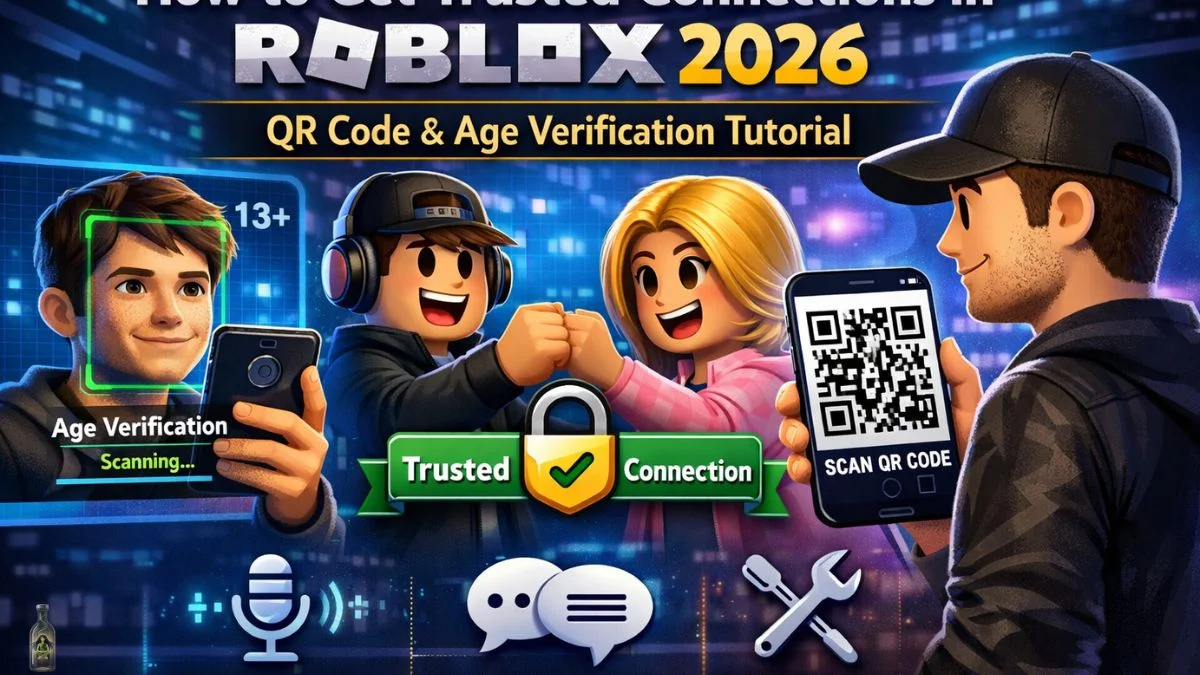



How To Get Trusted Connections In Roblox 2026 Full Tutorial Roblox Trusted. HOW TO FIND ROBLOX SECURITY COOKIE 2026 FULL GUIDE YouTube . Best Roblox VPN 2026 Security And Unlimited Access For Players VPN Roblox 2026 Terbaik Melindungi Privasi Dan Akses Tanpa Batas 3756ba1bbf . Roblox Rthro Codes Are They Real For 2026 Roblox Promo Codes . How To Redeem Roblox Credit 2026 Quick Guide Roblox Promo Code Redeem

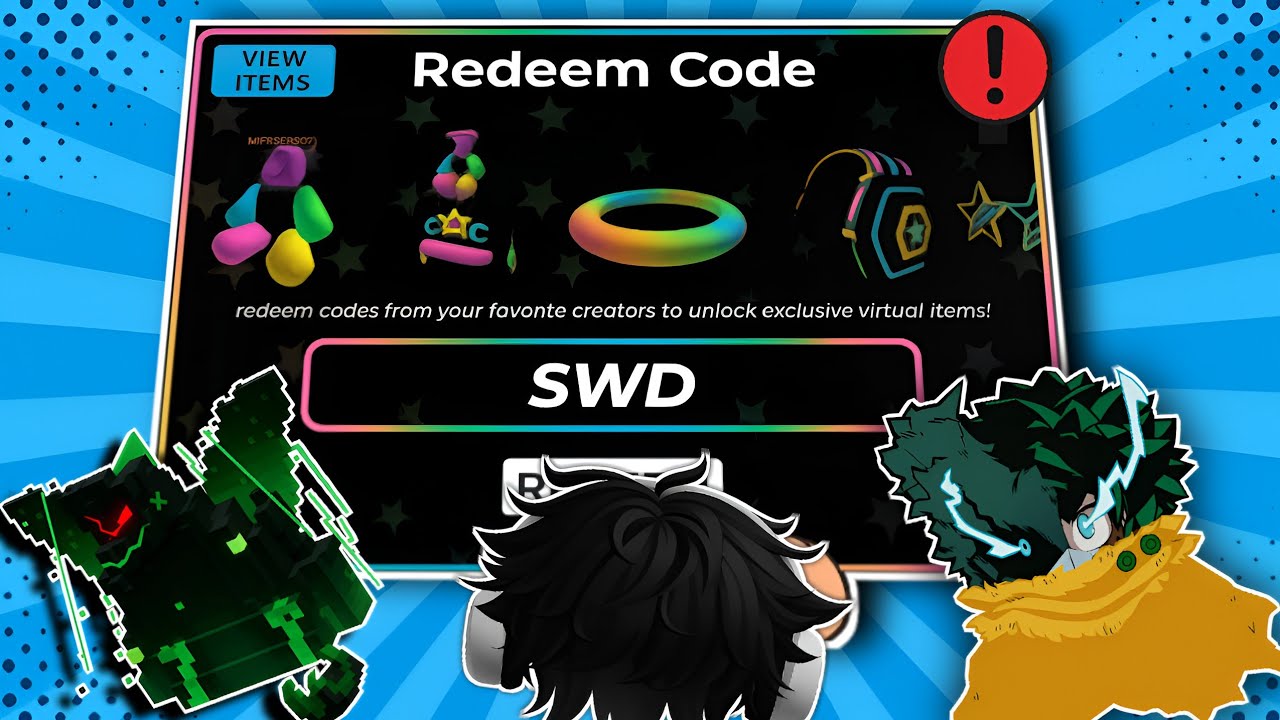


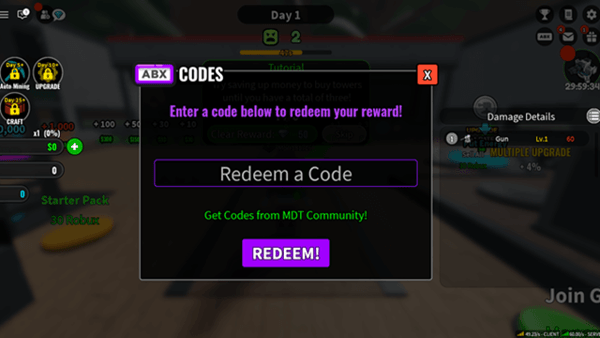
Roblox Rthro Codes Are They Real For 2026 Code Roblox . Roblox Promo Codes That ACTUALLY Work In 2026 YouTube . Roblox Promo Codes 2026 Latest Working Promo Code Coupon Code Free . 2FA Via Security Keys Now Available On Web Browsers News Alerts . All Roblox Games Codes January 2026 RobloxGo 14967


Roblox Is Unbreakable Codes January 2026 Com Roblox Is Unbreakable Codes Box 550x309 . ROBLOX 2026 SECURITY UPDATE IS CRAZY Roblox Robloxrant Oardefault . Who Is Evanca9 Roblox And What S Their Gaming Journey Roblox RIVALS Codes . You Can Use Security Keys On ROBLOX DylanGames YouTube . Lost Roblox Password How To Find Yours In 2026


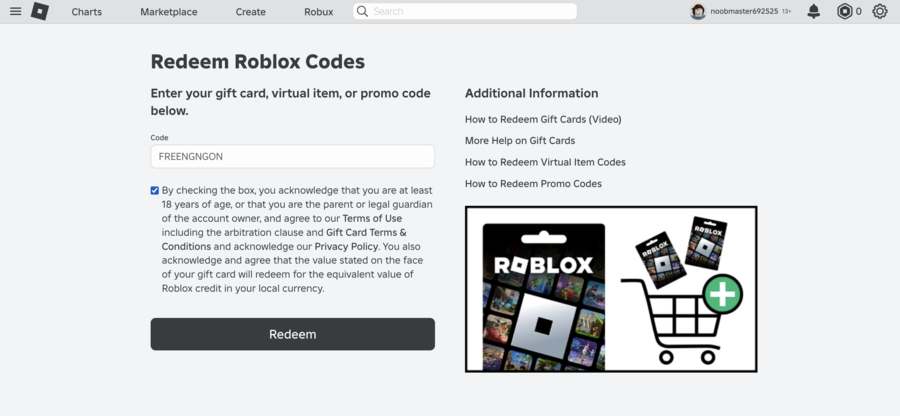

Skibi Defense Roblox Codes February 2026 Latest Active Codes How To Kode Skibi Defense Roblox Februari 2026 Daftar Codes Terbaru And Cara Redeem 289ce1b886 . What Is Roblox Red All About Its Popularity Explained Roblox Schedule Codes . How To Change Password On Roblox Account Security Tutorial 2026 . Where To Put Roblox Code What You Need To Know In 2026 Redeem Roblox Codes 1 . New ALL WORKING CODES For 24 Hours Overnight 2026 Roblox 24 Hours


Roblox Codes Gratuits 2026 Liste Compl Te Guide Toutacoup Ca Le Seo Img 1774345117 . ALL NEW JANUARY 2026 Roblox Promo Codes For FREE ROBLOX Items FREE . How To Find Roblox Security Cookie 2026 YouTube . ALL WORKING CODES IN ROBLOX ERLC MARCH 2026 Emergency Response . Roblox 2026 Logo REVEALED New Color New Look YouTube Maxres2




100 Unofficial Roblox Annual 2026 The Iconic Companion Jam Packed SL1500 . Is Roblox Safe For Kids 2026 Checklist For Parents Fast Setup Is Roblox Safe For Kids Scaled . Roblox Chasing Codes For January 2026 Unlock Exclusive Rewards 1767899766 Roblox Chasing Codes For January 2026 Unlock Exclusive Rewards . Roblox 2026 New Logo REVEAL First Look At The Future Shorts YouTube Hq2 . How To Update Roblox In 2026 Fix Error Code 280 On PC Mobile Xbox Roblox Update It.webp


2 Step Roblox Blog 2SV Screen . NEW ALL DRESS TO IMPRESS CODES IN JANUARY 2026 ROBLOX DTI CODES . What Is Hypergolic Roblox And How Does It Work 2026 1200x1769 . How Can You Redeem Roblox Codes Easily In 2026 Roblox Redeem Code Thumbnail