Struggling with high ping on Roblox can turn a fun gaming session into a frustrating lag-fest, especially for busy adults who carve out time for relaxation and social play. This comprehensive guide dives deep into why you might be experiencing significant latency in your favorite Roblox games and, more importantly, provides actionable, practical solutions to get you back to smooth, responsive gameplay. We'll cover everything from basic network checks to advanced optimization techniques, helping you understand the common culprits like Wi-Fi interference, outdated drivers, server locations, and even background applications. Whether you're a parent gaming after the kids are asleep or a professional unwinding with friends, optimizing your Roblox experience for low ping is crucial for skill-building and enjoyment. Learn how to diagnose your connection, tweak settings, and even consider hardware upgrades that won't break the bank, ensuring your precious gaming moments are spent having fun, not fighting lag. Get ready to transform your high ping woes into seamless Roblox adventures with our expert tips.
What does high ping actually mean in Roblox?
High ping in Roblox indicates a significant delay in the communication between your device and the game server. This delay, measured in milliseconds, causes actions to be unresponsive, characters to teleport, and overall gameplay to feel sluggish and out of sync with other players.
Why is my Roblox ping randomly spiking sometimes?
Random ping spikes on Roblox are often due to temporary network congestion, either on your local network from other devices, or at your Internet Service Provider's (ISP) end. Background applications updating, Wi-Fi interference, or even a brief hiccup with the Roblox server itself can also cause these sudden increases in latency.
Can using an Ethernet cable really lower my Roblox ping?
Yes, absolutely. Switching from Wi-Fi to a direct Ethernet cable connection significantly reduces the chance of signal interference and provides a more stable, faster data transfer path to your router. This consistent connection almost always results in lower and more stable ping for Roblox compared to a wireless connection.
What are the best DNS settings to reduce high ping on Roblox?
While default DNS settings usually work, changing to public DNS servers like Google DNS (8.8.8.8 and 8.8.4.4) or Cloudflare DNS (1.1.1.1 and 1.0.0.1) can sometimes improve ping on Roblox. These servers can offer faster response times for resolving domain names, which might translate to a slight reduction in overall latency.
Is my location to the Roblox server affecting my ping?
Yes, your physical distance from the Roblox game servers is a primary factor in ping. Data has to travel further, leading to increased latency. While you can't choose your server directly, playing closer to major data centers or using a gaming VPN to optimize routes can help minimize this geographical impact.
How can I check my exact ping in a Roblox game?
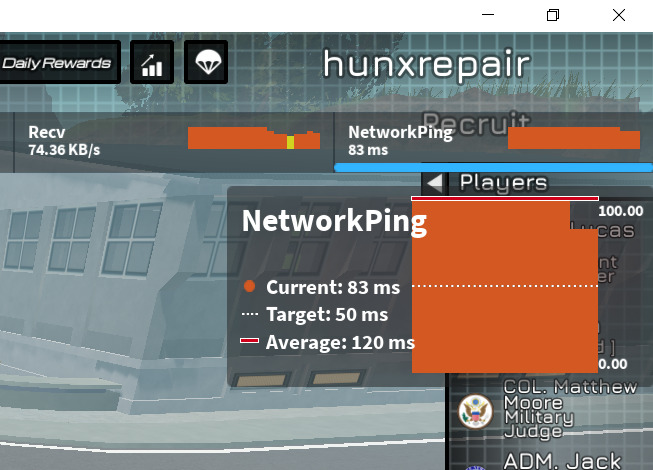
In most Roblox games on PC, you can check your exact ping by pressing Shift + F3. This will open the developer console, which displays various performance statistics, including your current ping (often labeled as 'Latency' or 'Network Ping') to the game server.
Does having a powerful gaming PC reduce high ping on Roblox?
A powerful gaming PC primarily improves your Frames Per Second (FPS) and game rendering, making the game visually smoother. While it can help ensure your system isn't *adding* to perceived lag due to low FPS, it doesn't directly reduce high ping, which is a network latency issue. A good PC needs a good internet connection to eliminate true ping issues.
Ah, the dreaded high ping on Roblox. You've just settled in after a long day, ready to unwind with some Parkour, Adopt Me, or perhaps a round of Phantom Forces with friends. Then it hits: that infuriating delay between your mouse click and your avatar's movement, the teleporting enemies, the sudden disconnects. It's a universal gamer frustration, especially for the 87% of US gamers who play regularly, often balancing 10+ hours a week with jobs, family, and life. Lag doesn't just ruin the fun; it undermines skill-building, social play, and that precious escape we all seek. For many, Roblox isn't just a game; it's a social hub, a creative outlet, and a shared experience across PC and mobile devices.
You're not alone in experiencing this. High ping on Roblox is a common pain point, turning what should be relaxing into a stressor. But what if there was a way to reclaim that smooth, responsive gameplay you deserve? This guide is your trusted friend in the digital trenches, packed with practical, no-nonsense advice to diagnose, understand, and ultimately conquer high ping in Roblox. We'll explore everything from basic tweaks to more advanced network optimizations, ensuring your gaming sessions are about fun and connection, not connection issues. Let's get your Roblox experience back on track, because your leisure time is too valuable for lag.
What Exactly Is High Ping and Why Does It Matter in Roblox?
Ping, often measured in milliseconds (ms), is essentially the time it takes for a data packet to travel from your computer to a server and back again. Think of it as an echo: the faster you hear it, the closer you are. In Roblox, a low ping (under 50ms) means your actions register almost instantly on the game server, leading to smooth, responsive gameplay. High ping, conversely, means significant delays. If your ping is consistently above 100ms, you'll notice visible lag, like characters teleporting, delayed actions, and communication issues, making competitive games frustrating and even casual games less enjoyable.
For a game like Roblox, which relies heavily on real-time interactions, physics, and social dynamics, high ping can be a game-breaker. Whether you're building, battling, or chatting, a stable, low-latency connection is paramount. It affects everything from landing precise jumps in obbies to winning gunfights in combat games or even just having a seamless conversation with friends across different platforms, which is a big part of why gamers love titles like Roblox.
How Can I Identify If I Have High Ping on Roblox?
Recognizing high ping is usually pretty straightforward because the game itself feels off. Visual cues include character stuttering, delayed responses to your inputs, or other players appearing to jump around erratically. Many Roblox games also display a ping counter, often in a corner of the screen or accessible through an in-game menu (like pressing Shift + F3 on PC for the developer console, which shows network stats including ping). Check this number regularly during gameplay.
If you're not seeing an in-game counter, external tools can help. Websites like Speedtest.net or Fast.com can give you a general idea of your internet's latency to a nearby server, though this isn't specific to Roblox's servers. A quick test can confirm if your overall internet connection is slow, which would definitely impact your Roblox experience. Look for latency results under 50ms for optimal online gaming.
Why Is My Ping So High on Roblox? Common Culprits
High ping in Roblox stems from a variety of factors, often a combination of several. Understanding these can help you pinpoint the issue. One major cause is a poor internet connection, either due to slow speeds, an unreliable Wi-Fi signal, or too many devices hogging bandwidth on your home network. Just like how 60% of US gamers enjoy mobile titles, having multiple phones streaming video while you game on PC can be a huge drain.
Other culprits include geographical distance from Roblox's game servers – the further away you are, the longer data has to travel. Outdated network drivers on your computer, background applications consuming bandwidth or CPU resources, and even issues with your Internet Service Provider (ISP) can all contribute to significant latency. Sometimes, it's not even your fault; Roblox server issues or maintenance can also cause widespread ping spikes. Diagnosing the root cause is the first step towards a lasting solution.
What Are the Immediate Steps to Reduce High Ping on Roblox?
When high ping strikes, there are several quick fixes you can try that often resolve the issue without needing deep technical dives. First, and perhaps most importantly, restart your router and modem. This simple act can clear up network congestion and reset your connection, often improving stability. Next, ensure you close any bandwidth-hogging applications running in the background. Streaming services like Netflix, large downloads, or even other online games can significantly impact your latency.
If you're on Wi-Fi, try moving closer to your router or, even better, switch to an Ethernet cable. A wired connection is almost always more stable and faster than Wi-Fi, especially for gaming, as it reduces interference. Finally, check for any pending Roblox updates or system updates for your device, as these can sometimes cause temporary performance issues until installed. These initial steps are low-effort but often yield immediate improvements, allowing you to get back into the game faster.
Can My Internet Connection Type Affect Roblox Ping?
Absolutely, your internet connection type plays a massive role in your Roblox ping. Different technologies offer varying speeds and, crucially, different latency characteristics. For example, fiber optic internet generally provides the lowest latency and highest speeds, making it ideal for online gaming. Cable internet is a strong contender, offering good speeds but sometimes suffering from higher latency during peak usage times in your area due to shared bandwidth.
DSL connections, while still available, typically offer slower speeds and higher latency compared to cable or fiber. Satellite internet, due to the vast distances data must travel to space and back, almost always results in very high ping, making it unsuitable for real-time online gaming like Roblox. While mobile data connections can be convenient for on-the-go play, their stability and latency can fluctuate wildly depending on network coverage and congestion. For the best Roblox experience, a stable, low-latency wired connection through fiber or cable is your best bet.
What Network Settings Can Optimize My Roblox Experience?
Optimizing your network settings can significantly reduce high ping on Roblox. Start by ensuring your router's firmware is up to date, as manufacturers frequently release updates that improve performance and security. Consider enabling Quality of Service (QoS) on your router, if available. QoS allows you to prioritize gaming traffic over other network activities, ensuring Roblox gets the bandwidth it needs even when other devices are in use.
Changing your DNS server can also sometimes help. Google DNS (8.8.8.8 and 8.8.4.4) or Cloudflare DNS (1.1.1.1 and 1.0.0.1) are popular alternatives to your ISP's default DNS, often providing faster resolution times. Additionally, temporarily disabling your firewall or adding Roblox to its exception list can rule out your security software as a source of interference, though always re-enable it or add exceptions carefully for security reasons. For advanced users, port forwarding specific ports for Roblox might offer a minor boost, but it's usually not necessary.
Are There Any Software Solutions to Combat High Ping?
Beyond network settings, certain software solutions can help manage and reduce high ping on Roblox. One of the most effective strategies is to use a gaming VPN (Virtual Private Network). While standard VPNs can sometimes *increase* ping due to routing through distant servers, specialized gaming VPNs are designed to find optimized routes to game servers, potentially bypassing congested internet pathways and reducing latency. Look for services that offer dedicated gaming servers and low-ping guarantees.
Another approach is to use network optimization software. Tools like WTFast or ExitLag claim to optimize your internet connection specifically for online games, reducing packet loss and ensuring a smoother data flow to game servers. While results can vary, they might offer a noticeable improvement, particularly if your ISP's routing isn't ideal. Always ensure these tools are reputable and don't interfere with your system's stability, and remember they often come with a subscription fee, so evaluate the value for your specific situation.
Does My Hardware Contribute to Roblox Lag?
While high ping is primarily a network issue, your hardware can indirectly contribute to what feels like lag, or it might struggle to process the game fast enough even with a good connection. An older, underpowered PC or mobile device might struggle to run Roblox smoothly, leading to low frames per second (FPS), which can be mistaken for network lag. If your computer's CPU or GPU is maxed out, or you have insufficient RAM, the game will stutter and feel unresponsive.
Checking your system's resource usage (Task Manager on Windows, Activity Monitor on Mac) while playing Roblox can give you insights. If your CPU or RAM is consistently at 90-100%, consider closing other programs or upgrading components. A faster SSD can also improve game loading times. For a game like Roblox that runs on various devices, from low-end mobile to high-end PCs, ensuring your hardware meets or exceeds the recommended specifications is crucial for a consistently smooth experience, regardless of ping.
How Do I Choose the Best Roblox Server?
Unfortunately, directly choosing a specific Roblox server based on ping isn't something players can do through the in-game interface. Roblox's matchmaking system automatically places you on servers, ideally ones closest to your geographical location. However, you can indirectly influence this by understanding how Roblox selects servers. If you're joining a friend's game, you'll be connected to the server they're on, which might be further away if they live in a different region.
To maximize your chances of connecting to a low-ping server, try to play during off-peak hours when servers might be less congested. If you're consistently getting high ping in a specific game experience, you might try joining a different server instance within that game (if the option is available) or even switching to a completely different game entirely, hoping to land on a server closer to you. For a group of friends, having the player with the best internet connection and most central location host or join first might help everyone achieve better collective ping.
When Should I Consider Upgrading My Internet Plan for Roblox?
Upgrading your internet plan for Roblox should be considered if, after trying all other troubleshooting steps, you consistently experience high ping and suspect your current speeds or connection type are the bottleneck. If your current plan offers very low download and upload speeds (e.g., less than 25 Mbps download and 3 Mbps upload), or if you're on a connection type known for high latency like satellite internet, an upgrade could be transformative.
Before upgrading, consult your ISP about their gaming-specific plans or faster tiers. Discuss your ping concerns, not just speed, as latency is key for gaming. Consider the number of devices in your household; a family of four streaming, working, and gaming simultaneously will require significantly more bandwidth than a single user. Upgrading can be a budget-friendly way to enhance your entire online experience, not just Roblox, ensuring everyone in the household enjoys their digital activities without fighting for bandwidth. The investment often pays off in reduced frustration and smoother overall usage, making it a smart move for the average gamer who balances life and play.
FAQ Section
What is the ideal ping for Roblox?
Ideally, you want your ping on Roblox to be below 50 milliseconds (ms) for a smooth and responsive experience. Anything consistently above 100ms will likely result in noticeable lag and frustrating gameplay.
Can too many devices on my Wi-Fi cause high ping?
Yes, absolutely. Every device connected to your Wi-Fi uses a portion of your internet bandwidth. If multiple devices are streaming, downloading, or doing other data-intensive tasks, it can hog bandwidth, leading to higher ping for your Roblox game.
Does clearing my cache help with Roblox ping?
Clearing your Roblox game cache and temporary internet files can sometimes help improve performance by removing corrupted or outdated data that might be causing minor hitches, though it typically has a more direct impact on FPS than ping.
Is a gaming VPN effective for reducing Roblox ping?
A reputable gaming VPN can be effective for reducing Roblox ping by routing your connection through optimized servers, potentially bypassing congested internet pathways from your ISP to the game server. Results vary based on your location and ISP.
How important is upload speed for Roblox ping?
While download speed often gets more attention, upload speed is crucial for sending your game data to the server. Insufficient upload speed can lead to packet loss and higher ping, making your actions delayed or unrecorded by the game server.
Why does my ping fluctuate so much on Roblox?
Ping fluctuations can be caused by various factors, including Wi-Fi instability, intermittent network congestion from your ISP, other devices on your network starting or stopping data transfers, or even temporary issues with the Roblox game server itself.
Conquering high ping on Roblox doesn't have to be a mystery. By understanding the causes and systematically applying these solutions, you can dramatically improve your gameplay and enjoy Roblox as it's meant to be played: smoothly and without frustrating delays. From simple router restarts to considering a gaming VPN, each step brings you closer to a lag-free experience. Remember, gaming is about relaxation, fun, and connection, not fighting your internet. Take control of your connection and dive back into the vast worlds of Roblox with confidence.
What's your biggest gaming challenge, ping-related or otherwise? Comment below!
Identify common causes of high ping on Roblox including Wi-Fi interference and server issues.Implement quick fixes like restarting your router and closing background apps.Optimize network settings for better Roblox performance.Understand how hardware and internet plans impact ping.Discover software solutions to reduce latency and improve gameplay.Learn strategies for choosing optimal Roblox servers.
35


How To Fix HIGH PING In Roblox FIX LAG LOW PING YouTube . How To Fix High Ping In Roblox 2026 Lower Ping In Roblox YouTube . Fixed Roblox Lag And High Ping To Speed Up Game Fixed Roblox Lag And High Ping To Speed Up Game . How To Fix High Ping In Roblox 2025 YouTube . How To Fix Network Lag And High Ping In Roblox Lower Ping In Roblox
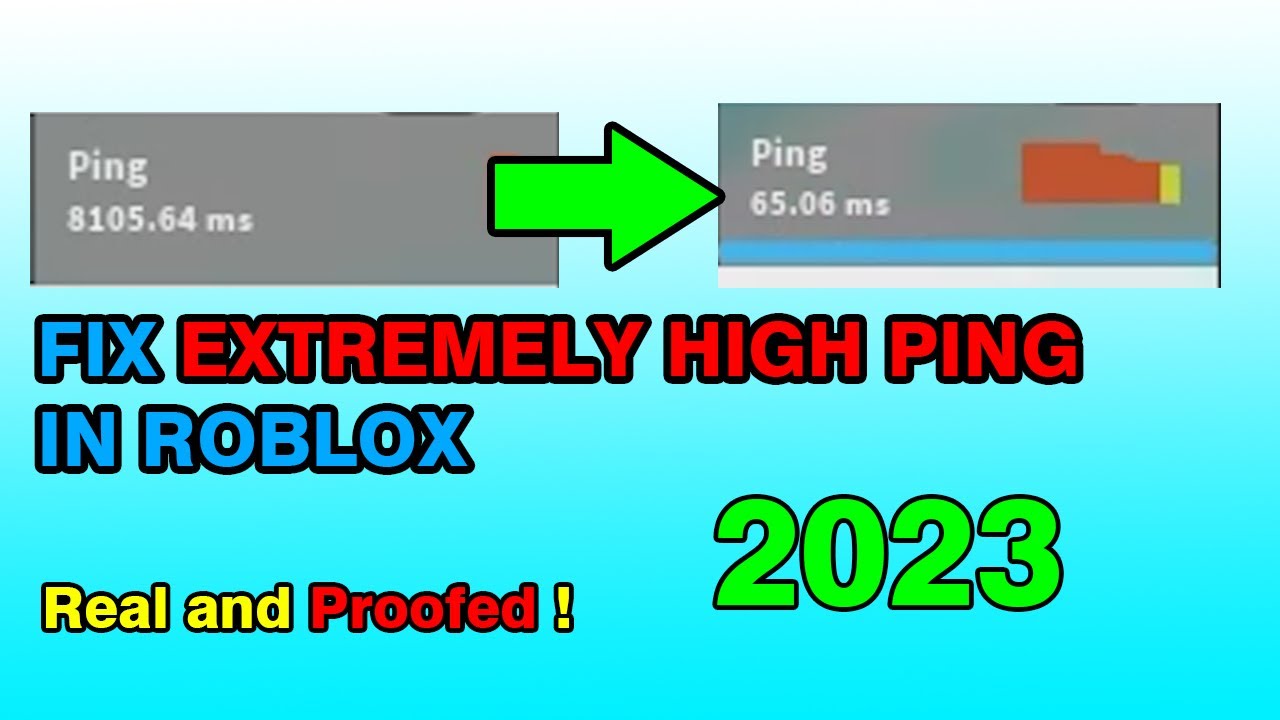


How To Connect Roblox High Ping 2026 UPDATED 2026 YouTube . How To Fix High Ping In Roblox Recommended For Asia Player YouTube . Check Your Roblox Ping A Simple Guide . How To Fix High Ping In Roblox Stop High Ping In Roblox Reduce Ping . Bye Bye Lag Fix High Ping On Roblox
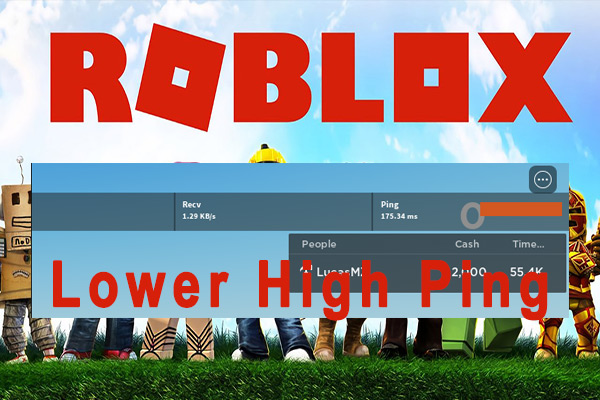


Bye Bye Lag Fix High Ping On Roblox Roblox High Ping Thumbnail . How To Fix High Ping In Roblox 2022 Lower Ping In Roblox YouTube . Why Is My Ping So High In Roblox Nerd Techy Why Is My Ping So High In Roblox 1024x536 . Playing Roblox With Very High Ping YouTube Hqdefault . High Ping In Roblox Lets Fix It



How To Fix High Ping In Roblox 2025 Guide YouTube . Bye Bye Lag Fix High Ping On Roblox . How To Fix High Ping On Roblox FIX LAG 2024 YouTube . Check Your Roblox Ping A Simple Guide . Unusually High Ping On Roblox Only Engine Bugs Developer Forum Roblox


How To Fix HIGH Ping In Roblox 2023 PING GUIDE YouTube . How To Fix High Ping In Roblox 2021 YouTube . How To Fix High Ping In Roblox Why Is My Ping So High In Roblox But . How To Instantly Fix High Ping In Roblox 2026 YouTube . How To Fix High Ping In Roblox Best Solutions And Boosters



How To Connect Roblox High Ping 2025 STEP BY STEP 2026 YouTube . Why Am I Getting High Ping On Roblox Causes Solutions Explained. Bye Bye Lag Fix High Ping On Roblox 1750736006 Ping Cao Roblox . Highest Ping On Roblox Maybe A World Record 4319883 Ms YouTube . Overcoming High Ping Challenges In Roblox Rivals TikTok Img



High Ping Playing Roblox Just 11mins Solved The Problem Roblox . HOW TO FIX ROBLOX HIGH PING NETWORK LAG PACKET LOSS 2026 FULL . THIS CAN FIX YOUR HIGH PING IN FOREVER IN RIVALS ROBLOX Mobile PC . How To Fix Roblox High Ping Network Lag Packet Loss On Windows PC . How To Fix Roblox High Ping