Unlock your potential as a gaming content creator and discover how to make gaming videos that truly resonate with your audience, even if you balance gaming with a busy life. This comprehensive guide navigates the essentials of transforming your gameplay into compelling stories, addressing common pain points like hardware setup, software choices, editing workflows, and maintaining a consistent schedule without compromising real-world commitments. Learn to optimize your performance and create valuable content that connects with fellow gamers who seek relaxation, skill-building, social interaction, and smart spending. We cover everything from initial setup and budget-friendly upgrades to current trends in social gaming and monetization strategies. Dive into practical solutions designed for the average US gamer, aged around 36, who dedicates 10+ hours a week to gaming, focusing on fun, community, and achieving a good balance. Get ready to level up your video creation game.
Q: What equipment do I need to start making gaming videos?
A: To begin making gaming videos, you'll need your gaming device (PC, console, or mobile), software for capturing gameplay (e.g., OBS Studio for PC, an external capture card for consoles, or built-in recorders for mobile), and a decent microphone for commentary. A reliable storage drive is also essential for video files. You can start with budget-friendly options and upgrade as you grow, prioritizing clear audio first.
Q: How can I record gameplay footage on my PC or console effectively?
A: PC users can leverage free tools like OBS Studio, NVIDIA ShadowPlay, or AMD ReLive. Console gamers will require an external capture card, such as an Elgato HD60X, connected to a computer. For optimal quality, aim for 1080p resolution at 60 frames per second (fps). Always ensure your game settings allow for smooth performance while recording to maintain video quality.
Q: What are the best video editing software options for beginners?
A: For free options, DaVinci Resolve offers professional-grade features, though with a learning curve, and HitFilm Express provides editing with visual effects. For simpler editing, Windows Video Editor or Apple's iMovie can suffice. Paid software like Adobe Premiere Pro is an industry standard, while Filmora and CyberLink PowerDirector offer user-friendly interfaces with advanced capabilities ideal for those balancing life and hobbies.
Q: How can I make my gaming videos more engaging for viewers?
A: To make your gaming videos engaging, focus on storytelling, clear and enthusiastic commentary, and smart editing. Trim out uninteresting parts, add royalty-free music and sound effects, and use on-screen text to highlight key moments. Pacing is crucial to keep viewers hooked. Authenticity and a specific niche (e.g., humor, education, high-skill plays) also significantly boost viewer connection and retention.
Q: What are some tips for balancing video creation with a busy schedule?
A: Balancing video creation with life's demands requires strategic planning. Try batch recording gameplay sessions, streamlining your editing workflow with templates and shortcuts, and planning content ahead using a calendar. Prioritize consistency over frequency, starting with one quality video a week if needed. This approach helps prevent burnout and makes content creation sustainable for busy gamers.
Q: How can I promote my gaming videos to grow my audience?
A: Effective promotion involves leveraging multiple platforms beyond YouTube, such as TikTok and Instagram Reels for short-form content. Share your videos in relevant gaming communities like Discord servers and subreddits, always adhering to their rules. Engage with comments, collaborate with other creators, and optimize for SEO with descriptive titles, relevant tags, and eye-catching thumbnails to expand your reach.
Q: What are the primary ways to monetize gaming videos as a creator?
A: The main monetization avenues include the YouTube Partner Program (ads), brand sponsorships, and affiliate marketing for promoting products. Additionally, you can offer exclusive content or perks through platforms like Patreon or channel memberships. Selling merchandise and earning through Twitch streaming (subscriptions, bits) are also viable options for diversified income streams once you build a dedicated following.
Are you one of the millions of US gamers who regularly dive into virtual worlds to unwind, connect with friends, or just have some fun? With 87% of gamers playing regularly and many dedicating 10+ hours a week, gaming is more than a hobby—it's a significant part of life. Maybe you've had epic moments, hilarious glitches, or strategic wins that you wished you could share with others. Or perhaps you've been inspired by the thriving community of gaming content creators and thought, 'I could do that!' But then reality hits: work, family, and life commitments make it seem impossible to add another demanding task like video creation to your plate. You might wonder about complex setups, expensive software, or the sheer time commitment. You're not alone. Many gamers, averaging around 36 years old, want to explore content creation but struggle with where to start and how to balance it with their existing lives.
This comprehensive guide on how to make gaming videos is designed specifically for you. We understand you value relaxation, fun, skill-building, and smart spending. You want practical solutions that fit into your busy schedule, without the hype. We'll cut through the noise, providing clear, actionable advice on everything from capturing your gameplay to editing and sharing it with the world. Whether you're aiming to entertain, educate, or simply archive your favorite moments, we'll help you navigate the process efficiently and effectively, turning those gameplay sessions into engaging content.
What essential gear do I need to start making gaming videos?
Getting started doesn't require breaking the bank. The core essentials for how to make gaming videos include your gaming device (PC, console, or mobile), software to capture gameplay, and a microphone. For PC gamers, an internal capture solution like OBS Studio or NVIDIA ShadowPlay is often sufficient. Console gamers will need an external capture card such as an Elgato HD60X. Mobile gamers can typically use their device's built-in screen recorder. A decent USB microphone, like a Blue Yeti or Rode NT-USB Mini, will drastically improve your commentary quality, which is crucial for engaging viewers. Don't forget a reliable hard drive for storing large video files!
You don't need the latest 4K camera or a professional studio. Focus on clear audio first, as viewers are more forgiving of lower video quality if the audio is crisp. Many gamers successfully start with free software and a mid-range microphone, upgrading only as their channel grows and their budget allows. Remember, compelling content trumps expensive gear.
How do I capture high-quality gameplay footage?
Capturing high-quality footage is fundamental to how to make gaming videos. For PC, OBS Studio is a free, powerful tool that allows for extensive customization. NVIDIA ShadowPlay (for GeForce GPUs) and AMD ReLive (for Radeon GPUs) offer easy, low-impact recording. Console users should invest in a reliable external capture card. When setting up, aim for 1080p resolution at 60 frames per second (fps) as a standard. While 4K is possible, it demands significant storage and processing power, which might not be practical for gamers balancing life commitments. Prioritize a stable frame rate over absolute resolution. Ensure your game settings are optimized to provide smooth gameplay while recording, as drops in frame rate will impact your video quality.
For mobile gaming, the built-in screen recorders on iOS and Android devices are excellent starting points. Some mobile games also have integrated replay features. Always check your device's storage before recording, as high-resolution gameplay files can quickly fill up your memory. Experiment with different settings to find the balance between file size and visual fidelity that works best for your setup.
What are the best free and paid video editing software options?
Once you have your footage, editing is where your story comes to life. For beginners figuring out how to make gaming videos, free options are abundant. DaVinci Resolve is a professional-grade suite with a robust free version offering powerful editing, color grading, and audio tools. HitFilm Express is another excellent free choice, blending editing with visual effects. For simpler tasks, Windows Video Editor or Apple's iMovie can suffice. If you're willing to invest, Adobe Premiere Pro is an industry standard, offering comprehensive features and seamless integration with other Adobe products. Alternatively, less daunting paid options like Filmora or CyberLink PowerDirector provide user-friendly interfaces with advanced capabilities.
Consider your operating system and skill level. DaVinci Resolve has a steeper learning curve but offers immense power for free. Filmora and PowerDirector are great for those who want a quicker path to polished videos. Many content creators start free, then subscribe to a paid editor once their skills and channel needs evolve, ensuring value for money.
How can I make my gaming videos engaging and entertaining?
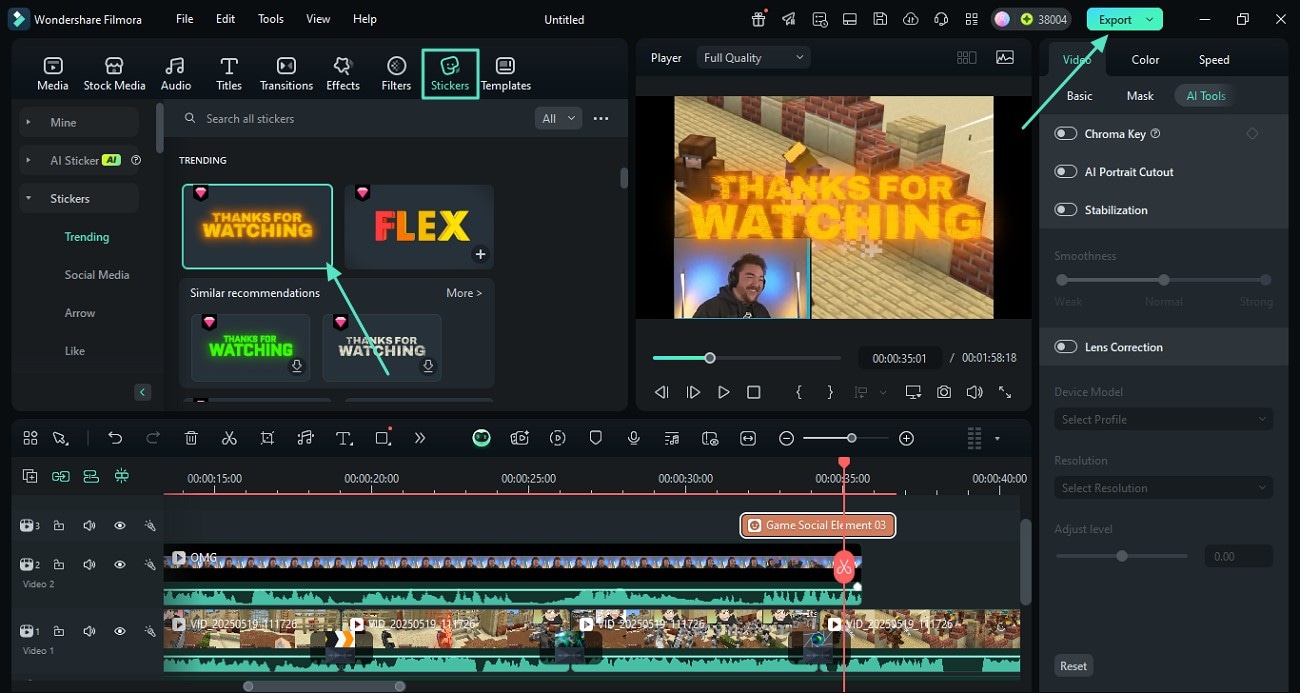
Engaging content goes beyond just gameplay. To truly master how to make gaming videos, focus on strong storytelling, clear commentary, and smart editing. Identify your niche: are you funny, educational, or focused on high-skill plays? Commentary should be enthusiastic and informative, adding personality to your video. Use sound effects, background music (royalty-free!), and on-screen text to enhance key moments. Trim out dull sections, long loading screens, or repetitive gameplay. Pacing is critical—keep the action moving. US gamers, especially those balancing jobs and families, value content that respects their time, providing quick insights, exciting moments, or genuine relaxation.
Current trends show an increasing interest in social and cozy games, as well as educational content (guides, builds). Consider incorporating:
- Clear Intros and Outros: Hook viewers immediately and provide a call to action.
- Subtitles or Captions: Improve accessibility and engagement, especially for mobile viewers or those watching without sound.
- Strategic Cuts: Condense hours of gameplay into digestible segments.
- Authenticity: Be yourself! Gamers connect with genuine personalities.
What are key strategies for balancing gaming video creation with a busy life?
This is a common pain point for the average gamer. Balancing how to make gaming videos with work, family, and life requires smart time management and realistic expectations. Here are some strategies:
- Batch Recording: Dedicate specific blocks of time (e.g., a few hours on a weekend) to record multiple gameplay sessions.
- Streamline Editing: Develop a consistent editing template. Use keyboard shortcuts. Practice makes perfect and faster.
- Content Pillars: Plan your video ideas in advance. A content calendar can help.
- Prioritize: Not every video needs to be a masterpiece. Some can be quicker, simpler uploads.
- Involve Family (if applicable): Sometimes kids or partners enjoy being part of the process, or at least understand why you need dedicated time.
- Automate: Use scheduling tools for uploads and social media promotion.
Many successful creators started small, uploading one video a week or even less. Consistency is more important than frequency when you're just starting out. Focus on quality over quantity initially, and build a routine that genuinely works for your schedule without leading to burnout. Remember, gaming itself is often a source of relaxation, so don't let content creation turn it into a chore.
How can I promote my gaming videos and grow my audience?
Making great videos is only half the battle; getting them seen is crucial. To expand your reach and learn how to make gaming videos effectively, leverage multiple platforms. YouTube is paramount, but don't ignore TikTok and Instagram Reels for short-form, high-impact clips that can drive traffic to your longer content. Share your videos on relevant gaming subreddits (check community rules first!), Discord servers, and social media groups where your target audience hangs out. Engage with comments, ask questions, and build a community around your content. Collaborate with other creators, even smaller ones, to cross-promote. Use strong SEO practices: descriptive titles, relevant tags, and compelling thumbnails.
Remember that social gaming trends mean many gamers are active on platforms like Discord and Twitch. Cross-promotion across these platforms can be highly effective. For example, if you stream on Twitch, repurpose highlights into YouTube videos. Engaging with your community authentically and responding to feedback fosters loyalty and encourages organic growth.
What are the current monetization options for gaming video creators?
Monetizing your gaming videos allows you to turn your passion into a potential income stream. While YouTube Partner Program (ads) is the most common, it requires meeting specific viewership and subscriber thresholds. Beyond ads, consider:
- Brand Sponsorships: Collaborate with gaming peripheral companies, game developers, or lifestyle brands.
- Affiliate Marketing: Promote products (games, gear) using unique links that earn you a commission on sales.
- Patreon/Memberships: Offer exclusive content or perks to loyal fans for a monthly fee.
- Merchandise: Design and sell branded apparel or accessories once you have a dedicated following.
- Twitch Streaming: If you also stream, you can earn through subscriptions, bits, and donations.
Diversifying your income streams is key. Many creators find that a mix of these methods provides the most stable revenue. Focus on building an engaged audience first, as brands and viewers are more likely to support creators who consistently produce high-quality, valuable content.
How do I stay updated with gaming trends for fresh video ideas?
Staying current is essential for producing relevant content. To consistently generate fresh ideas when learning how to make gaming videos, keep an eye on gaming news sites, follow popular streamers and developers on social media, and actively participate in gaming communities. Look for new game releases, major updates, esports events, and trending challenges. Sites like Steam Charts, Twitch viewership metrics, and even Google Trends can reveal popular games and search queries. Pay attention to what your audience is talking about in comments and forums. This month's data might show a surge in interest for a particular indie game or a new VR experiment, providing a timely content opportunity. For example, social and cooperative games continue to dominate, offering rich material for video series.
Don't be afraid to experiment with different content formats like short-form guides, challenge runs, lore deep dives, or even discussions about balancing gaming with life. Engaging directly with your community can also surface popular opinions or unmet needs for specific game guides, ensuring your content always feels fresh and valuable.
FAQ Section: Your Quick Answers
Q: What’s the easiest way to record gameplay on a PS5 or Xbox Series X?
A: The easiest way is to use the consoles' built-in recording features for short clips. For longer, higher-quality videos, an external capture card like an Elgato HD60X connected to a PC is recommended, allowing more control and better editing capabilities.
Q: Can I make gaming videos with just my phone?
A: Yes! Many mobile games have built-in screen recorders, and most smartphones can record high-quality external footage of console/PC screens or even record your facecam. You can even edit basic videos using mobile editing apps like CapCut or InShot.
Q: How long should my gaming videos be?
A: It depends on your content and audience. For guides or highlights, 5-10 minutes is often ideal. Longer gameplay sessions or story-driven content might be 20-30 minutes. Analyze your audience retention metrics to see what length works best for your viewers.
Q: Is it okay to use copyrighted music in my gaming videos?
A: No, generally it's not. Using copyrighted music without permission can lead to demonetization, strikes, or even your video being taken down. Always use royalty-free music from libraries like Epidemic Sound, YouTube Audio Library, or other legitimate sources.
Q: What's the biggest mistake new gaming video creators make?
A: One of the biggest mistakes is inconsistent audio quality. Clear, engaging commentary is often more important than pixel-perfect video. Another common error is failing to edit out dull moments, making videos too long and losing viewer interest quickly.
Q: Should I stream or make videos first?
A: If your goal is primarily video content, focus on that. Streaming and video creation require different skill sets and time commitments. Many creators start with videos and later repurpose stream highlights, or vice-versa. Choose what aligns best with your personality and schedule.
Creating gaming videos can be an incredibly rewarding experience, offering a creative outlet, a way to connect with a passionate community, and even a potential income stream. It doesn't have to be a daunting task that eats into your precious gaming or family time. By focusing on smart strategies for gear, software, editing, and promotion—and critically, by managing your time effectively—you can successfully navigate the world of content creation. Remember, authenticity and consistent, valuable content will always win over expensive gear or fleeting trends. Start small, stay genuine, and enjoy the process of sharing your love for gaming with the world.
What's your biggest challenge when thinking about making gaming videos? Comment below!
Essential gear for gaming videos, top recording software choices, video editing tips for beginners, balancing content creation with life, monetizing your gaming channel, current gaming video trends
35


How To Make Gaming Videos Using The Right Resources 2026 Make Gaming Videos 1 . How To Make A Roblox Game In 2026 Beginner Guide How To Make A Roblox Game In 2026 Beginner Guide 1024x683 . How To Build Your Dream Gaming Setup In 2026 How To Build Your Dream Gaming Setup.webp. How To Make An IPhone Game Step By Step Guide For 2026 How To Make An IPhone Game The Complete 2026 Guide.webp. 16 Ways To Make Money Gaming In 2026 Up To 500 Day Teenager Creating Video Game Tutorials 1024x683
How To Make Gaming Videos Using The Right Resources 2026 Make Gaming Videos 11 . Build PC Stream Game 2026 C N C U H Nh Ra Sao Live M T Kh Ng Lag Build PC Stream Game 2026 Can Cau Hinh Ra Sao De Live Muot Khong Lag.webp. How To Make Gaming Videos Using The Right Resources 2026 Make Gaming Videos 14 . Video Games 2026 Ones To Watch Part 1 Quest Daily 2026 Games Pt 1 . How To Make Gaming Videos Using The Right Resources 2026 Make Gaming Videos 3
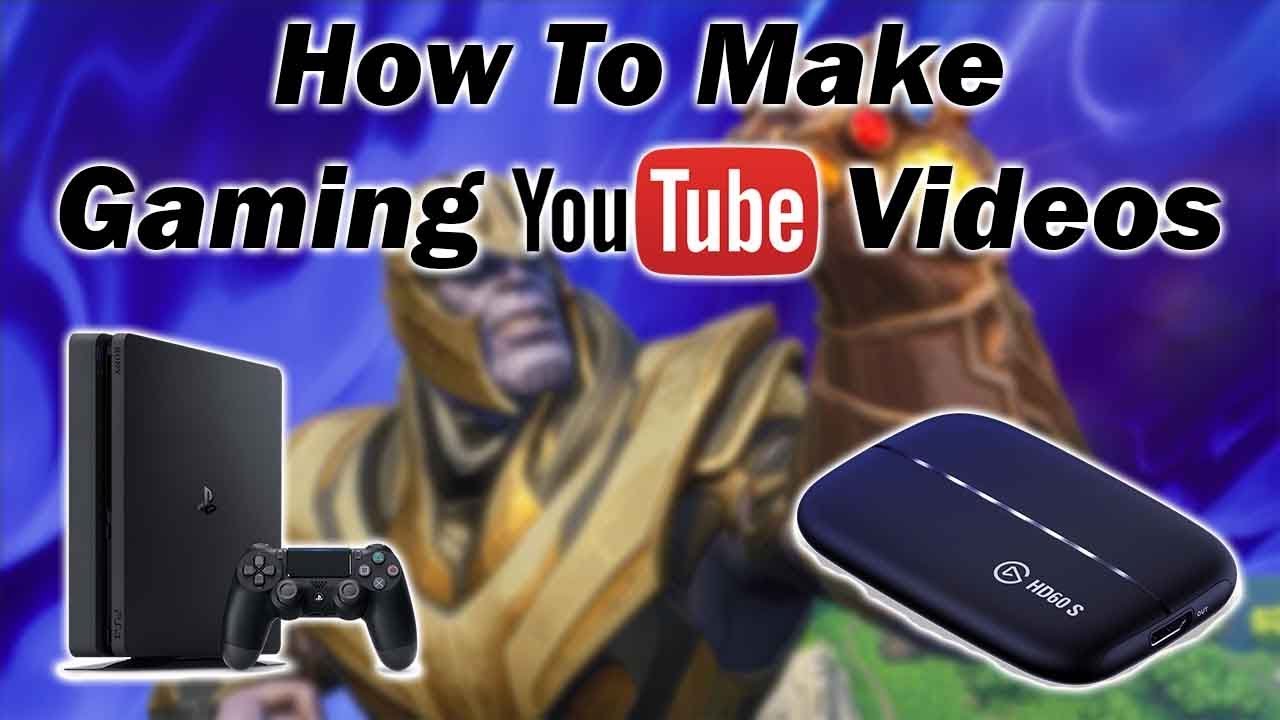
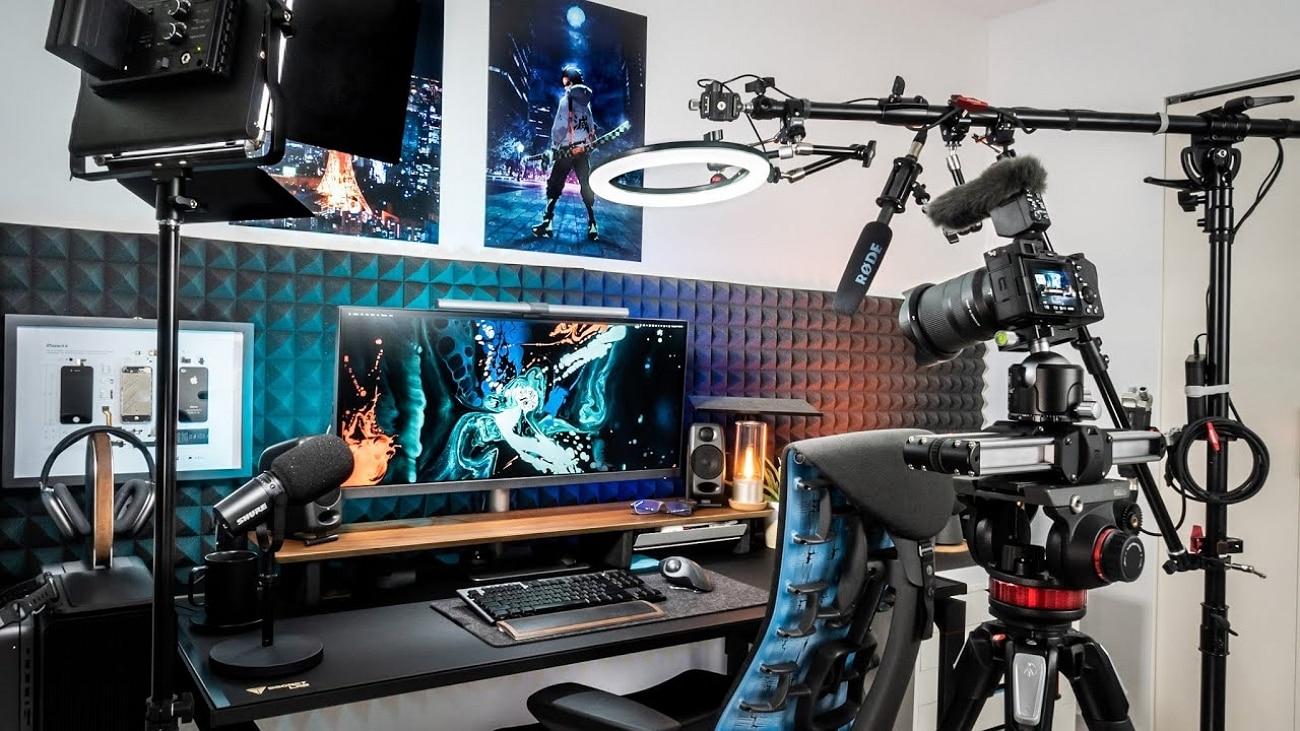
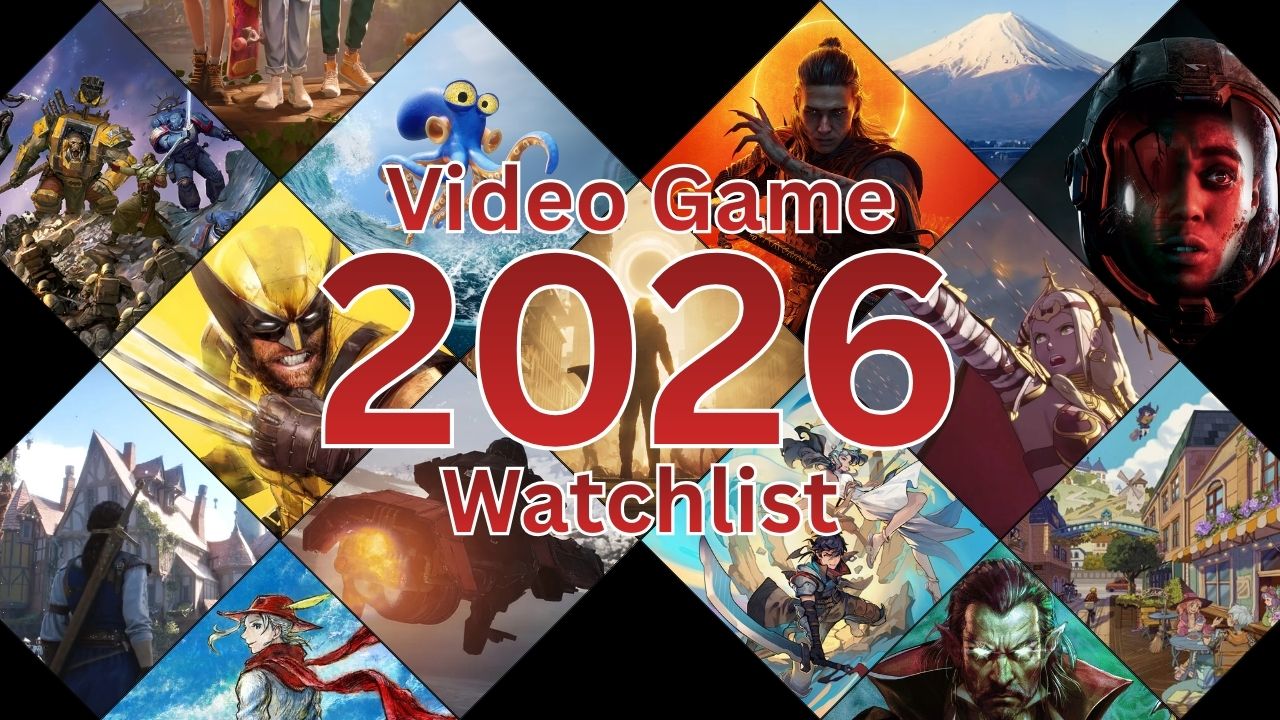

How To Make Gaming YouTube Videos Tutorial Works On PC Xbox And . How To Make Gaming Videos Using The Right Resources 2026 Make Gaming Videos 2 . Gaming Content Creation With Screen Recording The Ultimate 2026 Guide Gaming Content Creation With Screen Recording The Ultimate 2026 Guide 300x169 . Video Games 2026 Ones To Watch Part 2 Quest Daily 2026 Games Pt 2 . MON SETUP GAMING 2026 A 100 000 YouTube



How To Grow Gaming Channel In 2026 100K Subscribers In Just 30 Days . Top 10 Most Anticipated Games Of 2026 What To Watch Out For TVN GAMES IN 2026 . Best Budget Gaming Setup In 2026 Full Guide For Beginners Budget Friendly Gaming Setup In 2026 768x512 . The Ultimate Gaming PC Build 2026 Guide By Xidax 1 Unnamed . Fastest Grow Your GAMING CHANNEL In 2026 How To Make Viral Gaming


Best Gaming Laptops At CES 2026 RTX 5090 Options Dual Screen Picks Lenovo Legion Pro Rollable Concept. How To Choose The Right Gaming PC In 2026 Complete Guide Complete Guide . The Best Ways To Master Gaming In 2026 Lyncconf Untitled Design 2026 02 . Ultimate Gaming Setup Guide 2025 Best Gaming Setup 2025 1068x610 . How To Make A Gaming YouTube Video For Beginners How To Make A Gaming Youtube Video 01.webp



Gaming Desktop PC Guide 2026 Build The Ultimate Gaming Setup 2 2 3 . Should You Build A PC In 2026 Mid Range Gaming Build Guide January Cld Sample . Upcoming Xbox Games In 2026 What To Play Next Year Xbox Game Pass ROG Xbox Ally 2026 Main . Best Gaming PC Builds For 2026 Best Gaming PC Builds For 2026.webp. How To Build Gaming PC Guide 2026 Step By Step Budget Gaming PC 2026 Gaming Pc


EA F1 26 Canceled 2026 Season Update Details 2026 Upcoming Games Release Dates . 2026 In Gaming Releases What Are We This Year Blogs 2026 Gaming 2 . Easy Way To Make YouTube Gaming Videos YouTube . Build PC Gaming 2026 N N B T U T U H Ng D N Ch N C U H Nh T I U Build PC Gaming 2026 6 C61f268b8c . How To Make A Gaming Video Ultimate Guide For Beginners How To Make A Gaming Video