Navigating the world of gaming processors can feel like a boss battle in itself, especially when you are balancing demanding jobs, family commitments, and that ever-present desire to unwind with your favorite titles. This comprehensive guide cuts through the technical jargon and marketing hype, delivering clear, actionable insights into what makes a good processor for gaming in 2026. We understand you value performance optimization, value for money, and staying current without endless research. From understanding core counts and clock speeds to making smart budget-friendly upgrade decisions, we tackle common pain points like performance bottlenecks and hardware upgrade anxieties. We'll help you pinpoint the ideal CPU that ensures smooth gameplay, enhances social interactions in Discord, and makes every gaming session a rewarding escape, whether you are diving into a new AAA title, engaging in competitive esports, or just enjoying a cozy co-op with friends. Discover how to get the best bang for your buck and future-proof your setup, ensuring your gaming rig keeps up with the latest trends and your precious leisure time is spent playing, not troubleshooting. This resource is designed for the modern gamer who seeks both power and practicality.
What is the most crucial factor when choosing a gaming processor in 2026?
The most crucial factor when choosing a gaming processor in 2026 is finding a balanced sweet spot between core count, clock speed, and your budget, ensuring it does not bottleneck your graphics card. While older games leaned heavily on single-core speed, modern titles increasingly utilize multiple cores for complex game environments, AI, and physics. A processor with at least 6-8 cores and a high boost clock speed (4.5GHz+) offers excellent performance for current and upcoming games, especially for those balancing gaming with streaming or other demanding tasks. For the average gamer, balancing value with performance is key to a satisfying experience without overspending, ensuring your precious gaming time is smooth and enjoyable.
How do I know if my current CPU is bottlenecking my gaming performance?
You can identify a CPU bottleneck by monitoring your system's performance while gaming. Use tools like MSI Afterburner or Task Manager to check your CPU and GPU utilization. If your GPU utilization is consistently low (e.g., below 90-95%) while your CPU utilization is very high (e.g., near 100%), especially in CPU-intensive game areas or open-world titles, then your CPU is likely struggling to keep up. This often results in lower-than-expected frame rates, inconsistent frame times, and stuttering, even if your GPU is powerful. A balanced system aims for high GPU utilization, indicating your graphics card is working at its full potential without waiting on the processor.
What's the difference between Intel's 'K' series and AMD's 'X' series processors?
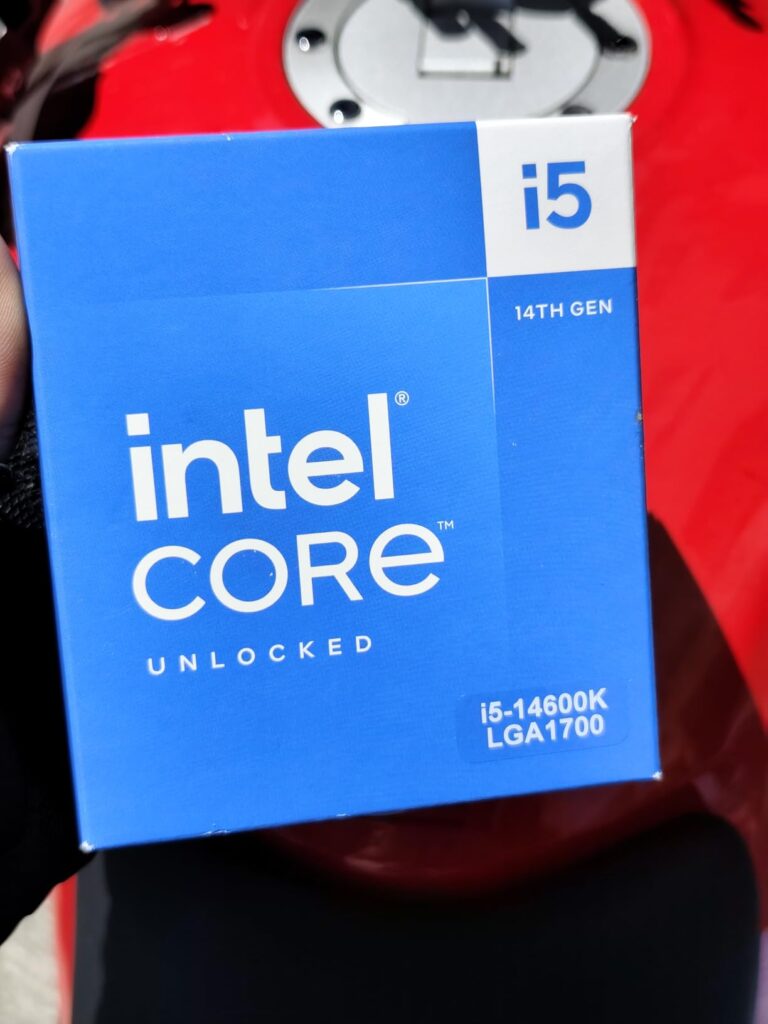
Intel's 'K' series processors (e.g., i5-14600K) are unlocked, meaning they can be overclocked to achieve higher clock speeds than their non-K counterparts, provided you have a compatible motherboard (Z-series chipset) and adequate cooling. This offers enthusiasts extra performance potential. AMD's 'X' series processors (e.g., Ryzen 7 7700X) are also higher-performance models within their respective lines, typically featuring higher base and boost clock speeds and often drawing more power than their non-X variants. While AMD's entire Ryzen lineup is technically unlocked for overclocking, the 'X' models are designed and binned for better out-of-the-box performance, often making them the go-to for serious gamers seeking top-tier speeds without manual tweaking.
Are integrated graphics processors (IGPs) good enough for casual gaming in 2026?
For casual gaming in 2026, modern integrated graphics processors (IGPs) can be surprisingly capable. AMD's Ryzen G-series CPUs with Radeon graphics and Intel's Core processors featuring their Arc integrated graphics have made significant strides. They can comfortably handle popular esports titles like Valorant, CS2, or League of Legends at 1080p with decent frame rates, and even some older or less graphically demanding AAA games at lower settings. However, for the latest visually stunning AAA titles, high refresh rate monitors, or demanding VR experiences, a dedicated graphics card remains absolutely essential. IGPs are excellent for budget builds, HTPCs, or as a temporary solution until you can afford a discrete GPU, allowing busy gamers to still get some playtime in without a massive initial investment.
Should I prioritize CPU or GPU for a balanced gaming PC build?
For a balanced gaming PC build, the general rule of thumb is to prioritize your GPU, as it has the most significant impact on in-game frame rates and visual fidelity. However, a capable CPU is equally critical to prevent bottlenecks. You need a CPU powerful enough to feed data efficiently to your GPU. If you have a high-end GPU but a weak CPU, the GPU will be underutilized. Conversely, an overpowered CPU with a weak GPU won't achieve high frame rates. Aim for a harmonious pairing; for example, a mid-range CPU (like an Intel Core i5 or AMD Ryzen 5) is often sufficient to pair with a mid-to-high-end GPU (like an RTX 4060/4070 or RX 7700 XT/7800 XT). Investing too much in one without adequate support from the other leads to inefficient spending and suboptimal performance for the busy gamer.
What are the benefits of a processor with 3D V-Cache for gaming?
Processors featuring AMD's 3D V-Cache technology, like the Ryzen 7 7800X3D, offer significant gaming performance benefits by incorporating an additional layer of L3 cache directly onto the CPU die. This greatly increases the amount of available L3 cache, allowing the processor to store and access more frequently used game data extremely quickly. This reduced latency is particularly advantageous in games that are sensitive to memory access times and cache performance, leading to substantial improvements in minimum and average frame rates, especially in graphically demanding titles and at lower resolutions (where the CPU bottleneck is more pronounced). For pure gaming performance, especially for competitive players seeking every frame, 3D V-Cache CPUs often lead the pack, providing a smoother, more responsive experience.
How important is cooling for a gaming CPU, and what options are there?
Effective cooling is extremely important for a gaming CPU, especially for modern, high-performance processors that generate significant heat. Proper cooling prevents thermal throttling, where the CPU reduces its clock speed to prevent overheating, which directly impacts gaming performance and system stability. Poor cooling can lead to stuttering, crashes, and a reduced lifespan for your components. There are two main types of CPU coolers: air coolers and liquid coolers (AIOs or custom loops). Air coolers are generally more affordable, simpler to install, and very effective for most mid-range CPUs. Liquid coolers, while often more expensive and complex, provide superior cooling performance, especially for high-end, overclocked CPUs, and can also offer a cleaner aesthetic. Investing in a good cooler ensures your CPU performs optimally and consistently for those long gaming sessions.
Hey fellow gamers! Ever stared at a dizzying array of processor specs, wondering, "whats a good processor for gaming?" You are not alone. For many of us, gaming is a vital escape, a way to relax, connect with friends, and build skills after a long day of work and family duties. The last thing we want is choppy frame rates or slow loading screens eating into our precious leisure time. In fact, a recent stat shows 87% of US gamers play regularly, often clocking 10+ hours a week, highlighting just how important a smooth experience is. Choosing the right CPU can feel like a high-stakes decision, one that directly impacts your enjoyment, whether you are exploring vast open worlds, dominating in esports, or just chilling in a cozy co-op. This guide is here to cut through the noise, offering practical, no-nonsense advice to help you pick the perfect processor for your gaming rig without breaking the bank or requiring a computer science degree.
We get it. You want excellent performance, value for money, and a setup that stays relevant without constant upgrades. You want to seamlessly transition from an intense raid to a Discord call with your guild, or stream your latest achievement without a hiccup. This article will answer all your burning questions about processors for gaming in 2026, from budget-friendly options to future-proofing your investment, ensuring your focus remains on the fun, not the frustration.
Why is Your Processor So Important for Gaming Performance?
Your processor, or CPU, acts as the brain of your gaming PC, responsible for executing instructions and calculations that drive everything from game logic to AI behavior and physics. While your graphics card (GPU) renders the beautiful visuals, the CPU ensures that the GPU always has enough data to work with. If your CPU is too slow, it can become a bottleneck, meaning even a top-tier GPU cannot perform at its full potential because it is waiting on the CPU. This results in lower frame rates, stuttering, and an overall less fluid gaming experience. A capable CPU is especially critical in CPU-intensive games like strategy titles, open-world adventures, and massive multiplayer online games (MMOs) where many elements are simulated simultaneously.
AMD vs. Intel: Which Side Wins for Gaming in 2026?
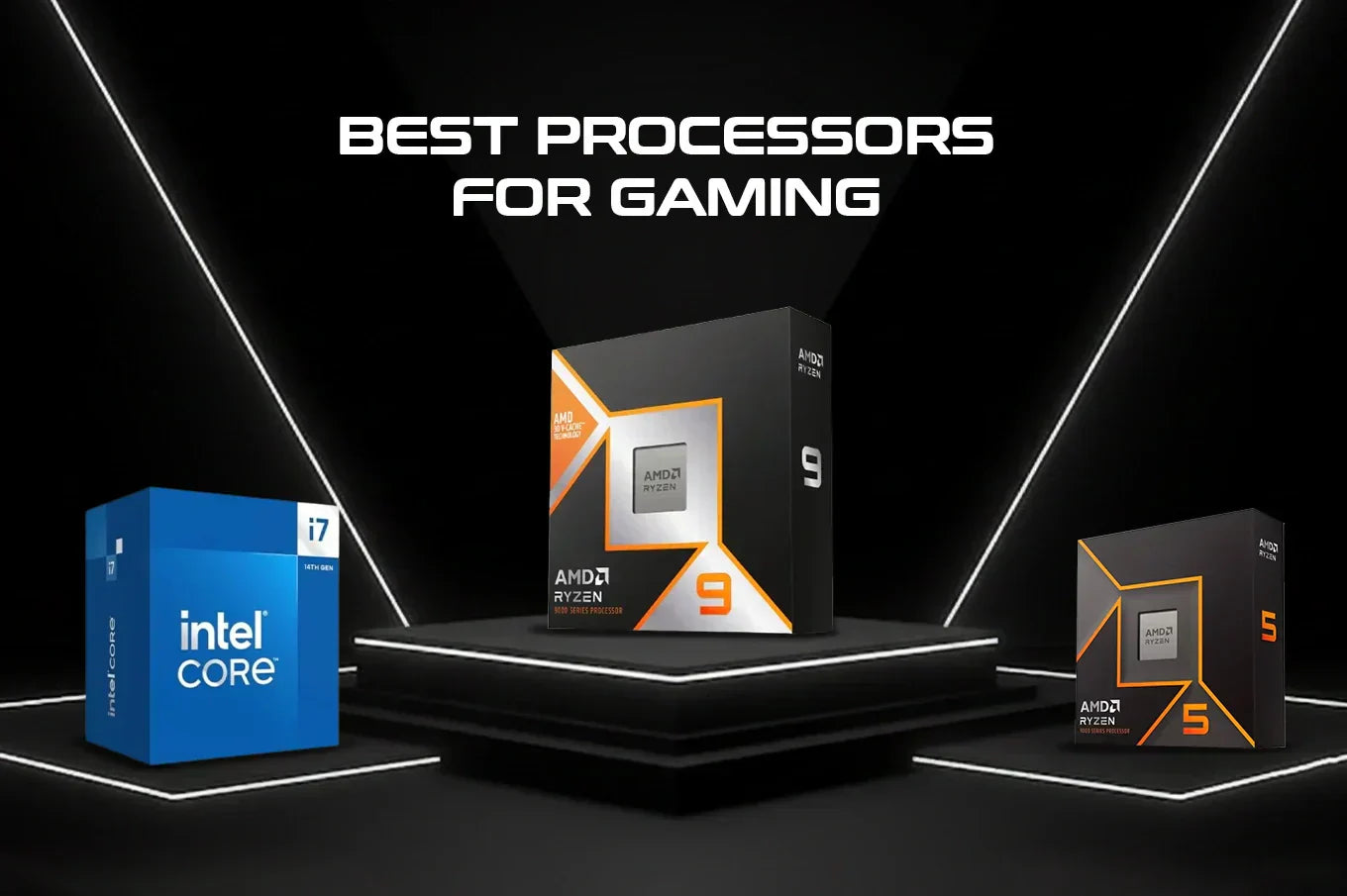
Both AMD and Intel offer excellent gaming processors in 2026, and the "winner" often depends on your specific budget and performance needs. Intel's latest Core i5 and i7 series typically excel in raw single-core performance, which historically has been a key factor for many games, offering slightly higher frame rates in some titles. AMD's Ryzen series, especially the Ryzen 5 and Ryzen 7, often provides a superior multi-core performance advantage, making them fantastic for multitasking, streaming while gaming, or content creation. For pure gaming at the highest frame rates, Intel often has a slight edge at the top end. However, for a balanced system that handles gaming, streaming, and productivity with ease, AMD offers exceptional value. Both platforms support the latest technologies like DDR5 RAM and PCIe 5.0, so compatibility is rarely an issue.
What are the Best Gaming Processors for Every Budget?
Choosing the best gaming processor largely depends on how much you are willing to spend. Here is a breakdown of excellent options across different budget tiers:
- Entry-Level (Under $200): For gamers on a tight budget who still want a solid 1080p experience, look at the Intel Core i3-14100F or the AMD Ryzen 5 5600. These CPUs offer fantastic value, providing enough power for most modern games at respectable settings, especially when paired with a mid-range GPU. The Ryzen 5 5600, in particular, remains a phenomenal value pick for its core count and efficiency.
- Mid-Range ( $200-$350): This is the sweet spot for many gamers balancing performance and cost. The Intel Core i5-14600K or the AMD Ryzen 7 7700X are excellent choices here. They provide ample cores and threads for smooth gaming, streaming, and multitasking, delivering high frame rates in most titles at 1080p and 1440p resolutions. These CPUs offer a great balance of performance and future-proofing.
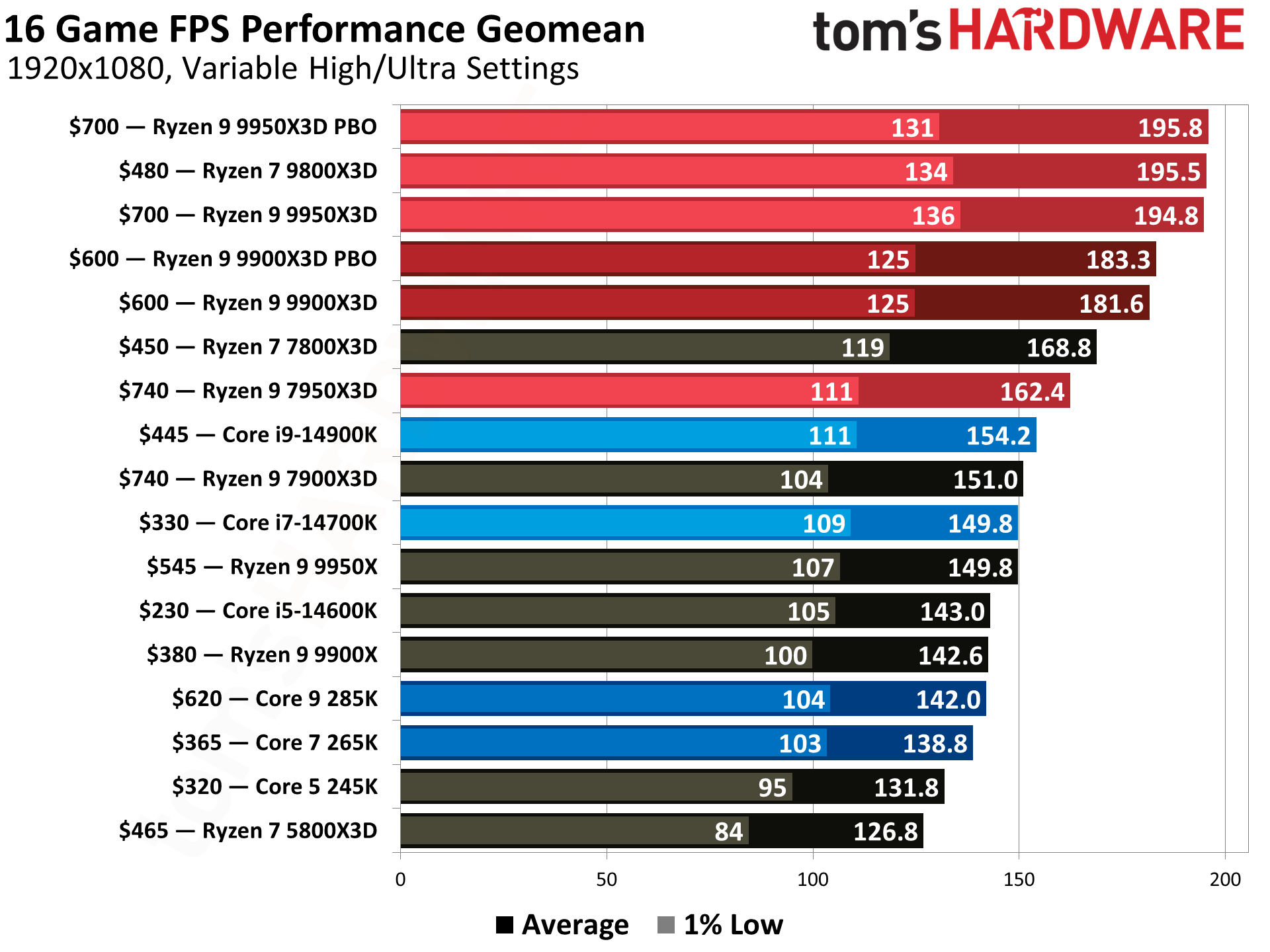
- High-End ( $350+): If you are aiming for uncompromised performance, high refresh rate 1440p or 4K gaming, or serious streaming and content creation, consider the Intel Core i7-14700K or the AMD Ryzen 7 7800X3D. The Ryzen 7 7800X3D is often considered the king of pure gaming performance due to its innovative 3D V-Cache technology. For those who also heavily rely on CPU-intensive productivity tasks alongside gaming, the Intel Core i9-14900K or AMD Ryzen 9 7950X offer top-tier core counts and blistering speeds.
How Many Cores Do You Really Need for Gaming?
In 2026, most modern games can effectively utilize 6 to 8 cores, especially with the increasing complexity of game worlds and AI. For a dedicated gaming PC, a 6-core processor like the AMD Ryzen 5 series or Intel Core i5 series is generally considered the minimum for a smooth experience without bottlenecks. If you plan on multitasking heavily, streaming your gameplay, or engaging in other CPU-intensive tasks while gaming, moving up to an 8-core processor (like an Intel Core i7 or AMD Ryzen 7) provides a noticeable benefit in terms of overall system responsiveness and stability. Anything beyond 8 cores offers diminishing returns for pure gaming performance, but can significantly boost productivity applications.
Does Clock Speed Matter More Than Cores?
Both clock speed (measured in GHz) and core count are important, but their relative importance can depend on the game and your usage. Historically, single-core clock speed was king for gaming, as many older titles were not optimized to leverage multiple cores. However, modern games are increasingly multi-threaded, meaning they can utilize more cores effectively. For pure gaming, a good balance is key. A processor with fewer, faster cores (higher clock speed) might outperform a processor with more, slower cores in some older or less optimized titles. Conversely, a processor with more cores, even at slightly lower individual clock speeds, will often perform better in newer, multi-threaded games and multitasking scenarios. For 2026, aiming for at least 6 cores with a boost clock speed of 4.5GHz or higher is a solid baseline for excellent gaming performance.
What About Future-Proofing Your Gaming CPU?
Future-proofing your gaming CPU involves selecting a processor that will remain relevant for several years, minimizing the need for immediate upgrades. This means looking beyond current minimum requirements and anticipating future game demands. Key considerations for future-proofing include:
- Core Count: As games become more complex, they will continue to utilize more cores. Aiming for 8 cores is a safer bet for longevity than 6.
- Platform Longevity: Choose a CPU on a newer platform (like AMD's AM5 or Intel's LGA1700) that is expected to support future CPU generations. This allows for easier drop-in upgrades down the line without needing a new motherboard and RAM.
- Integrated Technologies: Ensure your CPU and motherboard support modern standards like DDR5 RAM and PCIe 5.0, as these will become increasingly standard for future components.
- Cache Size: Processors with larger L3 cache, especially AMD's X3D chips, often show a significant boost in gaming performance and tend to age better for gaming workloads.
While true "future-proofing" is impossible in fast-evolving tech, making an informed choice today can extend your system's competitive lifespan considerably.
How Do I Upgrade My Processor Without Breaking the Bank?
Upgrading your processor efficiently involves a few smart strategies to maximize performance without overspending:
- Check Compatibility: First, determine your current motherboard's socket type (e.g., AM4, LGA1200, AM5, LGA1700) and chipset. This will tell you which CPUs are compatible. A BIOS update might be necessary for newer processors on an older motherboard of the same socket.
- Buy Used/Refurbished: The used market, particularly for previous generation CPUs (like AMD's Ryzen 5000 series or Intel's 12th/13th gen), can offer significant savings. Always buy from reputable sellers.
- Consider Value CPUs: Sometimes a processor that is not the absolute top-tier but offers 80-90% of the performance for 50-70% of the cost is the smarter budget choice. The AMD Ryzen 5 5600 or Intel Core i5-12600K are examples that still punch above their weight.
- Prioritize GPU Upgrade First: If your GPU is significantly older than your CPU, a GPU upgrade often provides a more noticeable frame rate boost for gaming. Ensure your CPU will not bottleneck a new GPU before upgrading the processor.
- Sell Your Old CPU: Offset the cost of your new processor by selling your old one.
Smart upgrading means getting the most performance lift for your dollar, not just buying the newest thing.
Can a Good CPU Compensate for a Mid-Tier GPU?
While a powerful CPU can certainly help mitigate some performance issues, it cannot fully compensate for a mid-tier (or weaker) GPU in most gaming scenarios. The GPU is the primary component responsible for rendering graphics, and if it is not powerful enough, even the best CPU will be waiting around. A strong CPU can ensure consistent frame delivery and prevent stuttering, especially in CPU-intensive games or scenarios where you have many background applications running. It allows the mid-tier GPU to operate at its maximum potential without being held back. However, for pushing higher resolutions (like 1440p or 4K) or achieving very high frame rates, a more powerful GPU will always be the dominant factor. The ideal setup involves a balanced pairing where neither component significantly bottlenecks the other, ensuring you get the most out of both.
FAQ Section
Is integrated graphics good enough for gaming? For casual games, esports titles at lower settings, or older games, modern integrated graphics (like those in AMD's Ryzen G series or Intel's Core with Arc graphics) can provide a playable experience. For demanding AAA titles or high frame rates, a dedicated graphics card is essential.
How often should I upgrade my gaming CPU? Generally, a good gaming CPU should last 3-5 years before a significant upgrade is needed to keep up with new game demands and technologies. However, if you are content with your current performance, there is no strict timeline.
What is hyperthreading/SMT and why does it matter? Hyperthreading (Intel) or Simultaneous Multi-threading (AMD) allows a single physical CPU core to act like two logical cores, processing two instruction threads simultaneously. This can improve performance in multi-threaded applications and games, enhancing multitasking and overall system responsiveness.
Does CPU cache size affect gaming? Yes, CPU cache, particularly L3 cache, can significantly impact gaming performance. A larger and faster cache allows the CPU to access frequently used data more quickly, reducing latency and boosting frame rates, especially evident in AMD's 3D V-Cache processors.
Should I overclock my gaming CPU? Overclocking can provide a modest performance boost, but it also increases heat and power consumption. For most gamers, especially those balancing life and gaming, the benefits are often not worth the risks or complexities, particularly with modern CPUs already boosting to high frequencies out of the box. Only consider it if you are comfortable with the process and have adequate cooling.
What is a CPU bottleneck? A CPU bottleneck occurs when your processor cannot keep up with your graphics card, limiting the GPU's potential and leading to lower frame rates than your GPU is capable of producing. It often manifests as inconsistent frame times or lower-than-expected FPS in CPU-intensive game areas.
Choosing the right gaming processor in 2026 is about making an informed decision that aligns with your gaming habits, budget, and lifestyle. We have explored why your CPU is the unsung hero, demystified the AMD vs. Intel debate, and provided clear pathways to getting the best performance for your hard-earned money. Remember, it is about creating a balanced system that delivers smooth, enjoyable experiences, allowing you to immerse yourself fully in your digital worlds. As US gamers continue to blend rich online experiences with busy lives, making smart hardware choices becomes more important than ever. Your gaming rig is an investment in your relaxation and fun.
What's your biggest gaming challenge when it comes to hardware upgrades? Comment below!
Choosing the right gaming CPU is crucial for frame rates and multitasking. Balance performance with budget for optimal value. Core count and clock speed are key metrics to consider. AMD and Intel offer competitive options across all price points. Integrated graphics can save costs for casual gaming. Prioritize CPU for balanced builds, especially with high-end GPUs. Future-proofing involves considering current and upcoming technologies. Processor upgrades are a common way to boost gaming performance.
35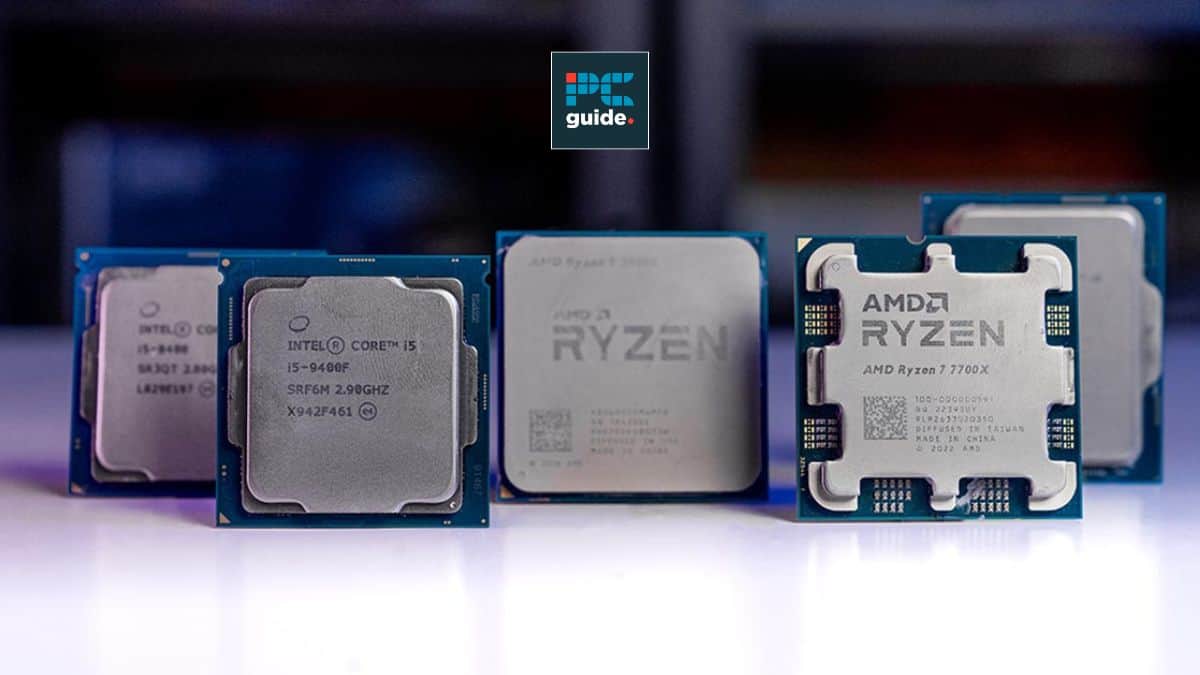



Best AMD Ryzen APU In 2026 Our Top Picks PC Guide Samsung TV Remote Codes Featured Image 29 . Best I5 CPU For Gaming 2026 Top 8 Models Tested Best I5 CPU For Gaming . Best Gaming Intel CPU 2026 8 Models Tested Compared Intel CPU . Best Gaming CPUs 2026 4 Processors Tested And Ranked Best Gaming CPUs . Gaming CPU Buying Guide 2026 With Latest Pricing Trends NoobFeed Amd Launches 7500x3d Next Generation


Best Xeon Processor For Gaming In 2026 YouTube . Best Processors For Gaming In 2026 For Every Budget Technoid Gaming PC Best Processors For Gaming In 2026 Top Picks For Every Gamer 7de5830b 3b61 4373 82b8. 12 Best Gaming CPUs June 2026 Complete Guide Best Gaming CPUs . Best AMD CPU For Gaming And Streaming 2026 Top 8 Zen 5 Processors Ranked Best AMD CPU For Gaming And Streaming 2026 . Best AM5 CPU For Gaming 2026 Expert Reviews Performance Tests Featured Image 4w457a1t

Best Gaming AMD CPU 2026 Expert Reviews Benchmark Tests Featured Image Riqw026n . Grab This Awesome 4K Ready Gaming PC With A 7800X3D And RX 9070 XT For . Best CPU Intel For Gaming Tested And Ranked June 2026 Best CPU Intel For Gaming . 12 Best AMD CPU For Gaming 2026 Tested Ranked Featured Image Pj0dxlou 300x210 . 12 Best CPU For Gaming March 2026 Processors Tested Ranked Featured Image Q3q6lajs


8 Best CPUs For Gaming 2026 Tested Reviewed B092L9GF5N Customer 2 3 . Best LGA 1700 CPU 2026 Ultimate 2026 Guide For Gaming Featured Image 9plwij4s . Best CPU For Gaming And 2026 Expert Reviews Featured Image N479qly . 8 Best CPU For 4K Gaming March 2026 Tested Reviewed Featured Image 59 Oh7ja 300x210 . Best Budget CPUs In 2026 With Gaming Benchmarks Intel Core Ultra 5 245K Cinebench R23 Test Image By Tech4Gamers 1920x1251



The Best CPUs We Ve Tested For Gaming In 2026 PCMag 66.fit Lim.size . What Is A Good CPU Speed For Gaming Robots Net 9 Amazing Am3 Cpu For 2023 1692156188 . Best Gaming Laptops At CES 2026 RTX 5090 Options Dual Screen Picks Lenovo Legion Pro Rollable Concept. Best Processor For Gaming 2026 A Complete Buying Guide Amd Ryzen 5 9600x 768x768 . 8 Best CPU For AM4 January 2026 Tested For Gaming Best CPU For RTX 3070

Best CPU For Gaming In 2026 Our Top Picks Tested And Reviewed Best CPU For RTX 4090 1024x576 . Best CPU For Gaming 2026 Top Gaming Processor The Best CPU For Gaming In 2026 01 . The Best CPU For Gaming In 2026 Tom S Hardware . 12 Best CPU For Gaming Benchmarks 2026 Processors Tested B0CGJ9STNF Customer 1 768x1024 . 12 Best CPU For Performance 2026 Gaming Tested B09FXNVDBJ Customer 2 2 1152x1536


Best CPU To Get For Gaming 2026 12 CPUs Tested And Ranked Best CPU To Get For Gaming . What S The BEST Processor For Gaming The Gaming CPU Buyers Guide . Best CPU For GTX 1660 1660 Ti In 2026 Our Top 3 Best Cpu For Gaming 300x169 . 8 Best Intel CPU For Gaming June 2026 Expert Reviews Best AMD Ryzen CPUs For Gaming 300x164 . Best Budget Gaming CPU Intel 2026 Expert Reviews For 2026 Best Budget Gaming CPU Intel