Navigating the world of Roblox purchases can sometimes lead to unexpected buyer's remorse or accidental transactions. Many adult gamers, balancing work and family, wonder, can I refund items on Roblox? This comprehensive guide dives deep into Roblox's refund policies, offering practical solutions and expert advice for getting your Robux back or resolving purchase issues. We understand the value of every Robux, especially when you're budgeting your gaming spend. Learn which items are eligible, the steps to take for a successful refund request, and how to avoid future mishaps. Our aim is to empower you with clear, up-to-date information, ensuring your Roblox experience remains enjoyable and stress-free. Whether it's an accidental game pass purchase, an item that didn't meet expectations, or an unauthorized transaction, understanding the refund process is key. Stay informed and manage your virtual currency wisely with our easy-to-follow instructions.
Can I get my Robux back if I changed my mind about an item?
Unfortunately, most virtual item purchases on Roblox are considered final. Roblox generally does not offer refunds simply because you've changed your mind or are unhappy with an item's appearance after purchase. This policy helps maintain the stability of the in-game economy and supports developers.
How do I know if an item is eligible for a refund on Roblox?
Eligibility for a refund on Roblox is very limited. Primarily, only unauthorized purchases (like fraudulent credit card use or unapproved purchases by a minor) or items that failed to deliver due to a confirmed technical error are considered. If you just don't like an item, it's usually not eligible.
What is Roblox's official refund policy in simple terms?
In simple terms, Roblox's official policy is 'all sales are final.' This means virtual items and Robux purchases are generally non-refundable. Exceptions exist, but they are rare and typically involve circumstances like verified fraud, unauthorized transactions, or specific technical delivery failures.
Are all Roblox purchases truly final, or are there loopholes?
While the vast majority of Roblox purchases are final, there aren't 'loopholes' in the traditional sense. Instead, there are specific, narrow circumstances where Roblox Support may intervene, such as clearly unauthorized transactions or significant technical issues. These are not general return policies, but rather resolutions for specific problems.
Who do I contact if I need to discuss a potential Roblox refund?
If you believe you have a valid reason for a refund, you must contact Roblox Support directly. Visit their official 'Contact Us' page on the Roblox website. Do not attempt chargebacks through your bank before contacting Roblox, as this can lead to account suspension.
How long does a Roblox refund take to process if approved?
If a Roblox refund is approved, the processing time can vary. After Roblox Support completes its investigation and authorizes the refund, it might take several business days for the Robux to reappear in your account or for the monetary refund to reflect on your payment method. Patience is often required.
Can I refund limited items on Roblox if I overpaid?
No, you cannot refund limited items on Roblox, even if you feel you overpaid or the item's value has decreased. Limited item purchases are final and are part of a dynamic marketplace where values fluctuate. Roblox does not mediate buyer's remorse for these unique virtual assets.
What if a gamepass I bought doesn't work in the game?
If a gamepass you bought genuinely doesn't work or unlock the advertised features due to a bug or technical issue, you should contact Roblox Support. Provide detailed information about the gamepass, the game, and evidence of the malfunction. They may investigate and offer a resolution, which could include a refund or fix.
Is there a way to refund Robux spent on ads or experiences?
Robux spent on advertising campaigns for your experiences or for boosting experiences are generally non-refundable. These are considered services rendered once the ads run or the boost is applied. Always carefully plan your spending for promotional activities as these transactions are typically final.
What should I do if my child made an unauthorized Roblox purchase?
If your child made an unauthorized Roblox purchase, contact Roblox Support immediately. You'll need to provide transaction details and explain that the purchase was made without consent. Setting up parental controls like a purchase PIN on your Roblox account and monitoring linked payment methods can prevent future issues.
How can I check my Roblox purchase history to track spending?
You can check your Roblox purchase history by logging into your account on the Roblox website. Go to the 'My Transactions' or 'Billing' section. This page will display your Robux purchases and spending history, allowing you to monitor where your Robux have gone and identify any unfamiliar transactions.
What are the common reasons Roblox denies a refund request?
Roblox commonly denies refund requests for reasons such as buyer's remorse, purchasing the wrong item by mistake, not liking an item after use, or for items that are functioning as intended but didn't meet subjective expectations. Any request that doesn't fall under clear unauthorized activity or platform error is likely to be denied.
What happens if I try to get a refund through my bank instead of Roblox Support?
Attempting a chargeback through your bank or payment provider instead of contacting Roblox Support can result in severe consequences, including the permanent suspension of your Roblox account. It's always best to try and resolve the issue directly with Roblox first to avoid account penalties.
As busy adults who love to unwind with some gaming, we know that every dollar, or in Roblox's case, every Robux, counts. We balance jobs, families, and life, making our gaming time precious. It's frustrating when an accidental purchase happens, or an item just isn't what we thought it would be. You're not alone if you've ever found yourself asking, "Can I refund items on Roblox?" The good news is, while Roblox's refund policy can be a bit strict, there are specific situations and steps you can take. According to recent US gaming stats, about 87% of adult gamers play regularly, often dedicating 10+ hours a week, and a significant portion of that includes mobile gaming where in-app purchases are common. This guide aims to cut through the confusion and give you clear, actionable advice, helping you optimize your gaming budget and avoid common pitfalls. Let's dive in and learn how to navigate Roblox's refund landscape like a pro.
You've just bought a shiny new avatar accessory, a powerful game pass, or a limited-time item, only to realize it wasn't quite what you wanted, or worse, it was an accidental click. For many adult gamers who enjoy Roblox for relaxation and social play, managing in-game purchases smartly is crucial. We're here to provide practical solutions and help you understand when and how you might be able to get your Robux back. This month, social gaming trends continue to highlight the importance of value for money, and ensuring your Robux are well-spent is part of that. Let's make sure your Roblox experience remains fun and frustration-free.
Can You Actually Refund Items on Roblox?
In most cases, Roblox's official policy states that all purchases, including Robux and virtual items, are final and non-refundable. This is a crucial point for all players, especially those managing their family's gaming budget. However, there are very specific exceptions to this rule, primarily revolving around unauthorized transactions or certain technical issues that prevent an item from working as intended. It's not as straightforward as returning a physical product, but understanding these nuances can save you a lot of headache.
For instance, if your child accidentally bought a large sum of Robux without your permission, or if a bug makes a game pass unusable, you might have a case. These exceptions are handled on a case-by-case basis by Roblox Support. The general expectation is that once Robux are spent or an item is acquired, it's a permanent transaction. This policy is in place to protect creators and maintain the integrity of the platform's virtual economy.
What Items Are Eligible for a Roblox Refund?
Generally, most virtual items purchased on Roblox are not eligible for a refund. This includes avatar items, game passes, developer products, and Robux themselves. The only exceptions where a refund might be considered are for unauthorized purchases (e.g., fraudulent transactions, or a child making a purchase without parental consent) or in rare instances where there's a confirmed platform error that prevented the item from being delivered or functioning correctly. Items that simply don't 'fit' your avatar or game style after purchase typically cannot be returned.
It's important to differentiate between buyer's remorse and a legitimate issue. If a game pass doesn't provide the expected benefit due to a misunderstanding of its description, that's usually not grounds for a refund. However, if the game pass literally doesn't unlock the promised features due to a bug, that's a different story. Always double-check item descriptions and reviews before committing to a purchase to minimize disappointment.
How Do I Request a Refund for Robux or Items?
If you believe your situation falls under one of the rare exceptions for a refund, your first step is to contact Roblox Support directly. You'll need to visit the Roblox Support page on their official website. Look for the 'Contact Us' or 'Support' section. When submitting a request, provide as much detail as possible, including the exact item name, the date and time of purchase, the amount of Robux spent, and a clear explanation of why you are requesting a refund.
For unauthorized purchases, be prepared to provide transaction IDs from your payment provider (like PayPal or your credit card company). Be polite and persistent, but also understand that Roblox Support receives a high volume of requests. Follow their instructions carefully, and ensure all information is accurate to streamline the process. The more information you provide upfront, the better chance they have of understanding your situation.
What's the Roblox Refund Policy Timeline?
The timeline for a Roblox refund, if approved, can vary significantly. Once you submit a support ticket, Roblox Support will review your case. This review process itself can take anywhere from a few days to several weeks, depending on the complexity of the issue and the current volume of requests. If a refund is granted, the actual processing time for the Robux or money to return to your account can also differ based on your payment method.
For credit card chargebacks, it might involve your bank and take even longer. It's essential to monitor your email for communications from Roblox Support and check your payment accounts regularly. Patience is key during this period, as Roblox aims to investigate each case thoroughly to ensure fairness and prevent fraud.
Are There Exceptions to Roblox's Strict Refund Rules?
Yes, there are a few very limited exceptions to Roblox's strict 'no refund' policy. The most common exception is for unauthorized purchases, particularly those made by minors without parental consent or due to account compromise. If a purchase was demonstrably fraudulent, Roblox support may intervene. Another rare exception could be for platform-wide technical issues that prevent a purchased item from ever being delivered or functioning across all users, though these are typically handled with global fixes rather than individual refunds.
For purchases made via third-party platforms (like Apple App Store, Google Play Store, or Xbox Live), their specific refund policies might apply instead of or in conjunction with Roblox's. In such cases, you might need to contact the respective platform's customer support. Always check their terms of service as well, as they often have different rules regarding in-app purchases.
Can I Refund Gifted Items on Roblox?
No, generally you cannot refund gifted items on Roblox. Once an item has been gifted and received by another player, it is considered a completed transaction from the perspective of the gifter's Robux balance. The recipient owns the item, and Roblox's policy typically does not allow for its return or conversion back into Robux for either party.
This rule helps prevent abuse of the gifting system. If you gifted an item by mistake, your best course of action is still to contact Roblox Support, explaining the situation. However, the likelihood of a refund for a gifted item, especially once it's been accepted, is extremely low. It underscores the importance of being absolutely sure before sending a gift to another player.
What If I Was Scammed on Roblox?
If you believe you've been scammed on Roblox, such as through a phishing attempt, a misleading trade, or an offer that wasn't fulfilled, it's crucial to report the incident immediately. While Roblox generally cannot refund items or Robux lost due to scams where you willingly participated, they do take fraud and account security very seriously. Report the user and provide all evidence to Roblox Support.
They may investigate the user involved and take disciplinary action, which could include banning the scammer. While a direct refund of lost items or Robux is unlikely, reporting helps Roblox maintain a safer environment for everyone. Always be wary of external links, free Robux generators, or offers that seem too good to be true, as these are common scam tactics.
How to Avoid Accidental Purchases on Roblox?
Preventing accidental purchases is the best refund policy! For adult gamers balancing life, setting up safeguards can save a lot of frustration. First, enable two-step verification (2SV) on your Roblox account for added security. For family accounts, especially with younger players, consider setting up a PIN code for Robux purchases. This requires a unique code before any Robux or items can be bought.
Additionally, monitor your child's playtime and purchases closely. Regularly review transaction history on your Roblox account and associated payment methods. Encourage careful clicking and reading item descriptions. Many adult gamers, like us, appreciate these small steps that help keep our gaming budget in check and our Robux safe. Educating younger players about smart spending habits is also invaluable.
Tips for Managing Your Robux Spending
Managing your Robux effectively is key to a stress-free Roblox experience. Create a budget for your in-game spending, just as you would for other entertainment. Decide how much Robux you're willing to spend each month and stick to it. Many players find it helpful to buy Robux in larger bundles when they go on sale, maximizing value, rather than small, frequent purchases.
Before buying any item, add it to your favorites or a wishlist and wait 24-48 hours. This cooling-off period can prevent impulse buys and allow you to reconsider if the item is truly worth it. Research items by watching reviews or gameplay videos, especially for expensive game passes or accessories. Remember, staying current with trends doesn't mean buying everything; it means making smart, informed choices that enhance your personal gaming enjoyment without breaking the bank.
Conclusion
While Roblox's refund policy can seem daunting, understanding its nuances is crucial for any gamer. Direct refunds for items are rare, primarily reserved for unauthorized transactions or critical technical failures. Your best defense is prevention: secure your account with PINs and 2SV, educate yourself and any family members about smart spending, and always double-check before making a purchase. Remember, Roblox values account security and player safety, so reporting scams and issues is always important.
What's your biggest challenge with in-game purchases? Share your thoughts and tips in the comments below! Let's help each other make the most of our gaming experiences.
FAQ Section
Can I get a refund if I bought the wrong amount of Robux?
Generally, no. Roblox's policy considers Robux purchases final. If you accidentally bought too much, it's highly unlikely Roblox Support will issue a refund unless it was an unauthorized transaction on your account. Always double-check the amount before confirming any Robux purchase.
How long does Roblox take to respond to a refund request?
Response times from Roblox Support can vary. It might take anywhere from a few days to a couple of weeks to receive an initial reply, depending on the current volume of requests. Providing comprehensive details in your initial submission can help expedite their review process.
Is it possible to refund a game pass if it's bugged?
If a game pass you purchased is genuinely bugged and prevents you from accessing its advertised features, you may have a case for a refund. You'll need to contact Roblox Support with clear evidence of the bug, such as screenshots or video, and explain the issue thoroughly.
Can I refund a limited-edition item on Roblox?
No, limited-edition items on Roblox are generally non-refundable once purchased. Their value often fluctuates based on rarity and demand, and returning them would disrupt the marketplace dynamics. All sales for such unique items are considered final.
What is considered an unauthorized purchase on Roblox?
An unauthorized purchase typically refers to a transaction made without the account holder's permission, such as a child using a parent's credit card without consent, or a purchase made due to a compromised account. These are among the few scenarios where Roblox might consider a refund.
Can I get a refund if my account was hacked and Robux were spent?
If your account was compromised and Robux were spent by an unauthorized party, contact Roblox Support immediately. Provide details of the hack and any evidence. While a direct refund isn't guaranteed, Roblox will investigate and may reverse transactions if fraud is confirmed.
Roblox generally does not offer refunds for virtual items or Robux purchases. Exceptions exist for unauthorized transactions, technical issues, or purchases made through third-party platforms with their own policies. Direct refunds for items bought in-game are rare and typically handled case-by-case by Roblox Support. Parental controls and account security are crucial to prevent unwanted spending. Understanding the strict refund policy and proactive measures like transaction monitoring are vital for all Roblox players.
35


Map Of All The Continents . Can You Return Roblox Items A 2026 Guide . Can You Refund Items On Roblox In 2026 What You Need To Know How To Refund Roblox Items For Robux 1 . Can You Refund Items On Roblox In 2026 What You Need To Know How To Refund Items On. Can You Refund Items On Roblox In 2026 What You Need To Know How To Refund Items On Roblox Easy Guide




Can You Return Roblox Items A 2026 Guide . How To Refund Items On Roblox Step By Step Tutorial 2026 YouTube . 2026 How To Refund Items On Roblox Gamepasses UGC Robux YouTube . How To REFUND ITEMS On ROBLOX To Get Your Robux Back 2026 Full Guide . How To Refund Items On Roblox Step By Step Guide YouTube


UPDATED How To REFUND Items On Roblox 2026 Gamepasses UGC Robux . How To Get A Refund For Deleted Items On Roblox 2026 YouTube . How To REFUND ITEMS On ROBLOX And Get Your Robux Back 2026 YouTube . How To REFUND ITEMS On ROBLOX To Get Robux Back 2025 YouTube . How To Refund Items In Roblox Full Guide YouTube




Solved How To Refund Your Roblox Items All Available Methods How To Refund Items In Roblox.webp. How To Refund Items On The Roblox Avatar Shop GET ROBUX MONEY BACK 1678536672 . How To REFUND ITEMS On ROBLOX In 2026 Working YouTube . How To Refund Items On Roblox Mobile 2026 YouTube . How To Refund Items On Roblox YouTube


How To Refund Items On Roblox PC Mobile F35be174 67e7 4f71 Ba97 Webp.webp. How To Refund Items On Roblox Guide YouTube . How You Can Refund Items On Roblox EASILY YouTube Hqdefault . How To Refund Items On Roblox Easily YouTube . How To Get A Refund For Your ROBLOX Items YouTube
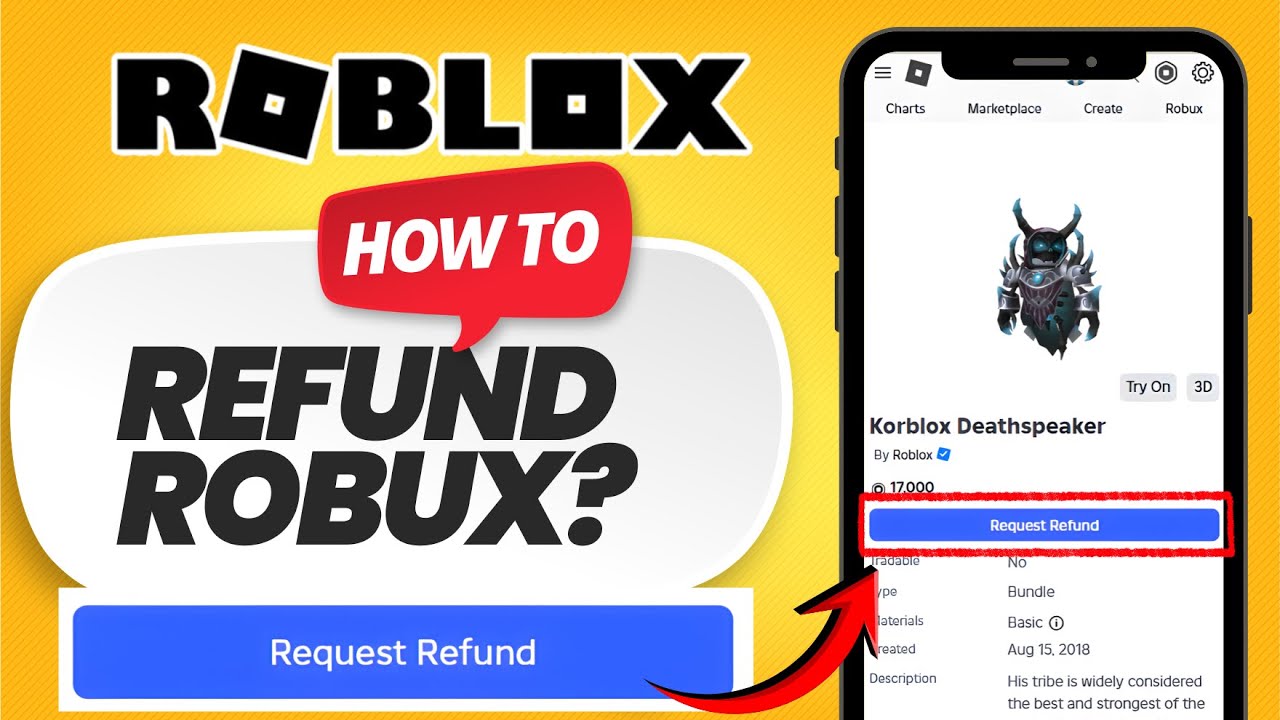


How To Refund Items On Roblox 2026 NEW UPDATE Get Your Robux Back . How To REFUND ITEMS On Roblox 2026 Get Your Robux Back YouTube . Can You Return Roblox Items A 2026 Guide Refund Items On Roblox Step 8 . How To REFUND ITEMS On Roblox PC 2026 YouTube . Can You Return Roblox Items A 2026 Guide


How To Get A Refund For Items On Roblox YouTube . Can You Return Roblox Items A 2026 Guide Drop Items In Roblox Step 6 Version 2 . How To Refund Items On Roblox Mobile 2026 Android IPad IPhone YouTube . How To Refund Items In Roblox Get Robux Back Quick Guide YouTube . How To Refund Roblox Items In PC Easy YouTube