Discover comprehensive strategies for how to re-embrace Steam games and effectively manage your digital library. This guide provides practical advice for busy adults who seek to rediscover forgotten titles, optimize their gaming experience, and balance their passion for gaming with life's responsibilities. Learn about smart organization, performance tips, community engagement, and budget-friendly upgrades to get the most out of your Steam collection. Whether you have limited time or a vast backlog, these navigational and informational insights will help you enjoy gaming without stress, ensuring every play session is fulfilling and fun. Stay current with 2026 gaming trends and make informed choices for a richer, more balanced gaming life.
Q: How do I effectively manage a large Steam game backlog without feeling overwhelmed?
A: To effectively manage a large Steam game backlog, focus on organization and realistic goals. Utilize Steam's 'Collections' feature to categorize games by genre, mood, or 'Play Next'. Prioritize 3-5 games you genuinely want to play, ignoring the rest for now. Dedicate short, consistent play sessions rather than waiting for large blocks of time. This approach, popular among busy US gamers, helps reduce decision fatigue and makes progress feel achievable, turning your backlog into a curated list of fun, not a source of stress.
Q: What are the best ways to rediscover forgotten or unplayed games in my Steam library?
A: Rediscovering forgotten Steam games involves deliberate exploration. Sort your library by 'Playtime' (low to high) to identify untouched titles, or by 'Date Acquired' to find older purchases. Use Steam's tag filters for genres you currently enjoy. Read reviews from games you barely remember to spark interest. Consider playing the first 30-60 minutes of a few forgotten titles; a quick taste can reignite curiosity or help you confidently remove them from your mental to-do list. Community recommendations often highlight hidden gems within your own collection.
Q: How can I optimize my PC for older or more demanding Steam games on a budget?
A: Optimizing your PC for Steam games on a budget primarily involves software and minor hardware upgrades. Ensure graphics drivers are updated regularly. Close background applications to free up RAM and CPU. For hardware, upgrading to an SSD for game installations dramatically reduces load times and improves overall system responsiveness, offering immense value. Increasing RAM is another cost-effective boost. For graphical performance, adjusting in-game settings like shadows, anti-aliasing, and texture quality can yield significant frame rate improvements without needing a new GPU.
Q: What strategies can help me balance gaming with my job and family responsibilities?
A: Balancing gaming with job and family requires intentional scheduling and clear communication. Treat gaming like any other appointment, setting aside specific, realistic time slots. Communicate these times to your family to avoid conflicts. For busy adults (average age 36), focus on shorter, engaging gaming sessions with clear stopping points, such as completing a single mission or a puzzle. Prioritize games that offer quick satisfaction or drop-in/drop-out mechanics. This mindful approach ensures gaming remains a relaxing hobby, not another source of stress.
Q: Are there effective ways to connect with other gamers for social play on Steam?
A: Connecting with other gamers for social play on Steam is easier than ever. Utilize Steam's 'Friends' list to see what contacts are playing and join them. Join Steam Groups for specific games or genres to find like-minded players. Discord has become an essential tool; join servers for your favorite titles to find pick-up groups, chat, and coordinate sessions. Many popular multiplayer games have built-in matchmaking. Embracing social gaming, which is a significant trend, enhances the overall experience and provides a great way to re-engage with your library.
Q: How do I ensure I get good value for money when buying new Steam games?
A: To ensure good value for money on new Steam games, patience and research are key. Always wait for Steam sales (Summer, Winter, etc.) to get significant discounts. Use price tracking websites like IsThereAnyDeal.com. Check professional and user reviews on Metacritic and Steam itself to gauge a game's quality and longevity. Prioritize games with high replayability, extensive content, or strong modding communities, as these often provide hundreds of hours of entertainment for your investment. Free-to-play titles with optional cosmetics can also offer immense value.
Q: What are quick gaming session tips for busy individuals with limited playtime?
A: For busy individuals with limited playtime, quick gaming sessions require choosing the right games and setting small, achievable goals. Opt for titles with clear, short objectives per session, like roguelikes, puzzle games, or specific missions in larger titles. Avoid open-ended RPGs unless you can dedicate a solid block. Have a game in mind before you sit down to play to maximize your precious minutes. Look for games with robust auto-save features or easy pause options, ensuring you can stop and restart without losing progress or disrupting immersion. Many modern indie games are designed for this flexible playstyle.
Are you one of the millions of US gamers with a massive Steam library, packed with incredible titles you bought during sales, but rarely touch? You're not alone. It's a common dilemma for the average gamer, often around 36 years old, who balances a job, family, and other life commitments. With 87% of US gamers playing regularly, many clocking over 10 hours a week, the desire to dive into those digital worlds is strong, but finding the time and motivation to remember how to re-embrace Steam games can feel overwhelming. You want relaxation, fun, perhaps some skill-building, and social interaction, all without the hype or the hassle of setup issues or performance problems.
This comprehensive guide is designed for you. We understand the pain points: a daunting backlog, an aging PC, or simply not knowing where to start. We'll show you practical strategies to declutter, optimize, and genuinely enjoy your Steam collection again. Forget the pressure to keep up with every new release; instead, let's focus on rediscovering the gems you already own and making your gaming experience seamless, enjoyable, and perfectly fitted to your busy life. Get ready to transform your Steam library from a source of guilt into a wellspring of endless entertainment.
How Can Busy Gamers Re-Embrace Their Steam Library Effectively?
For the adult gamer juggling work and family, re-embracing your Steam library starts with intentionality and smart time management. Instead of aimlessly browsing, identify your current gaming goals. Do you want quick, relaxing sessions? Something story-driven for weekends? Or perhaps a social experience with friends? Dedicate specific, shorter blocks of time for gaming, rather than waiting for large, unrealistic windows. Many gamers are finding joy in shorter bursts, adapting to their schedules. Utilizing Steam's own features like 'Play Next' or 'Collections' can provide immediate direction, cutting down on decision fatigue. Consider revisiting games that offer drop-in/drop-out mechanics or clear save points, perfect for pausing when life calls.
What Are the Best Tools for Organizing a Large Steam Game Collection?
A cluttered Steam library can be a huge deterrent. Steam itself offers powerful built-in organization tools often overlooked. The 'Collections' feature (formerly Categories) is your best friend. Create custom collections like 'Play Next', 'Short Blasts', 'Cozy Games', 'Multiplayer with Friends', 'Story Driven', or 'Games to Finish'. You can even filter by tags, genres, or controller support to narrow down choices. Beyond Steam, external tools like Playnite offer a unified launcher for games across various platforms, including Steam, allowing for even more robust organization and metadata management. A clean, organized library reduces decision paralysis and makes it easier to jump into a game.
How Do I Rediscover Forgotten Gems in My Steam Backlog?
To truly re-embrace Steam games and find those forgotten treasures, a systematic approach helps. Start by sorting your library by 'Playtime' (low to high) to see games you barely touched, or 'Date Acquired' to unearth older purchases. Steam's 'Tags' system is invaluable; filter by genres or themes you currently enjoy. Many gamers find success by committing to playing the first 30-60 minutes of a few forgotten titles. This quick taste can reignite interest or confirm it's not for you, allowing for confident uninstallation. Look for games recommended by friends or those with 'Overwhelmingly Positive' reviews that you somehow missed. Sometimes, a quick search for 'hidden gems Steam' online can also unearth forgotten classics from your own library.
What Strategies Help Balance Gaming with Life and Work?
Balancing gaming with life means making gaming a part of your routine, not an escape from it. Schedule gaming sessions like any other appointment. Communicate your gaming time with family so expectations are clear. For busy professionals, shorter, focused sessions are key. Instead of hours-long epic adventures, explore indie titles, puzzle games, or co-op experiences that allow for quick progression. Remember, gaming should be a source of stress relief and enjoyment. Current trends show a rise in social and cozy games, which often lend themselves well to shorter, more relaxed play. Prioritize quality over quantity; a fun 30-minute session is better than a stressful two-hour marathon.
How Can I Optimize My PC's Performance for Older or More Demanding Steam Games?
Performance issues can quickly sour the experience of trying to re-embrace Steam games. First, ensure your graphics drivers are up-to-date. NVIDIA and AMD frequently release updates that significantly boost performance. Next, manage your background processes; close unnecessary applications while gaming. Within Steam, you can verify game file integrity to fix corrupted installations. For older games, check community forums for unofficial patches or compatibility modes. For more demanding titles, experiment with in-game graphical settings. Reducing shadows, anti-aliasing, or texture quality can yield substantial frame rate improvements without drastically impacting visual fidelity. A solid-state drive (SSD) for your game installations also dramatically reduces loading times, a significant quality-of-life upgrade.
Are There Budget-Friendly Ways to Upgrade My Gaming Setup for Steam Titles?
Upgrading your setup doesn't always mean breaking the bank. For a budget-conscious gamer, maximizing value is paramount. The biggest impact often comes from upgrading your RAM or switching to an SSD if you haven't already. These are relatively inexpensive and provide noticeable boosts in overall system responsiveness and game loading times. Keep an eye out for sales on older generation GPUs; sometimes last year's flagship card can be a significant upgrade for a fraction of the price. Consider a comfortable, ergonomic gaming chair or a decent quality headset for immersion. Many peripherals offer excellent performance at mid-range price points, so research is key to finding the sweet spot between cost and capability. Remember that mobile gaming continues its dominance, but PC remains a core platform for immersive experiences, often integrated with cross-play and social platforms like Discord, so investing wisely in your PC setup still holds great value.
How Do I Connect with Other Gamers and Enjoy Social Play on Steam?
Social gaming is a huge draw, and Steam offers many avenues. Join Steam Groups related to your favorite games or genres. Use the 'Friends' feature to see what your contacts are playing and easily join their sessions. Discord has become the de facto communication hub for gamers; create or join servers dedicated to games you love, find pick-up groups, and engage in voice chat. Many popular games, especially indie co-op titles and free-to-play options, thrive on community interaction. Don't be afraid to use in-game matchmaking or look for local gaming communities. Shared experiences, whether casual or competitive, significantly enhance the joy of gaming and can motivate you to re-engage with your library.
What Are the Latest Trends for Rediscovering Steam Games in 2026?
In 2026, rediscovering Steam games is heavily influenced by a few key trends. The rise of 'cozy games' and 'life sims' offers low-stress alternatives for unwinding, perfectly suited for busy schedules. Cloud gaming services are making it easier to try games without full downloads, and while not directly Steam-based, they influence overall gaming habits. VR experiments continue to evolve, offering new perspectives on familiar genres. Esports viewing is still massive, inspiring competitive play in many titles. More importantly, cross-play functionality is expanding, blurring lines between PC and console and making it easier to play with friends regardless of their platform. Influencers and streamers continue to highlight older gems, sparking renewed interest. Staying current doesn't mean buying every new title; it means understanding how these trends shape your existing library's potential.
How to Ensure Value for Money When Adding New Games to My Steam Library?
When considering new additions to your already vast Steam library, ensuring value for money is crucial, especially for the average gamer around 36 who manages a budget. The best strategy is patience. Wait for Steam sales (Summer, Winter, Halloween, Spring) where discounts can be significant. Utilize tools like IsThereAnyDeal.com to track prices across multiple stores. Check Metacritic and user reviews before purchasing, prioritizing games with strong replayability or extensive content. Consider games that offer significant modding communities, as these can extend a game's life indefinitely. Free-to-play titles with optional cosmetics can also provide hundreds of hours of entertainment at no upfront cost. Remember, the goal is not to buy every game, but to invest in experiences that truly resonate with your interests and time availability.
What Are Quick Gaming Sessions Tips for Limited Playtime?
For gamers with limited time, maximizing short play sessions is an art. Prioritize games with clear objectives per session, like completing one quest, winning a single match, or clearing one dungeon floor. Roguelikes and roguelites are excellent for this, offering self-contained runs. Puzzle games, deck-builders, and strategy games can also be great for quick mental engagement. Before you start, have a game in mind to avoid wasted time browsing. Many games offer 'quick save' features or autosaves that make it easy to drop in and out. Even better, look for titles specifically designed for shorter play, which are increasingly popular among busy adults seeking instant gratification and achievable goals within their tight schedules.
FAQ Section
Q: How often should I prune my Steam library?
A: There's no strict rule, but consider a review every six to twelve months. Uninstall games you know you won't play or those that didn't click after an initial attempt. You can always reinstall them later if your interest returns, and it frees up valuable storage space while decluttering your view.
Q: Is it worth revisiting very old Steam games?
A: Absolutely! Many older Steam games hold up incredibly well, offering unique experiences not found in modern titles. They often have active modding communities that enhance visuals or add new content. Nostalgia can also be a powerful motivator, providing a comforting escape. Dive in and rediscover the classics.
Q: What is a good balance for gaming hours per week?
A: A healthy balance is subjective, but for many busy adults, around 5-10 hours per week is a common sweet spot. This allows for meaningful engagement without encroaching on work, family, or other hobbies. Listen to your body and mind; if gaming feels like a chore, it's time to adjust.
Q: Can I share my Steam library with family members?
A: Yes, Steam Family Sharing allows authorized family members to play games from your library, even when you're not using it. They can earn their own achievements and have their own save files. It's a fantastic way to introduce loved ones to your favorite titles without extra purchases.
Q: How do I find games that match my current mood?
A: Use Steam's extensive tagging system and the 'Discovery Queue'. Filter by genres like 'Relaxing', 'Story Rich', 'Action', or 'Cozy'. Curate your own 'Mood' collections to quickly find a game that fits whether you want to unwind, get competitive, or explore a new world. Personalization is key.
Q: What are the benefits of using a controller for some PC games?
A: Many PC games, especially action, racing, fighting, and platformers, are designed with controllers in mind and offer a more intuitive and comfortable experience. Steam has excellent controller support, allowing for easy plug-and-play or even custom configurations, enhancing immersion and ease of play.
Q: How can I keep my Steam client running smoothly?
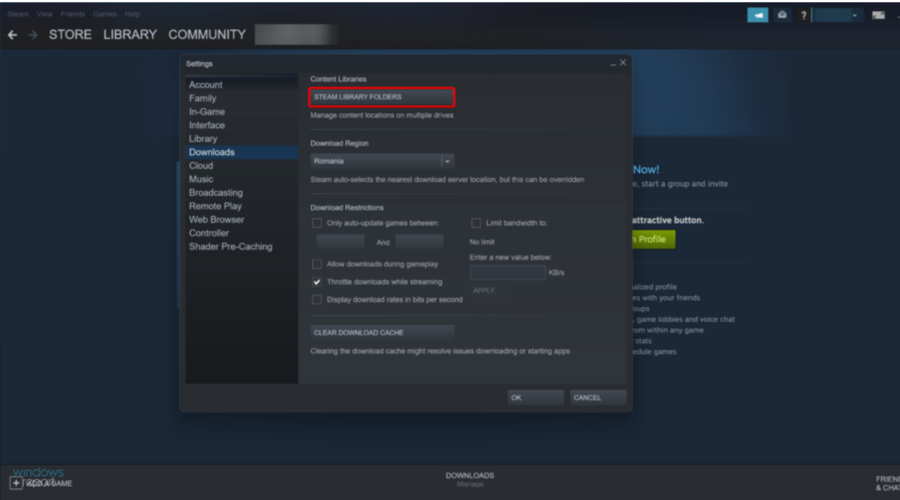
A: Regularly clear your Steam download cache (Steam Settings Downloads Clear Download Cache). Ensure Steam itself is updated to the latest version. If issues persist, try verifying the integrity of your game files. Sometimes, a full reinstall of Steam might be necessary, but this is a last resort.
In conclusion, re-embracing your Steam games is entirely achievable, even with a busy life. By strategically organizing your library, optimizing your system, balancing your time, and engaging with the community, you can transform your gaming experience. The average US gamer, aged 36, spending 10+ hours weekly, understands the value of this escape. Focus on quality over quantity, find those forgotten gems, and tailor your play to your lifestyle. The rich world of PC gaming is waiting to be rediscovered. What's your biggest gaming challenge in making time for your Steam library? Comment below!
Rediscover Steam games, organize game library, optimize PC performance, balance gaming with life, budget gaming upgrades, social gaming tips, value for money in games, quick play strategies.
35




The Best Extraction Shooter Games You Can Play On Steam Right Now Most Played Games Steam 2026 2048x1167 . Steam Sales 2026 Calendar Full Dates Best CD Key Deals AllKeyShop Com All Steam Events 2026. Steam Next Fest February 2026 The 22 Best Game Demos The Best Steam Next Fest Demos 2026 The Punished Backlog Order 2 300x162 . How To Refund Steam Games Fast Easy Tutorial 2026 YouTube . The Top 2026 Games By Steam Wishlists By Rhys Elliott Fc2aa87f 2277 4294 9e7b 1920x1080
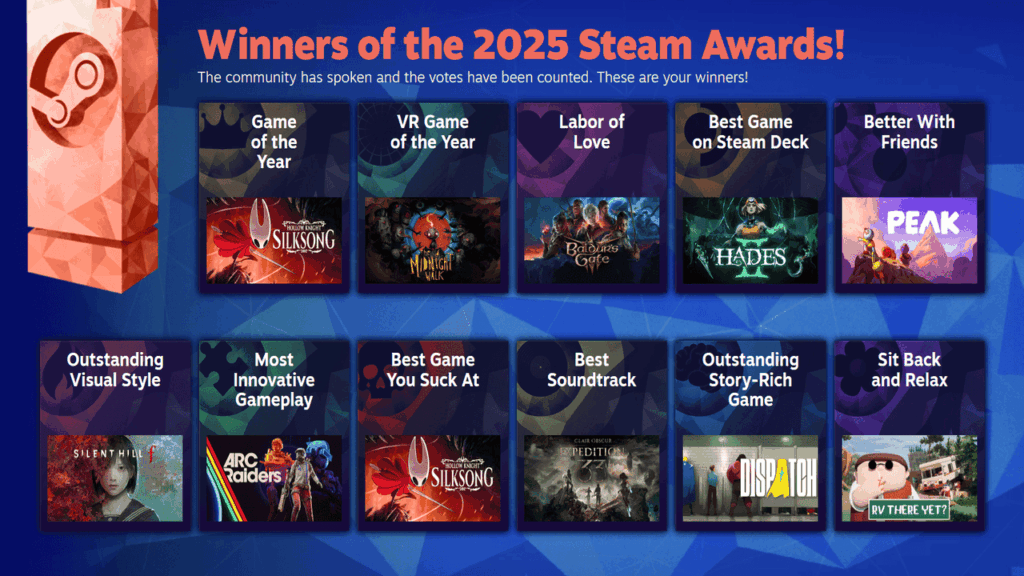

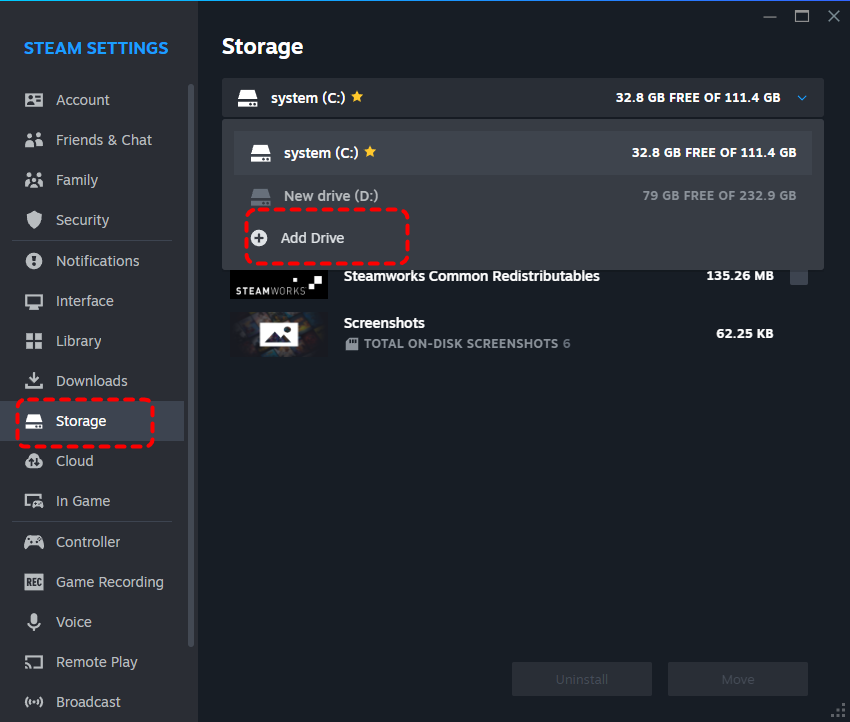


Rekomendasi Game Steam Spring Sale 2026 Wajib Beli Steam Awards 2025 Winners 1024x576 . How To Backup And Restore Your Steam Games To A New PC YouTube . Steam Game Recovery How To Restore Lost Steam Games Easily Add Drive . Steam Drops Free Download For Gorgeous New 2026 Game . How To Backup Games On Steam Restore Your Games On Steam 2024 YouTube



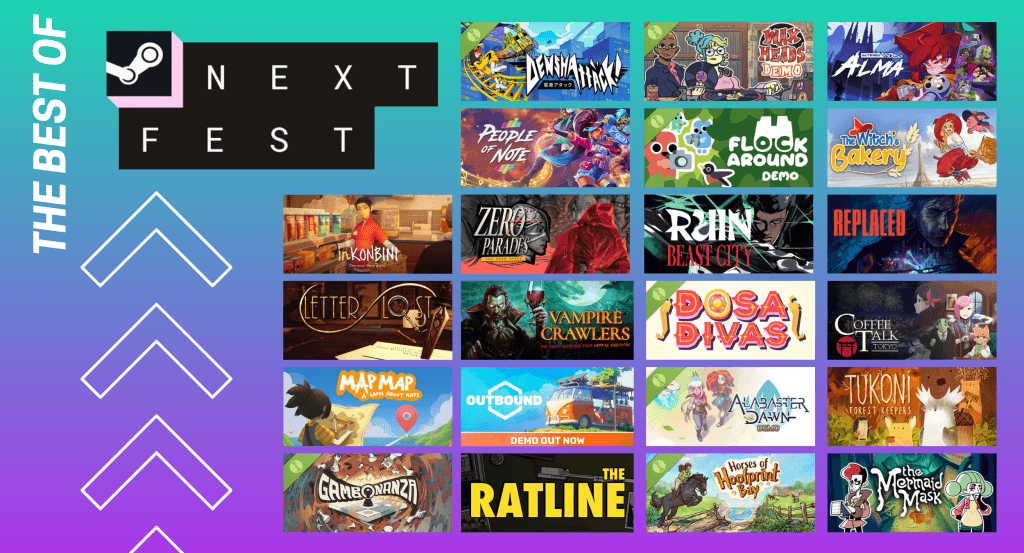
How To Reset Steam Games Erase Game Data Full 2025 Guide YouTube . Best Steam Games For Teens 2026 Edition LRDev Games 1.Best RPG Games On Steam Complete Guide.webp. How To Restore Steam Games Without Backup Easy Guide 2024 YouTube . How To Reset Games On Steam 2026 FULL GUIDE YouTube . Steam Next Fest February 2026 The 22 Best Game Demos The Best Steam Next Fest Demos 2026 The Punished Backlog 1024x553


How To Backup And Restore Your Game On Steam YouTube . How To Restore Altered Steam Games Images. How To Reset Steam Games Erase Game Data 2026 Full Guide YouTube . Steam Replay 2025 Is Here See Your Gaming Year In Review And Earn A Badge 608xt . How To Restore Steam Games Without Backup Quick Guide Untitled Design 2022 02 1 1 1



HOW TO UPDATE GAMES ON STEAM 2026 FULL GUIDE YouTube . How To Refund Games On Steam 2026 Refund A Steam Game YouTube . Best Free Games To Claim Right Now 2026 Steam PlayStation Xbox More May 2026 Free Games Feature Image . Steam Next Fest 2026 And Beyond All The Dates Details And Everything. How To Reset Steam Games Or Erase Game Data Quick Fix YouTube


How To Restore Steam Games Without Backup Quick Guide Untitled Design 2022 02 1 1 1 330x183 . Steam Next Fest 2026 And Beyond All The Dates Details And Everything. How To Restore Steam Games Without Backup Quick Guide Steam How To Return A Game 1024x683 . Steam 2026 4 New Free To Play Games Available Now AllKeyShop Com Showcase Steam Free Games 2026 Indie F2p Card Roguelike Sci Fi. How To Reset Games On Steam 2026 Step By Step YouTube


How To Restore Steam Games Without Backup Quick Guide Untitled Design 2022 02 1 1 1 330x183 . My Current Steam Wishlist 2025 2026 New Games YouTube . Steam Game Recovery How To Restore Lost Steam Games Easily Restore Game Backup . The Top 2026 Games By Steam Wishlists By Rhys Elliott 23c9e457 4e86 49e1 Af4e 1503x980 . The Most Desired PC Game On Steam In February 2026 Has Been Named