Navigating the world of CPU gaming computers can feel like a boss battle in itself, especially when you're balancing a busy life, work, and family commitments with your passion for gaming. You want smooth gameplay, quick load times, and a rig that can handle both the latest AAA titles and your favorite social gaming experiences without breaking the bank or requiring a weekend of troubleshooting. This guide cuts through the technical jargon, offering practical advice and actionable steps to help you understand, choose, and optimize the CPU at the heart of your gaming computer. We'll demystify clock speeds, core counts, and threads, ensuring you make informed decisions that align with your budget and gaming habits. Whether you're upgrading an existing setup, building a new machine, or just curious about what makes a gaming CPU tick, prepare to level up your knowledge and secure a truly enjoyable, stress-free gaming experience tailored for today's diverse gamer. No hype, just real solutions for real gamers.
What CPU is considered top-tier for gaming computers in 2026?
For top-tier gaming in 2026, premium CPUs like the latest Intel Core i9 or AMD Ryzen 9 series processors are often recommended. These CPUs boast high core counts, exceptional single-core performance, and advanced architectures that effortlessly handle the most demanding AAA titles, high refresh rates, and concurrent streaming or content creation tasks. They ensure your cpu gaming computer delivers uncompromised performance.
How can I determine if my CPU is causing performance issues in my gaming computer?
You can check for CPU performance issues by monitoring its utilization during gaming using tools like MSI Afterburner or Task Manager. If your CPU consistently hits 90-100% usage while your GPU is significantly lower (e.g., 60-70%), it indicates a CPU bottleneck. This means your CPU is struggling to keep up, leading to lower frame rates and stuttering on your gaming computer.
Is an Intel i7 or AMD Ryzen 7 CPU better for a balanced gaming computer build?
Both Intel i7 and AMD Ryzen 7 offer excellent performance for balanced gaming computer builds. The choice often comes down to specific generation performance benchmarks, platform features, and price. Generally, Intel tends to have a slight edge in raw single-core gaming performance, while AMD often offers more cores for multitasking and better value, making either a strong choice depending on your exact needs for your cpu gaming computer.
What are the main benefits of upgrading my CPU in an older gaming computer?
Upgrading your CPU in an older gaming computer can significantly improve frame rates, reduce load times, enhance multitasking capabilities, and overall system responsiveness. It can revitalize your PC, allowing it to play newer games more smoothly, especially titles that are CPU-intensive or when you're trying to balance gaming with work or streaming on your cpu gaming computer.
Do CPU coolers really matter for a gaming computer's performance?
Absolutely. CPU coolers are critical for maintaining optimal performance in a gaming computer. An effective cooler prevents your CPU from overheating, which can lead to thermal throttling—where the CPU automatically slows down to prevent damage. Proper cooling ensures your CPU can maintain its boost clock speeds for longer, providing consistent high frame rates and extending the lifespan of your cpu gaming computer components.
Can I use a productivity-focused CPU in my gaming computer?
Yes, many productivity-focused CPUs with high core counts and good multi-threaded performance can also excel in gaming, especially those from Intel's Core i7/i9 or AMD's Ryzen 7/9 lineups. These processors are often great for a cpu gaming computer that needs to double as a workstation for video editing, 3D rendering, or heavy multitasking, offering a strong balance for users who blend work and play.
What emerging CPU technologies should I watch for my next gaming computer upgrade?
For future gaming computer upgrades, keep an eye on advancements in hybrid core architectures, like Intel's Performance-cores and Efficient-cores, which optimize task allocation. Also, look for improved on-die cache designs (e.g., AMD's 3D V-Cache), faster interconnects (PCIe 5.0/6.0), and more robust integrated graphics that could blur the lines between dedicated and integrated solutions for entry-level cpu gaming computers. These innovations promise better efficiency and performance.
Are you a gamer who lives for those epic wins, the chill social sessions with friends on Discord, or just unwinding after a long day with your favorite title? If so, you're not alone. A recent US gaming report from this month indicates that 87% of gamers play regularly, often dedicating 10+ hours a week. But for many of us, especially those balancing jobs, families, and life's endless quests, a sluggish CPU in our gaming computer can turn fun into frustration. You've been there: dropped frames during a crucial moment in Apex Legends, long load times in Baldur's Gate 3, or your PC chugging when you're trying to stream a cozy game with friends. It's a common pain point for the average gamer, often around 36 years old, who values both performance and value for money. This isn't about chasing every bleeding-edge benchmark; it's about getting the most out of your cpu gaming computer, making smart choices, and ensuring your precious gaming time is spent enjoying yourself, not troubleshooting. This comprehensive guide will equip you with the knowledge to understand your CPU gaming computer better, solve common performance woes, and make informed decisions, all while keeping your budget and real-world gaming habits in mind. Let's dive in and optimize your gaming experience without the usual tech hype.
What is a CPU in a Gaming Computer and Why Does It Matter?
The CPU, or Central Processing Unit, is often called the 'brain' of your gaming computer. It's responsible for executing most of the instructions that make your games run, from physics calculations and AI behavior to managing data flow between other components like your GPU and RAM. While your graphics card (GPU) renders the beautiful visuals, the CPU ensures that everything behind the scenes operates smoothly and efficiently. A powerful CPU gaming computer is crucial for preventing bottlenecks, especially in CPU-intensive games or when multitasking, ensuring consistent frame rates and a responsive overall system, which is vital for competitive play and immersive single-player experiences alike. Neglecting your CPU can lead to frustrating stuttering, even with a top-tier GPU.
For today's gamers, who often engage in social gaming and cross-play with friends across various platforms, a robust CPU is essential. It handles not just the game itself, but also simultaneous applications like Discord for voice chat, streaming software for sharing experiences, and background utilities without a hitch. This multi-tasking capability directly impacts your ability to relax and enjoy your limited gaming sessions, making the CPU a core component for a stress-free gaming computer experience.
How Do I Choose the Right CPU for My Gaming Computer in 2026?
Choosing the right CPU for your gaming computer in 2026 involves a few key considerations that balance performance, budget, and your specific gaming habits. First, think about the types of games you play: competitive esports titles often prioritize high single-core clock speeds, while open-world AAA games benefit from more cores and threads. Second, consider your target resolution and refresh rate; higher resolutions tend to be more GPU-bound, but a weak CPU can still bottleneck a powerful GPU, especially at higher frame rates. Finally, assess your budget and future-proofing needs; investing a bit more now can save you from an early upgrade cycle. With the rapid evolution of games and hardware, making an informed choice is key to long-term satisfaction.
Many gamers, particularly those in the 36-year-old average demographic who balance gaming with work and family, seek value. This means looking beyond just raw power and considering the efficiency and platform longevity. For instance, some platforms offer better upgrade paths for future generations. Also, consider integrated graphics if you're on a tight budget and plan to add a dedicated GPU later, as some modern CPUs offer surprisingly capable integrated solutions for lighter gaming and general use. Don't fall for marketing hype; focus on real-world benchmarks relevant to the games you play and your desired experience.
Ryzen vs. Intel: Which CPU Brand is Better for My Gaming Computer?
The Intel versus AMD Ryzen debate continues to be a hot topic for anyone building a CPU gaming computer, and in 2026, both brands offer compelling options. Intel often maintains a slight edge in raw single-core performance, which historically translated to higher frame rates in many games, particularly at 1080p and 1440p resolutions. Their latest Core i5, i7, and i9 processors, especially those with hybrid architectures, deliver exceptional gaming power and responsiveness, which is great for competitive players looking for every frame possible.
AMD's Ryzen processors, on the other hand, frequently offer better multi-core performance for the price, making them excellent choices for gamers who also stream, create content, or use their gaming computer for heavy productivity tasks. Features like 3D V-Cache on some Ryzen chips have also delivered significant gaming performance boosts, often surpassing Intel in specific titles. For gamers seeking a strong all-rounder that excels in both gaming and workstation tasks without breaking the bank, AMD often presents a very attractive value proposition. Ultimately, the 'better' choice depends on your specific budget, preferred game titles, and whether multitasking beyond gaming is a priority for your cpu gaming computer.
What are the Key Specifications to Look for in a Gaming CPU?
When evaluating a CPU for your gaming computer, several key specifications will guide your decision. Understanding these will help you compare different models effectively and ensure you're getting the best bang for your buck.
- Core Count and Thread Count: Cores are the individual processing units. Threads are virtual cores that allow a single physical core to handle two tasks simultaneously. For gaming, 6 to 8 cores (with 12-16 threads) are generally considered the sweet spot for modern titles. More cores are beneficial if you plan to stream, edit, or run multiple demanding applications while gaming.
- Clock Speed (GHz): This indicates how many cycles per second a CPU can perform. Higher clock speeds, especially boost clocks, directly impact single-core performance, which is crucial for many games. Focus on boost clock speeds for gaming benchmarks.
- Cache (L3 Cache): This is a small, ultra-fast memory built directly into the CPU. A larger L3 cache can significantly reduce data access latency, leading to smoother gameplay and improved frame rates by ensuring critical game data is readily available to the CPU. AMD's V-Cache technology is a prime example of its gaming impact.
- TDP (Thermal Design Power): This is the maximum heat a component can generate under load. A higher TDP often means a more powerful CPU, but it also requires more robust cooling solutions, which adds to the overall cost and complexity of your CPU gaming computer build.
- Socket Type: This refers to the physical connector on the motherboard where the CPU sits. Ensure your chosen CPU is compatible with your motherboard's socket (e.g., Intel LGA 1700, AMD AM5). This is fundamental for any build or upgrade.
- Integrated Graphics: Some CPUs come with integrated GPUs. While not typically sufficient for serious AAA gaming, they can be useful for troubleshooting, budget builds, or if you plan to add a dedicated GPU later.
By focusing on these specifications, you can cut through the noise and identify a CPU that genuinely meets the demands of your gaming computer without overspending on features you don't need.
How Can I Optimize My CPU Gaming Computer for Best Performance?
Optimizing your CPU gaming computer for peak performance involves a mix of software tweaks, hardware maintenance, and smart usage habits. Many gamers, particularly those with limited time, want to jump straight into the action without fiddling with settings, but a few minutes of optimization can yield significant results.
First, ensure your operating system's power plan is set to 'High Performance.' This tells your CPU to run at its full potential rather than conserving power. Keep your CPU drivers and BIOS firmware updated; manufacturers frequently release updates that improve performance and stability. Second, manage background applications; close anything unnecessary before launching a game, especially resource hogs like web browsers with many tabs, video editors, or cloud sync services. Use Task Manager to identify and close these. Third, maintain proper cooling. Dust buildup is a silent killer of performance. Regularly clean your CPU cooler's fan and heatsink, and consider reapplying thermal paste every couple of years. Overheating leads to thermal throttling, where your CPU intentionally slows down to prevent damage, directly impacting your frame rates.
Additionally, adjust in-game settings. Sometimes, lowering CPU-intensive settings like crowd density, physics detail, or AI complexity can significantly boost frames without dramatically impacting visual quality. For competitive gamers, these small changes can be the difference between victory and defeat. For those who balance gaming with work, creating different user profiles or using dedicated gaming modes in your OS or third-party software can help prioritize resources for your cpu gaming computer when it matters most.
Are Budget CPUs Good Enough for Modern Gaming?
The answer is a resounding yes, for many gamers! In 2026, a 'budget' CPU gaming computer no longer means sacrificing a truly enjoyable experience. Modern entry-level to mid-range CPUs from both Intel (like Core i3/i5) and AMD (Ryzen 3/5) offer impressive performance for their price, often capable of handling popular esports titles like Valorant or CS: GO at high refresh rates, and even many AAA games at 1080p with respectable frame rates, especially when paired with a decent mid-range GPU.
The key is smart component pairing. A budget CPU gaming computer shines when the CPU and GPU are well-matched. Don't pair a powerful GPU with an extremely weak CPU, as it will lead to a significant bottleneck. For example, an AMD Ryzen 5 7600 or Intel Core i5-13400/14400 can deliver excellent value, providing enough processing power for most games while leaving room in the budget for a better graphics card, which often has a larger impact on pure gaming performance. These options are perfect for gamers who want solid performance without the premium cost, allowing them to balance their passion with other financial priorities like family or hobbies. Many free-to-play social games, which are very popular this month, run beautifully on these more affordable systems, allowing broader access to fun and community.
When Should I Upgrade My CPU Gaming Computer?
Deciding when to upgrade your CPU gaming computer can be tricky, especially with new generations of processors launching frequently. However, there are clear signs that indicate it might be time for a change. If you're experiencing consistent stuttering, unplayable frame rates in new titles even with optimized settings, or your CPU is constantly at 100% utilization while your GPU sits idle (a classic bottleneck), these are strong indicators that your current CPU is holding back your system.
Another common scenario is when your gaming computer struggles with multitasking. If launching Discord or streaming software causes significant performance drops, or if your work applications are sluggish alongside a game, a CPU upgrade can dramatically improve your overall experience. For gamers who bought their CPU more than 3-4 years ago, especially budget models, a modern mid-range CPU could offer a substantial leap in performance. Before committing to a full upgrade, consider if a fresh OS install or simply better cooling might solve your immediate problems. However, if your current motherboard and RAM are also outdated, a platform upgrade (new CPU, motherboard, and RAM) often makes more sense for long-term gains and compatibility with future technologies.
How Does CPU Affect Streaming and Multitasking on a Gaming PC?
For gamers who love to share their experiences through streaming or frequently multitask on their gaming PC, the CPU plays an absolutely critical role. While gaming, your CPU is busy with game logic, AI, and physics. When you add streaming into the mix, your CPU (or sometimes your GPU's dedicated encoder) also has to compress and send video data to platforms like Twitch or YouTube. A CPU with sufficient cores and threads, particularly those with strong multi-threaded performance, can handle this dual load much more gracefully.
Processors with 8 or more cores, like AMD's Ryzen 7/9 or Intel's Core i7/i9, are excellent for this purpose. They allow the game to utilize dedicated cores while others handle the encoding process, minimizing performance impact. Similarly, if you're running Discord, a web browser, Spotify, or work-related applications simultaneously, a more powerful CPU prevents slowdowns and ensures a smooth experience across all your tasks. This is especially important for the average gamer who uses their CPU gaming computer for both work and play, needing seamless transitions between demanding applications. Choosing a CPU with strong multitasking capabilities ensures your social gaming experiences remain fluid and your productivity isn't hampered.
What are Common CPU-Related Gaming Computer Problems and How to Fix Them?
Even with a great CPU gaming computer, issues can arise. Understanding common problems and their solutions can save you hours of frustration and get you back to gaming faster. One frequent issue is **overheating**, leading to thermal throttling, sudden frame drops, or even system shutdowns. This is often caused by dust buildup in coolers, dried-out thermal paste, or inadequate airflow. Fixes include regularly cleaning your fans and heatsink, reapplying quality thermal paste, and ensuring good case ventilation.
Another problem is **CPU bottlenecking**, which manifests as low GPU utilization and stuttering frames. Check your CPU and GPU usage during gaming; if the CPU is maxed out and the GPU isn't, your CPU is the culprit. Solutions range from lowering CPU-intensive game settings to closing background apps, or ultimately, upgrading your CPU. **Driver issues** can also cause instability or poor performance. Always ensure your chipset drivers are up-to-date, downloaded directly from your motherboard or CPU manufacturer's website. Finally, **system instability or crashes** during gaming could sometimes be CPU-related, potentially due to an unstable overclock, insufficient power supply, or a faulty CPU. If you've overclocked, revert to default settings. If the problem persists, stress test your components to isolate the issue. For the busy gamer, diagnosing these issues quickly means more playtime and less downtime.
Can My CPU Gaming Computer Handle Both Work and Play?
Absolutely! For many modern gamers, their CPU gaming computer isn't just for entertainment; it's also a powerful workstation. The average age of gamers suggests many juggle professional lives, meaning their PC needs to pull double duty. The good news is that many high-performance CPUs designed for gaming also excel at productivity tasks. Processors with high core and thread counts, like AMD's Ryzen 7/9 or Intel's Core i7/i9, are fantastic for this hybrid use case. They offer the single-core speed crucial for gaming alongside the multi-threaded power needed for tasks like video editing, 3D rendering, programming, or running multiple demanding business applications simultaneously.
Key considerations for a work-and-play CPU gaming computer include ample RAM (32GB is often recommended for heavy multitasking), a fast NVMe SSD for quick loading of both games and work files, and a powerful enough graphics card to support both your gaming and any GPU-accelerated work tasks. For instance, architects or designers who game will benefit immensely from a high-end GPU. Balancing these components ensures that whether you're compiling code, designing graphics, or diving into a VR experiment, your CPU gaming computer can seamlessly transition between your professional responsibilities and your well-deserved relaxation time without missing a beat.
What Peripherals and Software Complement a Strong Gaming CPU?
A powerful CPU gaming computer is just one piece of the puzzle; a well-rounded setup includes peripherals and software that truly unlock its potential. For a start, a high refresh rate monitor (144Hz or more) is essential. Your CPU might be churning out hundreds of frames, but if your monitor can only display 60, you're missing out on a smoother, more responsive experience. Coupled with this, a fast gaming mouse and a responsive mechanical keyboard can enhance precision and reaction times, making every input count.
Beyond hardware, optimizing your software ecosystem is crucial. Ensure you're running games from a fast NVMe SSD; this drastically reduces load times and allows your CPU to pull game assets more quickly. Pair your CPU with sufficient high-speed RAM (16GB is the minimum for modern gaming, 32GB is ideal for heavy users or multitasking) to prevent data bottlenecks. On the software side, keep your operating system lean by removing bloatware, regularly defragmenting (for HDDs) or optimizing (for SSDs) your drives, and using reputable antivirus software that doesn't hog system resources. Utilizing game launchers' optimization features and keeping your graphics drivers updated (which indirectly helps the CPU by ensuring efficient data flow) will also contribute to a seamless experience. These combined elements allow your CPU gaming computer to deliver its best, whether for competitive esports or immersive single-player adventures.
Frequently Asked Questions About CPU Gaming Computers
What is CPU bottlenecking?
CPU bottlenecking occurs when your CPU isn't powerful enough to feed your GPU data as fast as it can process it, causing your GPU to sit idle part of the time. This results in lower frame rates than your GPU is capable of, indicating your CPU is the limiting factor in your gaming computer's performance. It's a common issue that busy gamers want to avoid, as it directly impacts the fluidity of their limited gaming sessions.
Do I need a high core count CPU for gaming?
For most modern gaming, 6 to 8 cores are often the sweet spot. While some games can utilize more, clock speed and single-core performance remain highly important for gaming. Higher core counts become more beneficial if you frequently stream, edit videos, or run multiple demanding applications simultaneously alongside your games on your cpu gaming computer.
How often should I clean my CPU cooler?
It's generally recommended to clean your CPU cooler and reapply thermal paste every 1 to 2 years, or more frequently if your environment is particularly dusty. Regular maintenance helps prevent overheating, which can throttle your CPU's performance and shorten its lifespan, impacting your overall gaming computer experience.
Can integrated graphics CPUs game?
Modern integrated graphics (like those found in AMD's APUs or Intel's Arc iGPUs) can handle lighter esports titles and older games at lower settings. However, for most AAA games and higher refresh rates, a dedicated graphics card paired with a strong CPU gaming computer is almost always necessary for a truly satisfying experience. They are great for budget builds or non-gaming work machines.
What is CPU cache and why is it important for gaming?
CPU cache is a small, fast memory located directly on the CPU chip that stores frequently accessed data, allowing the CPU to retrieve it much faster than from main system RAM. For gaming, a larger and faster cache (like L3 cache) can significantly reduce latency and improve frame rates by ensuring the CPU has quick access to critical game instructions and data, making your cpu gaming computer more responsive.
Should I overclock my CPU for gaming?
Overclocking your CPU can provide a modest performance boost, especially in CPU-intensive games, but it requires adequate cooling and understanding of potential risks like system instability or reduced lifespan. For many gamers balancing life, the benefits might not outweigh the complexity or the need for consistent reliability. Modern CPUs are often highly optimized out of the box, offering excellent performance without the need for manual overclocking.
What does 'future-proofing' mean for a CPU gaming computer?
Future-proofing your CPU gaming computer means choosing a processor and platform that will remain relevant and capable for several years without needing an immediate upgrade. This often involves investing in a CPU with a good core count, strong single-core performance, support for the latest memory (e.g., DDR5) and PCIe standards (e.g., PCIe 5.0), and a motherboard with an active, long-lasting socket, allowing for easier upgrades down the line.
Conclusion
Choosing and optimizing the right CPU for your gaming computer is about more than just numbers; it's about enhancing your enjoyment, respecting your budget, and making the most of your valuable gaming time. By understanding what makes a CPU tick and how it impacts your specific gaming habits, you're empowered to build or upgrade a system that truly serves your needs, whether you're chasing high scores, exploring vast open worlds, or just chilling with friends online. Remember, your gaming computer is an investment in relaxation and fun, and a well-chosen CPU is its beating heart. What's your biggest gaming challenge with your current CPU gaming computer? Share your thoughts and questions below! Let's help each other build better gaming experiences.
Understanding CPU Core Counts and Clock Speeds for Gaming, Balancing Performance and Budget for Your CPU Gaming Computer, Identifying Ideal CPUs for Popular Games and Multitasking, Optimizing Your Gaming PC's CPU Performance, Future-Proofing Your Gaming Computer's Processor, Common CPU Gaming Computer Setup Mistakes to Avoid, Finding Value in CPU Upgrades Without Overspending, Intel vs AMD CPU Gaming Computer Comparison, CPU Cooling Solutions for Gaming PCs, Best CPUs for Streaming and Content Creation.
35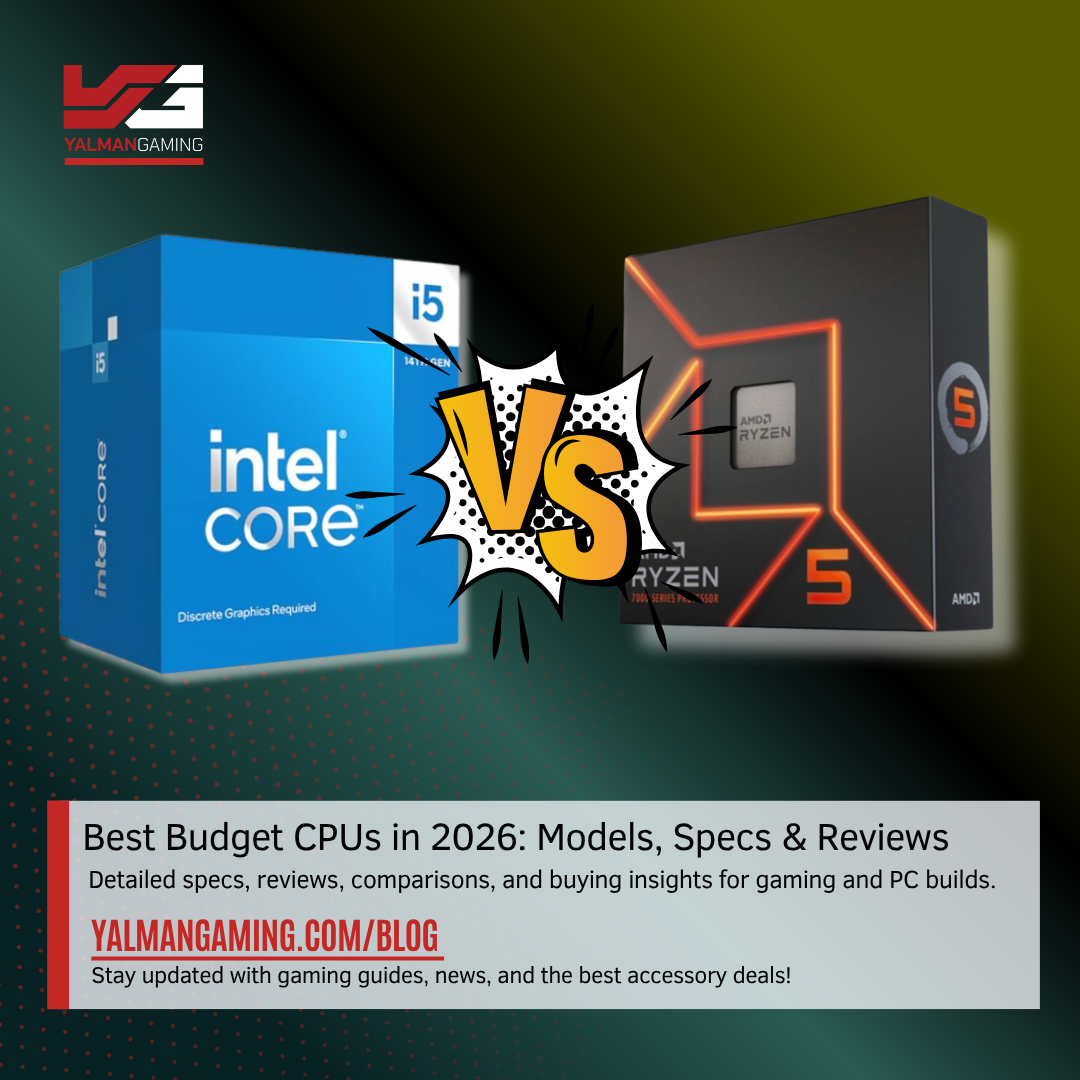


Best Budget CPUs 2026 In Pakistan Top Picks For Gaming Pakistan Best Budget CPUs In 2026 . Best Gaming CPUs 2026 4 Processors Tested And Ranked Best Gaming CPUs . Top Gaming CPUs To Consider For 2026 LevelUpTalk Top Gaming Cpus 2026 12 30 2025 50bb6ab6 B8b2 46f4 87e4. Top 10 Best Desktop Computers 2026 For Home Office And Work Lenovo Legion Tower 7i 2026 High Performance Desktop Computer With RGB Lighting Featured In. Best Desktop CPUs 2026 Gaming Vs Guide 1 Scaled


Best I5 CPU For Gaming 2026 Top 8 Models Tested Best I5 CPU For Gaming . Best Gaming CPU 2026 Ryzen 7 9800X3D Vs 9600X Vs Intel Best Gaming Cpu 2026 768x432 . Best Gaming PC Builds For 2026 Best Gaming PC Builds For 2026.webp. Best PC Gaming CPU 2026 12 Processors Tested PC Gaming CPU 768x419 . Best CPUs For Gaming And In 2026 Top Picks For Best Cpu For Gaming And 683x1024


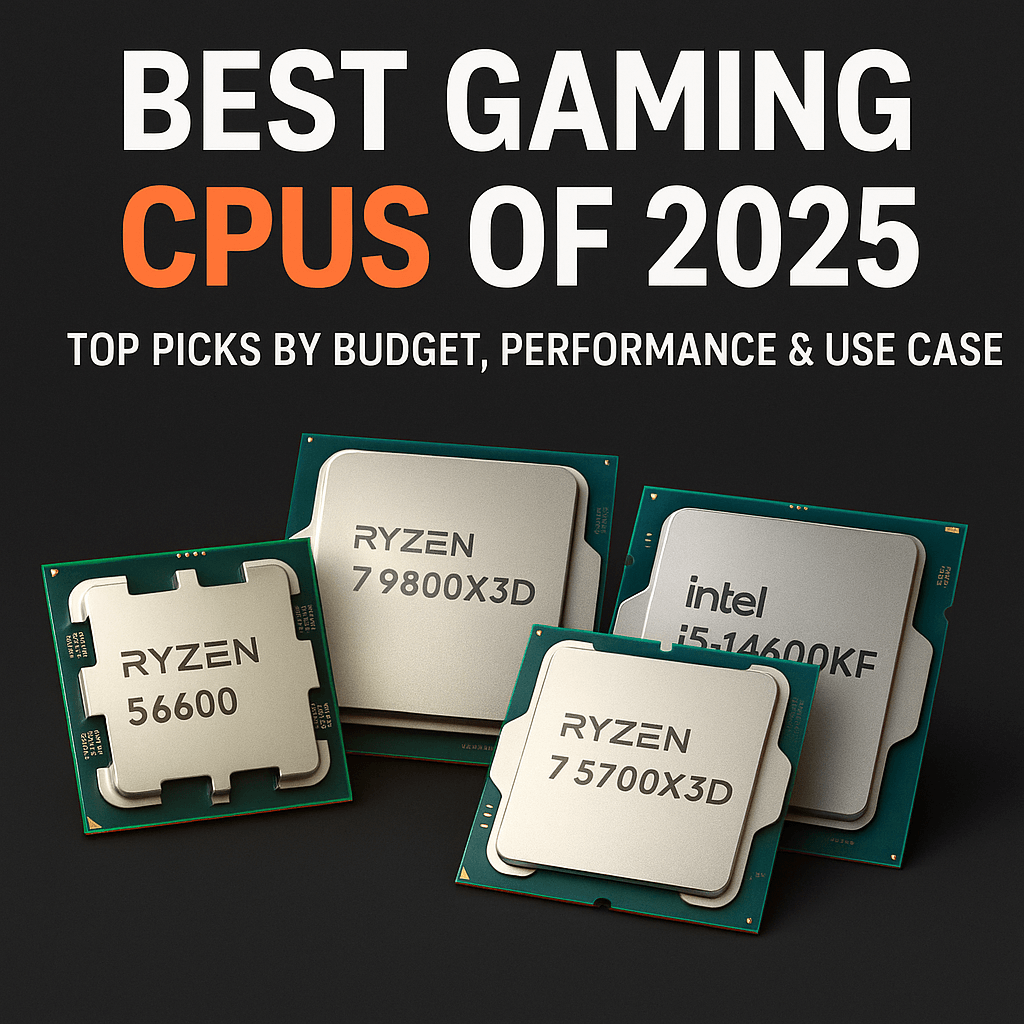
12 Best CPUs For Gaming PC June 2026 Buying Guide Best CPUs For Gaming PC . Best Prebuilt Gaming PC 2026 1440p 4k Budget Best Gaming PC . Best Desktop CPUs 2026 Gaming Vs Guide 4 1024x576 . Best Gaming Desktop CPU In Kenya 2026 Buyer S Guide Value Hub Kenya Best Gaming Desktop Cpu .ke2 . Best Gaming CPUs Of 2026 Top Picks By Budget Performance Use Case
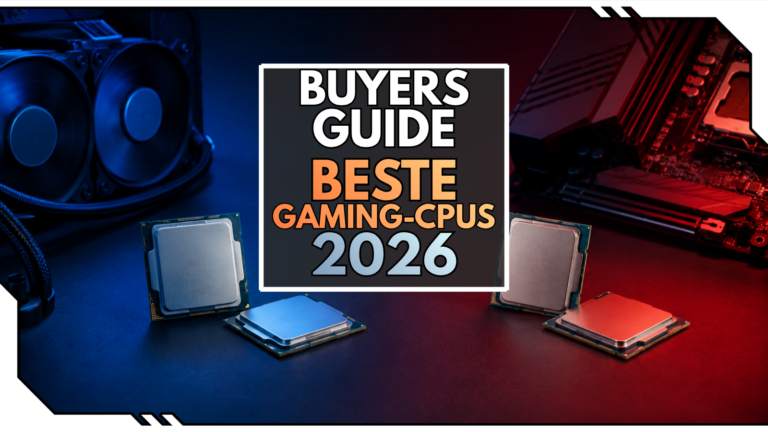


Best Gaming CPUs 2026 Top Processors Ranked Best CPUs For Gaming PC Builds . 8 Best Intel CPU For Gaming June 2026 Expert Reviews Best CPU For Gaming PC 1024x559 . Die Besten Gaming CPUs 2026 F R Jedes Budget Blog Beste CPUs 2026 768x432 . CES 2026 Novit PC Gaming E AI Di NVIDIA AMD E Intel CES 2026 . Best Prebuilt Gaming PC 2026 For Esports AAA And Streaming Gamer Org A Sleek Youtube Thumbnail Design With Bo Z5fskbADS9 PZy23Rqs Zg NA9Dn G 1024x574


Best Desktop CPUs 2026 Gaming Vs Guide 5 1024x553 . 2026 CPU Upgrade Timing Cpu Upgrade Cycle 2026 How Long To Wait Banner V1.webp. Best Gaming CPU 2026 Ultimate CPU Comparison ArsenalPC 1 1 Scaled . 7 Best Local AI Models For CPU January 2026 Reviews Tests Best CPU For RTX 3070 . Best For Gaming PCs In 2026 Intel AMD Guide Motherboard For Gaming Pcs In 2026.webp


Get An X3D For Less As One Of AMD S Best Gaming CPUs Hits An All Time . Best CPU For Gaming 2026 Top Gaming Processor The Best CPU For Gaming In 2026 01 . 12 AMD Gaming PC In 2026 Is It Any Good YouTube . PC Project 2026 Where To Start With Building Your Own Gaming PC CCL CCL 667 BLOG BUILD GUIDE 1980x1080 . Best CPU GPU Combos For Gaming PC Builds In 2026 ALL BUDGETS



Best Gaming Processor 2026 AMD Vs Intel Comparison Complete Guide Cpu Gaming Intel. Gaming CPUs 2026 Preis Leistungs Check F R Dein Upgrade Gaming Cpu 2026.webp. TOP Port Tiles Gaming 2026 No Compres Sin Leer Esto Mejores Cajas Pc 2026 . The Best Presidents Day 2026 Gaming PC Laptops And Component Deals . What S The Best CPU For Gaming 2025 The Definitive Guide YouTube